Cargando el producto…

Precio desde
$ 364.044
+ flete y aranceles — se calculan al cotizar
Tamaño
Compra protegida
Puerta a puerta
Aduana incluida
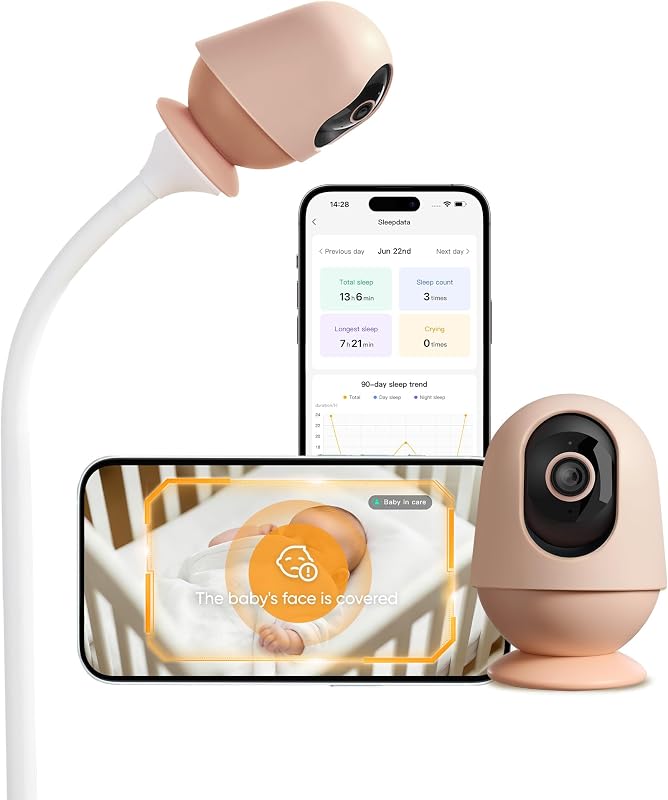
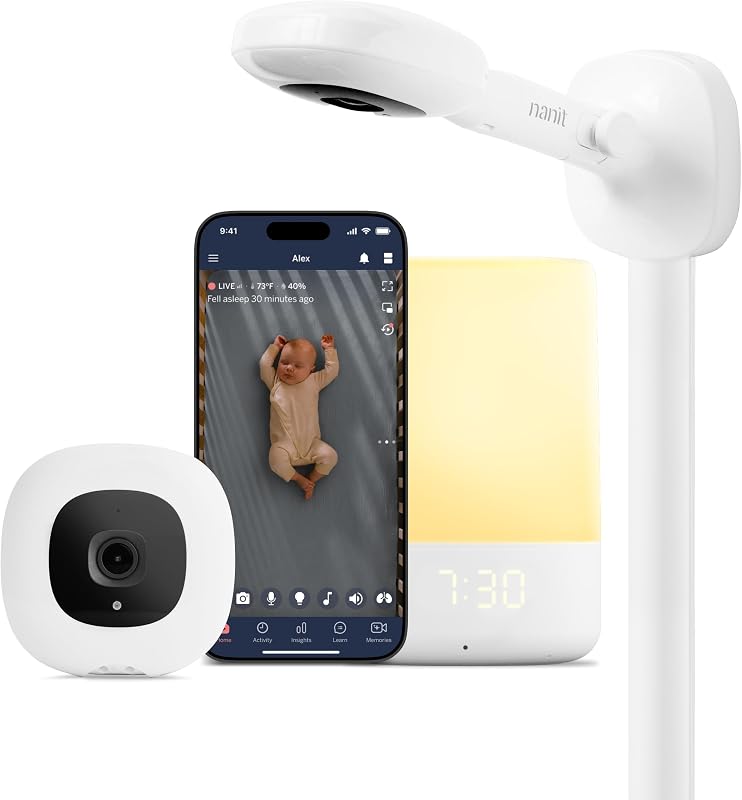
Product description The video showcases the product in use.The video guides you through product setup.The video compares multiple products.The video shows the product being unpacked.Video Player is loading.Click to play videoPlayMuteCurrent Time 0:00/Duration 2:59Loaded: 1.68%0:00Stream Type LIVESeek to live, currently behind liveLIVERemaining Time -2:59 1xPlayback RateChaptersChaptersDescriptionsdescriptions off, selectedCaptionsCaptions off, selectedEnglish (Automated)Audio Trackdefault, selectedFullscreenThis is a modal window. Eufy Baby Monitor E21 Product Description Previous page Next page 1 Wi-Fi-Free Monitoring 2 App Access 3 Wi-Fi On/Off Switch 4 Split-Screen Monitoring 5 Stable Connection Previous page Next page 1 Ultra-Clear Night Vision 2 4K UHD Resolution 3 Auto-Focus 4 Wide-Angle View 5 Flexible Installation Just Grab and Go Slip this palm-sized camera into your bag when you head out. Taking up little space, it's the perfect companion for your outings. Effortless Setup Easily set up the 5,000mAh camera wherever your baby goes—no outlet needed. It runs smoothly even during blackouts. Hassle-Free Gatherings Bring the camera along when visiting friends or grandparents on weekends for effortless monitoring. Travel with Ease Ditch messy wires and power banks. Mount the battery camera in your summer house or hotel room and head out with ease. Active Noise Reduction Active noise reduction cuts background noise by 20 dB—dimming sounds like buzzing fans or soft murmurs—for a peaceful night. Smart Alerts Accurately detects and notifies you of your baby's cries, room temperature changes, and loud noises, so you can quickly see to their needs. 24/7 Recording Review 24/7 recordings* in the app to uncover any sleep issues and ensure you never miss their precious firsts. Auto-Off Lights Auto mode disables the camera light at night, while night vision uses invisible infrared light to create a perfect sleep environment. Compare with similar items Baby Monitor E21 Add to Cart Baby Monitor C10 Add to Cart Baby Monitor E20 Add to Cart E21 Add-On Camera Add to Cart Bottle Washer S1 Pro Buying Options Baby Monitor Crib Mount Add to Cart E20/E21 Charging Base Add to Cart Customer Reviews 4.4 out of 5 stars 86 3.7 out of 5 stars 93 4.1 out of 5 stars 113 4.1 out of 5 stars 108 4.1 out of 5 stars 91 3.5 out of 5 stars 12 4.4 out of 5 stars 25 Price $259.99$259.99 $129.99$129.99 $199.99$199.99 $129.99$129.99 $319.99$319.99 $24.99$24.99 $19.99$19.99 Connect Monitor&App Monitor&App Monitor&App Monitor&App / / / Camera Resolution 4K 2K 2K 4K / / / Camera Battery Life Built-In Battery/Wired Wired Built-In Battery/Wired Built-In Battery/Wired / / / Display 5 inch 720P with Charing Base 4.5-inch, 480p 5 inch 720P APP / / / Zoom 8x in Monitor/APP Control 4x in Monitor/APP Control 4x in Monitor/APP Control 8x in Monitor/APP Control / / / Two Way Audio ✔ ✔ ✔ ✔ ✘ ✘ ✘ Sleep Tracking ✘ ✘ ✘ ✘ ✘ ✔ ✔ Installation Accessories Wall Mount*1, Crib Mount*1 Wall Mount Wall Mount / / / / 1. How do I update the firmware for the monitor and camera? For first use, update the firmware to the latest version: -Camera: Connect to the eufy Baby app, then go to Me > My Devices > Settings > About Device > Firmware Update. -Monitor: On the screen, go to Monitor Settings > About Device > Firmware Update. 2. What situations are suitable for using the battery-powered camera? The camera works great whether plugged in or running on its 5,000mAh built-in battery, ensuring seamless use during trips or power outages. When using battery power, you can expect about 9 hours of use and around 5.5 hours with night vision. 3. What detection features does the camera have? The camera features cry detection, loud noise detection, and temperature monitoring. You can adjust the sensitivity for cry and noise detection with five different levels and set the push notification intervals to avoid frequent disturbances. 4. What does the Wi-Fi switch do on the camera? The Wi-Fi switch is there to protect your privacy and security. When it's turned on, the camera connects to your router, letting you view the livestream on the app. If you turn it off, the camera will only connect to the monitor. 5. How does Smart Connect work? Smart Connect is enabled by default. When the camera's Wi-Fi switch is on and it's connected to Wi-Fi, your device automatically switches between Wi-Fi and local connection for optimal streaming. To disable it, turn off the camera's Wi-Fi.
Agregás al carrito
Sumás este y otros productos que querés traer.
Cotizás el envío
Calculamos flete aéreo y aranceles a Argentina.
Confirmás y pagás
Un asesor te contacta con el link de pago.
Lo recibís en casa
Tracking en tiempo real. Aduana incluida.
Lo que suele llevarse para tu cámara · un solo envío para todo
De la misma marca, empezando por lo más reseñado
Los mejor puntuados del mismo tipo de producto
Mismo tipo de producto y precio parecido

![[Older Version] SanDisk 16GB 3-Pack Ultra microSDHC UHS-I Memory Card (3x16GB) - SDSQUAR-016G-GN6MM](https://m.media-amazon.com/images/I/817IttnC4lL._AC_SL800_.jpg)

![PEHAEL for iPhone 17 Privacy Screen Protector+Camera Lens Protector | 3+3 Pack, Installation Frame, Cleaning kits, Anti-Spy Private, Anti-Scratch, 9H Tempered Glass, Case Friendly, [6.3 inch]](https://m.media-amazon.com/images/I/61UXu7cBl7L._AC_SL800_.jpg)