Cargando el producto…
![Brook Wingman PS2 Converter Wireless Adapter for PS4/PS3 to PS2/PS1/PS Classic, Supports Xbox & Switch Controllers, Retro Gaming Adapter with Keychain [Exclusive Version]](https://m.media-amazon.com/images/I/81YX68JhMwL._AC_SL1200_.jpg)
Precio de origen
$ 92.836
+ flete y aranceles — se calculan al cotizar
Compra protegida
Puerta a puerta
Aduana incluida
Product description Use new generation controllers to enjoy the classic world The video showcases the product in use.The video guides you through product setup.The video compares multiple products.The video shows the product being unpacked. Wingman ps2 converter Wingman PS2 – Modern Control for Classic Play Play PS2, PS, and PS Classic games with new-gen controllers. Features Turbo and Remap for enhanced fun. Cross-Platform Controller Converter Let the Wingman PS2 take you and your friends into the classic world ! Previous page For PS-series classic consoles. The best memories Wingman PS2 supports PS2, PS, and PS Classic consoles. Being consistent with PS2 memory card design, Wingman PS2 seamlessly integrates with PS2 console and recalls your best memories. Using your controller. Playing classic games. Wingman PS2 supports more than 125 controllers, including handlebars such as PS5, PS4, XB One, Elite2 and XB 360; so you can play your favorite games without restrictions. Ultra-low latency. Unparallel stability Brook's exclusive technology delivers an ultra-low latency for a stable gaming experience that you will be immersed in the classic world and enjoys the game like no others. Non-stop Turbo firing. The fire never ends. The Wingman PS2 unleashes your controller's potential with Turbo function. 5 shooting speeds available for you to skip lengthy, repetitive clicks and fire out easily! Remap button configuration. The Wingman PS2 offers a controller button customization function (Remap) that you can create a perfect operation configuration. Creating your own accessories Brook has various image sticker templates. You create your own Wingman PS2 image icons to make your accessory more customized and unique. Next page Comparison Table Wingman PS2 Converter Add to Cart Brook Wingman P5 Add to Cart Wingman FGC2 Converter Add to Cart Wingman XB3 Converter Add to Cart Wingman XE2 Converter Add to Cart Customer Reviews 4.7 out of 5 stars 190 4.1 out of 5 stars 138 4.2 out of 5 stars 339 4.2 out of 5 stars 410 4.6 out of 5 stars 341 Price EUR 44.19EUR44.19 EUR 67.58EUR67.58 EUR 63.25EUR63.25 EUR 59.78EUR59.78 EUR 49.38EUR49.38 Color Black Black & White Black & White Black Black & Blue Support Console PS2/PS/PS Classic/PC PS5 / PS4 / PC (X-Input) PS5 / PC (X-Input) XB 1、XB X|S、PC PS3、PS4、Switch、PC Turbo Five types By Brook Converter Center By Brook Converter Center 5-Level Turbo Setting 5-Level Turbo Setting Remap ✔ ✔ ✔ ✔ ✔ Support Controllers Switch Pro, PS3/4/5 PS5、PS4 PS5 PS5、PS4、PS3 PS5、PS4、PS3 XB one, Elite1/2 Switch Pro PC Switch Pro、XB X|S Switch Pro、XSX|S XB 360, XS X|S XB — XB Elite 2、XB 1 Xbox Elite2、Xbox One S Size/Weight 56.6 x 43.5 x 13.0 mm/18.48 g 7.7 x 2.1 x 1.1 cm/ 9.0 g 77 x 20 x 13 mm/ 13.4 g 8.7 x 6.7 x 2.5 cm/78g 8.7 x 6.7 x 2.5 cm/78g Color & Version Comparison Wingman PS2 with keychain Color: Black *The version that includes the keychain is exclusive version from Brook's official store.* Wingman PS2 Starry Blue Color: Starry Blue Wingman PS2 Transparent White Color: Transparent White Specification Include Wingman PS2 Cross-Platform Controller Converter x 1 Supported game consoles PS2, PS, PS Classic, PC Supported game controllers Wireless: XB Series X/S/Elite 2/One(BT model), Switch Pro, PS3, PS4, PS5 ; Wired: XB 360 on PS2/ PS1/PS Classic consoles Turbo Support Remap Support Size/Weight 56.6 x 43.5 x 13 mm/18.48 g When the controller/stick is listed as compatible in the compatibility list, but there's no response when I use it? Please try to do firmware update, and remember to tick the Controller Compatibility Update box before tapping START. What's differences about the First Generation (PS3/PS4 to PS/PS2) and the Second Generation (Wingman PS2)? In addition to its compact appearance, the second generation also supports Bluetooth joysticks for XB one and XB Elite Series 2. Besides, there are 5-level turbo settings in the second generation while the first generation only has 1-level. In what situations should I switch the adapter to XID mode? Players need to switch to XID mode only when the adapter is connected to computers to play games. When connecting to PS2, PS1 and PS Classic consoles, players are not required to switch to XID mode. when I use the converter on PS2 and there's no response at all ? Please get another micro usb cable, plug it to Wingman PS2. For the other side of the cable, please plug it to the usb port on PS2 to supply additional power to the converter. How to switch to Xinput? When Wingman PS2 is connected to PC, and the controller is connected to Wingman PS2, you can switch to Xinput by holding down SELECT + Dpad Down for about 2 seconds.
Agregás al carrito
Sumás este y otros productos que querés traer.
Cotizás el envío
Calculamos flete aéreo y aranceles a Argentina.
Confirmás y pagás
Un asesor te contacta con el link de pago.
Lo recibís en casa
Tracking en tiempo real. Aduana incluida.
Lo que suele llevarse para tu consola · un solo envío para todo
De la misma marca, empezando por lo más reseñado
Los mejor puntuados del mismo tipo de producto
Mismo tipo de producto y precio parecido
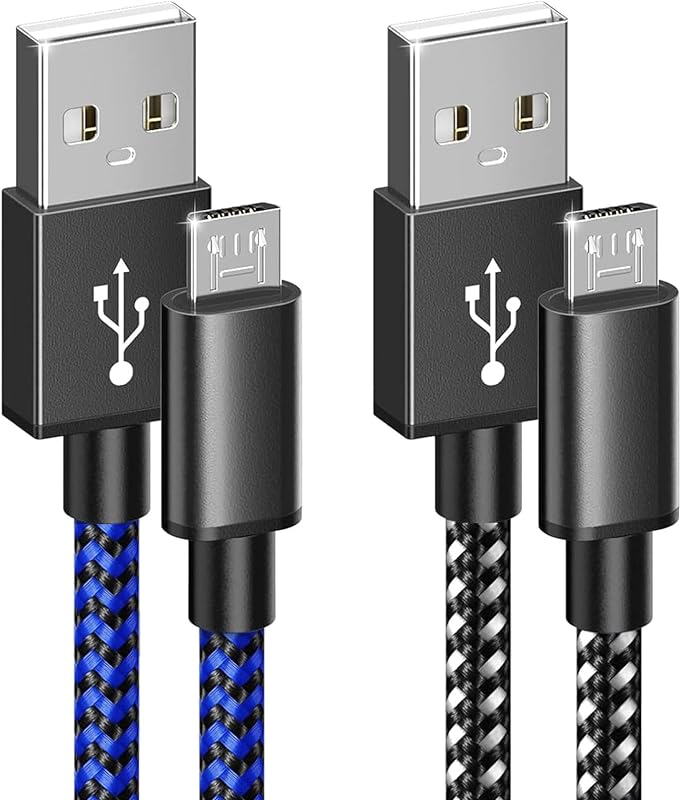


![Wingman XE2 Wireless Controller Adapter [Exclusive Version] 2-in 1 Converter for PS5, PS4, Xbox Series, NS, NS 2 & PC Supports Turbo, Remap, Lag-Free Play Includes Keychain](https://m.media-amazon.com/images/I/71NPXRPWlFL._AC_SL800_.jpg)


![Brook Ras1ution X with Keychain – Xbox Racing Wheel Converter, Adapter for Series X|S, One & 360 | Supports 60+ Wheels, Force Feedback, App Customization [Official Exclusive Edition]](https://m.media-amazon.com/images/I/81AblYtjJrL._AC_SL800_.jpg)