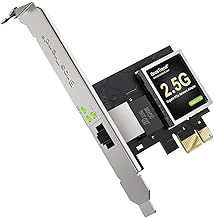
Cargando el producto…

Precio de origen
$ 78.255
$ 83.716
+ flete y aranceles — se calculan al cotizar
Compra protegida
Puerta a puerta
Aduana incluida
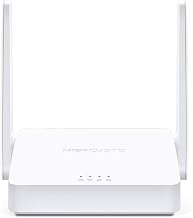
Product description The video showcases the product in use.The video guides you through product setup.The video compares multiple products.The video shows the product being unpacked.Video Player is loading.Click to play videoPlayMuteCurrent Time 0:00/Duration 0:46Loaded: 6.53%0:00Stream Type LIVESeek to live, currently behind liveLIVERemaining Time -0:46 1xPlayback RateChaptersChaptersDescriptionsdescriptions off, selectedCaptionsCaptions off, selectedEnglish (Automated)Audio Trackdefault, selectedFullscreenThis is a modal window. BrosTrend AC1200 WiFi Access Point Stable WiFi for Every Screen Bring AC1200 dual-band WiFi to basements, garages, and upstairs rooms to eliminate dead zones. A Gigabit wired uplink helps maintain consistent performance for streaming, gaming, and everyday use. Previous page Wired In WiFi Out Connect to your router via Ethernet cable to create a new WiFi network in another room. Smooth Dual-Band 1200 Mbps WiFi The AC1200 chipset powers 5 GHz and 2.4 GHz performance for everyday connectivity. Dual External Antennas for Stronger WiFi Dual external antennas boost coverage and strengthen WiFi connections for your devices. Solid Wired Uplink, Smoother WiFi Up to 10× faster than Fast Ethernet. A Gigabit wired uplink ensures consistent WiFi. Protect Your Privacy Advanced WPA2 encryption secures your network and safeguards connected devices. Next page 1 How It Works 2 Powerful AC1200 Chip 3 External Antennas 4 Gigabit Ethernet Port 5 WPA2 Encryption Previous page Fast WiFi for Upstairs Work Get fast, stable connections in your attic office for smooth calls and quick uploads. Strong WiFi for Garage Spaces Stay connected in your garage with strong, consistent signals for all devices. Smooth WiFi for Family Fun Enjoy uninterrupted, reliable connections in the basement for home entertainment. Next page 1 Attic Office 2 Garage Wi-Fi 3 Basement Fun Simple Setup Steps Step 1 Set up the WiFi access point via its web UI using a smartphone or laptop. Step 2 Connect the access point to an Internet-enabled Ethernet port, router LAN port, or network switch using an Ethernet cable. Step 3 Connect your devices to the new WiFi network and enjoy fast, reliable connections.
Agregás al carrito
Sumás este y otros productos que querés traer.
Cotizás el envío
Calculamos flete aéreo y aranceles a Argentina.
Confirmás y pagás
Un asesor te contacta con el link de pago.
Lo recibís en casa
Tracking en tiempo real. Aduana incluida.
Lo que suele llevarse para tu celular · un solo envío para todo
De la misma marca, empezando por lo más reseñado
Los mejor puntuados del mismo tipo de producto
Mismo tipo de producto y precio parecido



![Syncwire Cell Phone Ring Holder Stand [2 Pack], 360 Degree Rotation Finger Ring Kickstand with Polished Metal Phone Grip for Magnetic Car Mount Compatible with iPhone, Samsung, LG, Sony, HTC | 360° Rotation, Mini Size, All Metal, Strong Adhesive, Finger Ring Kickstand , for Smartphones](https://m.media-amazon.com/images/I/61rzsM-OVbL._AC_SL800_.jpg)