Cargando el producto…

Precio desde
$ 273.029
+ flete y aranceles — se calculan al cotizar
Tamaño
Compra protegida
Puerta a puerta
Aduana incluida
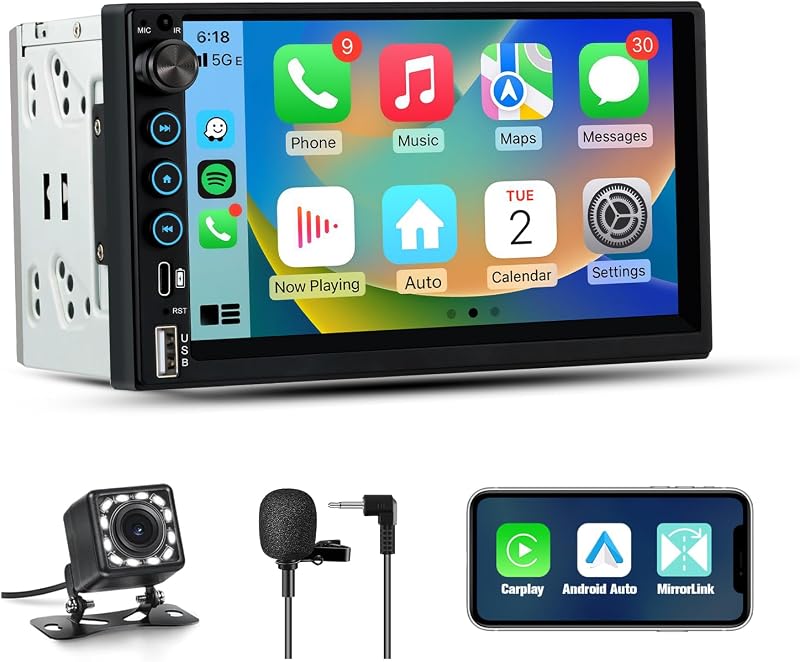
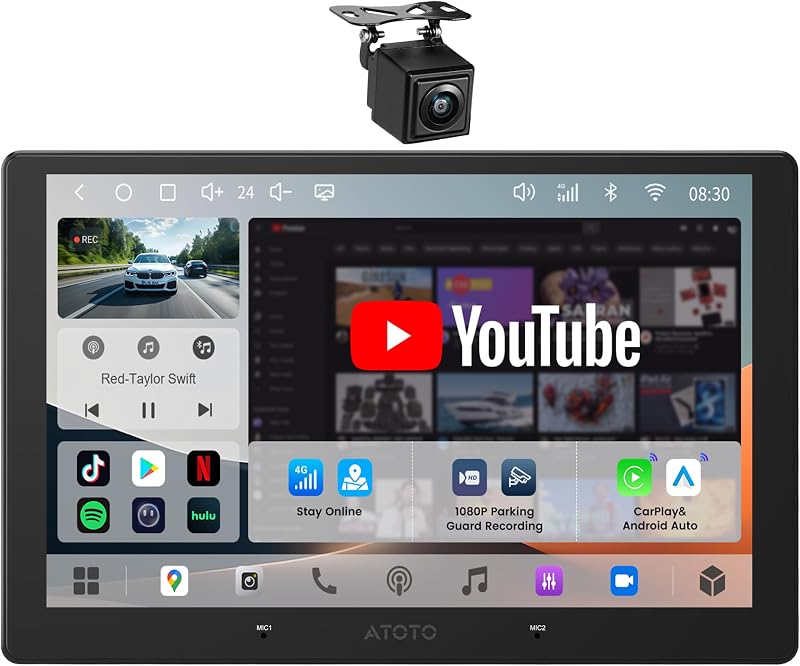
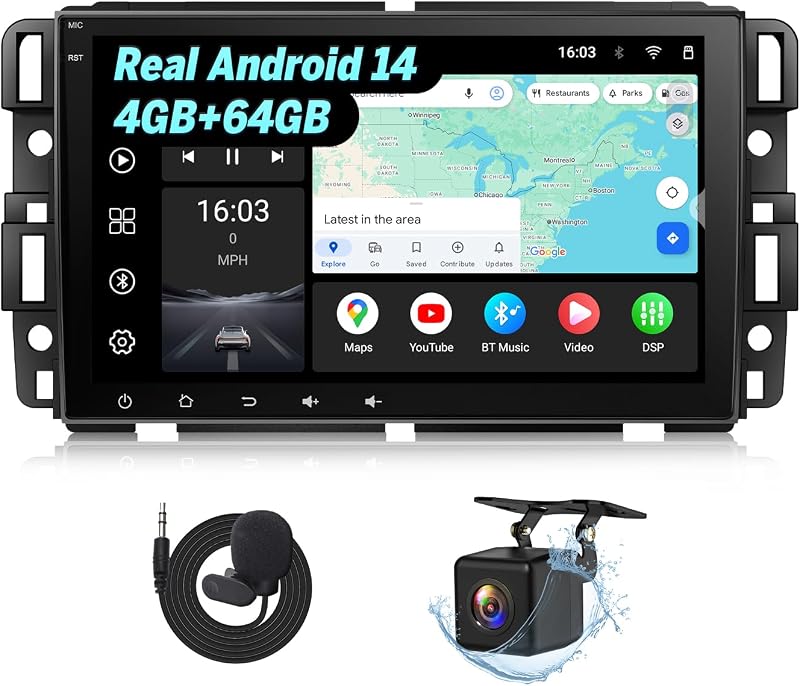
Product description Car Radio for Toyota Camry 2007 2008 2009 2010 2011, Upgrade Touch Screen Android 13 Car Stereo, Wireless Carplay Android Auto, FM GPS 5GWifi For Toyota Camry Radio: 2007 Toyota Camry Radio, JBL Amplifier Fit2008 Toyota Camry Radio, JBL Amplifier Fit2009 Toyota Camry Radio, JBL Amplifier Fit2010 Toyota Camry Radio, JBL Amplifier Fit2011 Toyota Camry Radio, JBL Amplifier Fit Wireless & Wired CarPlay + Android Auto – Supports both wireless and wired CarPlay for iPhone, plus Android Auto for easy phone integration.Switchable UI Designs – Comes with different user interfaces, so you can switch up the look whenever you want.Built-in Bluetooth – Lets you make hands-free calls and stream music straight from your phone.Faster 5GWiFi Support – Using your phone’s hotspot and download all your favorite apps from the store.GPS Navigation – works both online and offline, with real-time traffic updates to help you avoid jams.FM Radio – with three bands (FM1/FM2/FM3) and RDS, so you get more info while listening to your favorite stations.Customizable Sound (EQ) – lets you tweak the sound just how you like it for better audio quality.Split-Screen Mode – lets you run two apps at once — like navigation and music side by side.Steering Wheel Control Support – asily manage calls, music, and volume without taking your hands off the wheel.Rearview Camera Input – gives you a clear view when backing up, making parking safer and easier.Easy Installation (Plug & Play) – means installation is quick, no damage to your car, and you can switch back anytime. Runs on Android 13 with real 2GB RAM and 32GB storage — perfect upgrade for 2007 2008 2009 2010 2011 Toyota Camry accessories. Wireless & Wired Carplay Android Auto Just switch on Bluetooth or Wi-Fi and pair with Zlink—after that it auto-connects. You’ll be able to stream your tunes, make hands-free calls, and get navigation directions all through the head unit. And if you want to keep your hands on the wheel, just call up Siri or Google Assistant for voice control. UI Switch Just go into “Theme” and you’ll see a bunch of different UI styles—just pick your favorite and switch between them whenever you want. Bluetooth & WiFi Tap into “Car-BT,” punch in the password 0000, and you’re paired via Bluetooth. For Wi-Fi, just share your phone’s hotspot with the radio and type in the hotspot password. Once you’re online, head over to the Google Play Store to grab navigation apps, Instagram, YouTube, Facebook, TikTok—whatever you want, right from your car’s screen. GPS Navigation You can use it online or offline—just grab maps from the internet or pop in a map card. It fires up any nav app you like—Google Maps, Waze, Herewego, iGO—super fast, and always gives you the latest traffic info and easy-to-follow directions. FM/ EQ Setting With the FM radio, you can lock onto all your favorite stations, and the built-in EQ gives you presets like Classic, Pop, and more—so you can tweak the sound exactly how you like it. Split Screen Just hit split-screen, and you can keep your navigation on one side while your passenger streams videos or plays music on the other. Steering Wheel Control Just plug your car’s SWC wire into the matching port on the unit, and you’ll be able to control your Bluetooth audio straight from the steering wheel—volume up/down, skip tracks, all that. Then just go into “Steering Learn” in the settings to teach the unit which button does what. Reversing lmage When you shift into reverse, the camera plug in and shows you a clear view behind your Jeep—perfect for easy, No worry parking and backing up. Plug and Play No fuss installation—just plug it in and you’re good to go. The plug-and-play design means no cutting or splicing, so your original wiring stays intact. Q: Why is the Camry head unit black screen or does not start? A: Use a toothpick to poke the small round hole RST,Check the Blue / Red fuse in the back burnt out or not,Check Whether the Canbus box is connected Q: Why is the touch insensitive of toyota camry android? A:Please use 5 fingers re-learn according to the video Q: Why is there no sound of touchscreen radio for 07 camry jbl? A:Check if the speaker cable is connected incorrectly or reversely;Whether the Canbus box is connected Q:Why are Bluetooth and Wi-Fi signals poor? A:Connect reversing cable to Enhanced signal of Bluetooth & Wifi Q:Why can't Bluetooth connect? A:Find ''Car-BT'', enter the password "0000" to connect to Bluetooth, Delete the connection record and try again Q:How to Connect and Close CarPlay A:1.Connect to Bluetooth, Zlink will automatically connect to Carplay. 2.Clear the background(The second one from the upper right) 3.IPhone General-Carplay-Zlink-Open/Close Carplay Q:Why doesn't the steering wheel work? A:1.Check whether the protocol serial port line plugged in reverse or missing and other plugs are missing , 2.Check whether the protocol is selected incorrectly or missed Q:Why is the reversing camera not showing? A:1.Please re
Agregás al carrito
Sumás este y otros productos que querés traer.
Cotizás el envío
Calculamos flete aéreo y aranceles a Argentina.
Confirmás y pagás
Un asesor te contacta con el link de pago.
Lo recibís en casa
Tracking en tiempo real. Aduana incluida.
Lo que suele llevarse para tu cámara · un solo envío para todo
Los mejor puntuados del mismo tipo de producto
Mismo tipo de producto y precio parecido

![[Older Version] SanDisk 16GB 3-Pack Ultra microSDHC UHS-I Memory Card (3x16GB) - SDSQUAR-016G-GN6MM](https://m.media-amazon.com/images/I/817IttnC4lL._AC_SL800_.jpg)

![PEHAEL for iPhone 17 Privacy Screen Protector+Camera Lens Protector | 3+3 Pack, Installation Frame, Cleaning kits, Anti-Spy Private, Anti-Scratch, 9H Tempered Glass, Case Friendly, [6.3 inch]](https://m.media-amazon.com/images/I/61UXu7cBl7L._AC_SL800_.jpg)