Cargando el producto…

Precio de origen
$ 47.310
+ flete y aranceles — se calculan al cotizar
Compra protegida
Puerta a puerta
Aduana incluida
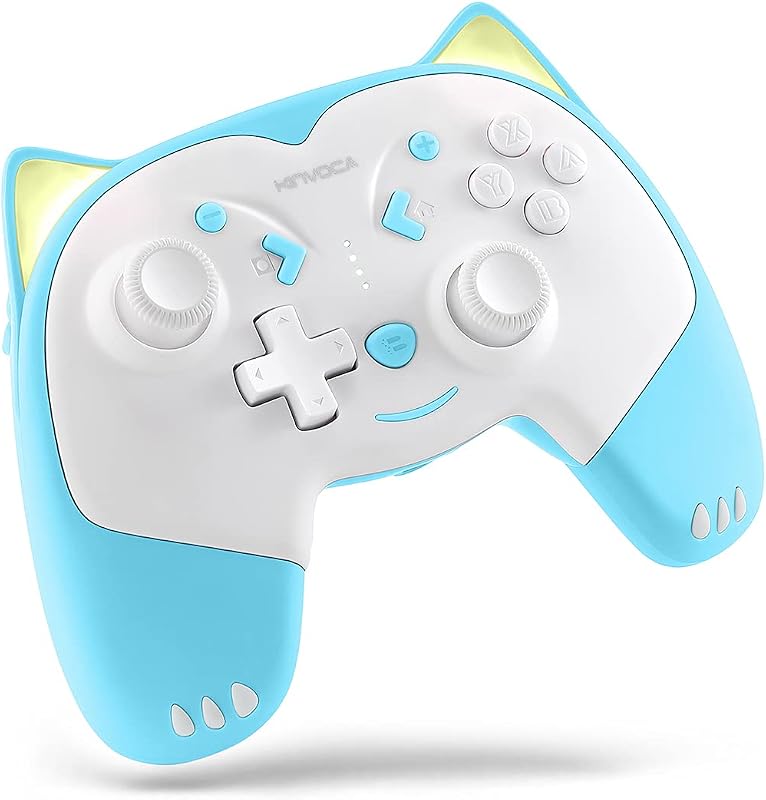
Product description Previous page Hall Linear Trigger, Precise Control 256-level electromagnetic induction: full control of gaming force & speed per tap Smooth & Agile Movement High-precision joystick with delicate operation, providing smooth and accurate movement control. One-click burst fire One-click burst fire, auto infinite shooting, hands-free Next page 1 Trigger 2 Joystick 3 Turbo Mode Android ShootingPlus Mode Press and hold the 'A' button, then press the 'HOME' button. After 2 seconds, it will enter V3 Android mode, and the controller indicator light will flash. When the Android phone detects the device named 'BSP-D11,' select it to connect. Once the connection is successful, the controller indicator light will remain steadily lit [red]. This mode only supports Android and HarmonyOS systems for games like PUBGM&CODM that require mapping. Android Standard Mode Press and hold 'X', then press the 'HOME' button to enter the standard Android mode. The controller indicator light will flash rapidly. When the Android/HarmonyOS phone detects the device name 'BSP-D11', select it to connect. Once the connection is successful, the controller indicator light will remain steadily lit [orange]. This mode is suitable for playing native Android/HarmonyOS games, as well as PS4/PS5 streaming games iOS MFi Mode Hold down the 'B' button, then press the 'HOME' button. After 2 seconds, it will enter iOS MFi mode, and the controller indicator light will flash rapidly. When the Apple device detects the device named 'DUALSHOCK4 Wireless Controller,' select it to connect. Once the connection is successful, the controller indicator light will remain solid [purple]. This mode is suitable for playing native Apple/Android/HarmonyOS games, as well as PS4/PS5 streaming games. PC X-input Bluetooth Mode Hold down the 'RB' button and then press the 'HOME' button. After 2s, the controller enters PC Bluetooth mode with fast-flashing light. On your PC, add Bluetooth device, search and pair 'Xbox Wireless Controller'. Once connected successfully, the controller's indicator light will remain steady [cyan]. This mode is suitable for streaming Android/iOS/HarmonyOS/Xbox console series and PC consoles, as well as native mobile games. SWITCH Mode On the SWITCH console, select Controllers -> Change Grip/Order to enter the SWITCH console pairing mode interface. Press L and R on the controller. Hold down "RT" without releasing, then press the "HOME" button. After 2 seconds, it will enter SWITCH mode pairing. The indicator light will flash, and pairing is successful when the controller's indicator light stays solid [green]. This mode is used for the Switch console.
Agregás al carrito
Sumás este y otros productos que querés traer.
Cotizás el envío
Calculamos flete aéreo y aranceles a Argentina.
Confirmás y pagás
Un asesor te contacta con el link de pago.
Lo recibís en casa
Tracking en tiempo real. Aduana incluida.
Lo que suele llevarse para tu celular · un solo envío para todo
Los mejor puntuados del mismo tipo de producto
Mismo tipo de producto y precio parecido

![ivoler 4-Pack Tempered Glass Screen Protector Designed for Nintendo Switch 2 2025 [Easy Alignment Frame] 30s Installation, 9H Hardness Transparent HD Clear, Anti-Scratch Updated Version 7.9''](https://m.media-amazon.com/images/I/71cEA2Ucd1L._AC_SL800_.jpg)