Cargando el producto…
Precio desde
$ 127.404
+ flete y aranceles — se calculan al cotizar
Color
Compra protegida
Puerta a puerta
Aduana incluida
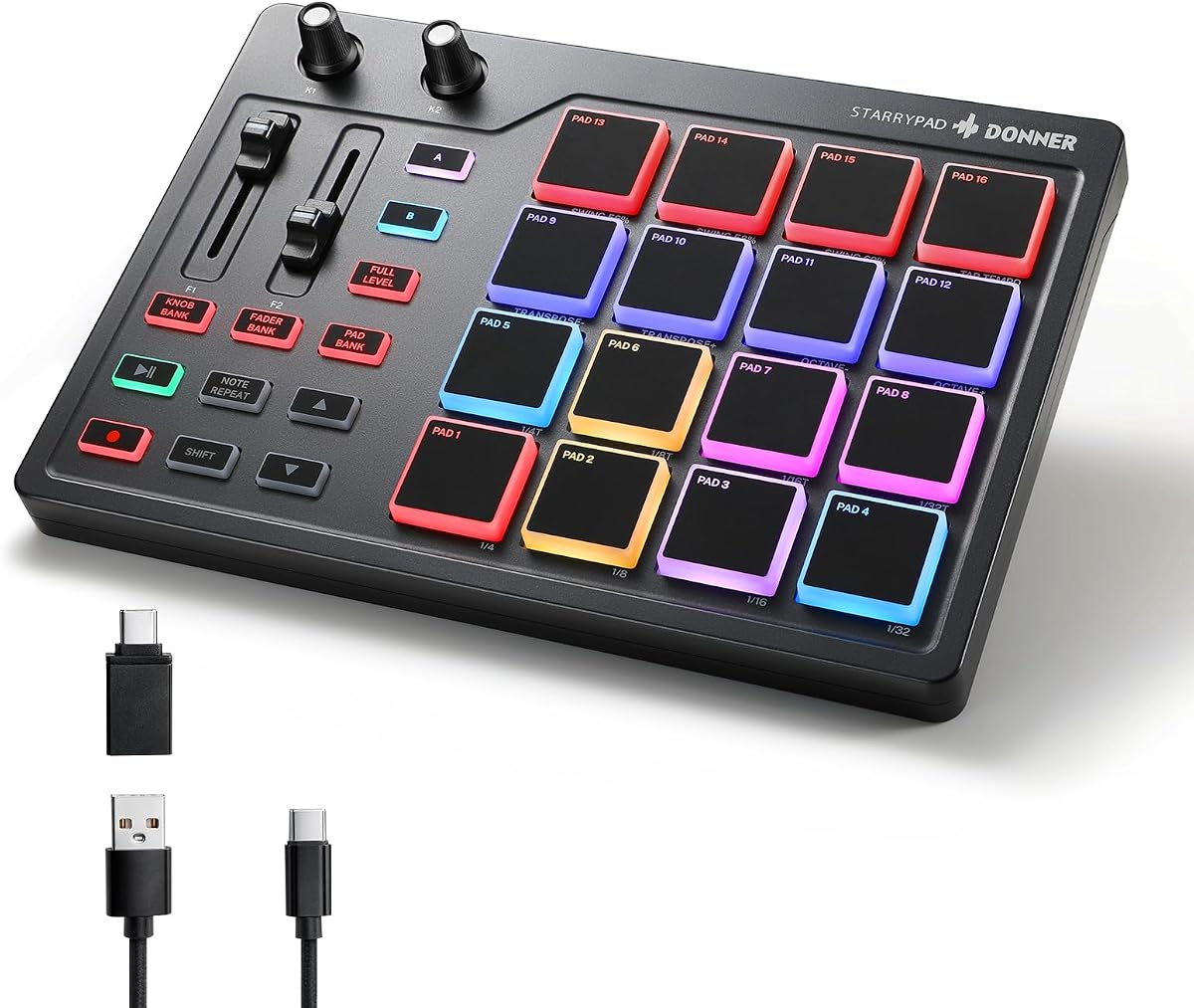
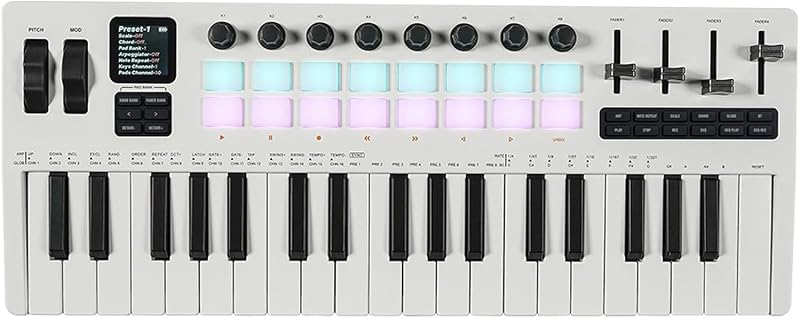
Product description Previous page Next page Previous page 16*3 Inspiring Pads Switch between three pad banks, giving you a total of 48 assignable pads. 7 Dazzling Colors Find Installation Manual (PDF) on PRODUCT GUIDES AND DOCUMENTS module to set the dazzling colors. Customizable Groups 2 faders, 2 knobs and 3 buttons, you can customize the controls for a personalized instrument. Lightweight and Powerful Size like A5 book. You can use the MIDI controller to create songs at home, in cafes, or on the go. Next page 1 Inspiring Pads 2 Lighting Designer 3 Freely Setting 4 Small & Compact The video showcases the product in use.The video guides you through product setup.The video compares multiple products.The video shows the product being unpacked. DPD-16 Midi Beat Pad How to use MIDI STARRYPAD?——Connect to software Tip: If you want to connect to iPhone or iPad, you need to buy an OTG cable. Step 1. Insert the type C to connect to the computer or mobile device Step 2. Install the software and set up. Tips: Please follow the instructions of Compatibility Guide (PDF) on detailed page to download the corresponding software. Step 3. Use your imagination to create music. Please follow the instructions and you'll soon be ready to play. DAW Setting Guide——Part 1 Demo example: Cubase 1. After connecting to PC, watch the video to set DAWs or download Compatibility Guide (PDF) on PRODUCT GUIDES AND DOCUMENTS module to set up 2. The midi drum machine needs DAW software to sound, it doesn't sound alone. 3. If you need the code of software or courses, please seek help through the Product Order Page! The video showcases the product in use.The video guides you through product setup.The video compares multiple products.The video shows the product being unpacked. DPD-16 Midi Beat Pad The video showcases the product in use.The video guides you through product setup.The video compares multiple products.The video shows the product being unpacked. DPD-16 Midi Beat Pad DAW Setting Guide——Part 2 Demo example: Cubase Specification Size: 8.39 x 5.87 x 1.30 inch Weight: 468gInclude: Donner STARRYPAD x 1, USB cable x 1, MIDI cable x 1, USB-C adapter x 1, User Guide x 1 How to get the code of course or software? >>>40 Courses & DAW Software Our midi pad needs DAW softwares to sound. Computer & mobile devices are compatible. Make sure you download appropriate softwares compatible with these syestems to use.You can seek help from our Service Team for a Melodics or Cubase Kit code through the Product Order Page. The video showcases the product in use.The video guides you through product setup.The video compares multiple products.The video shows the product being unpacked. DPD-16 Midi Beat Pad Why there is no sound output? Our midi pad doesn't sound alone. Make sure you have installed DAW or other softwares on your computer/mobile devices. You can also seek help from Donner Online Customer Team for a Melodics or Cubase Kit code. Seems it is not compatible with my tablet or mobile phone, what's the matter? Check the input interface of your tablet or phone. If your tablet or phone input port is USB-C, you can connect it with the OTG cable in the package. If your tablet or phone input port is lightning port, you need to buy USB-A to lightning OTG cable. What systems are compatible with this product? Our starrypad is compatible with phone, tablet and computer. Android, ios, windows and mac are compatible. Make sure you download appropriate softwares compatible with these syestems to use. When I connect my DAW software, it does not respond. 1.Check if the USB cable is intact and make sure the USB cable is connected to the port of your devices. 2.Check the MIDI signal. Select the starrypad model correctly in the MIDI settings in the software settings. 3.Check volume and audio settings. One or several pads do not produce sound. 1.Check if there are impurities (such as food or liquid) getting into the midi pad. 2.Try to use another interface of the computer, phone or tablet or another cable. 3.Try to reboot the MIDI pad and the computer. 4.Let us know for further details. OTG Adapter Using Instruction Generally speaking, the OTG adapter's connection should be Micro USB, USB-C or Lighting. Note: Our products come with a USB-C adapter, if your interface of mobile device is other types, please purchase corresponding OTG separately by yourself. Donner MIDI Series Starrypad Black Add to Cart Starrypad White Add to Cart STARRYPAD MINI Add to Cart MEDO Buying Options D1 Beat Machine Buying Options B1 Sequencer Add to Cart DMK-25 PRO Buying Options Customer Reviews 4.0 out of 5 stars 423 4.0 out of 5 stars 423 3.5 out of 5 stars 121 4.4 out of 5 stars 189 3.8 out of 5 stars 42 4.5 out of 5 stars 194 4.1 out of 5 stars 296 Price $69.99$69.99 $79.99$79.99 $47.99$47.99 — — $95.29$95.29 — Product Type Beat Maker Beat Maker Beat Maker Handheld Instrument Synthesizer Synthesizer MIDI Keyboard Number of keys/pads 16 beat pads & 2 faders 16 beat pads & 2 faders 16 bea
Agregás al carrito
Sumás este y otros productos que querés traer.
Cotizás el envío
Calculamos flete aéreo y aranceles a Argentina.
Confirmás y pagás
Un asesor te contacta con el link de pago.
Lo recibís en casa
Tracking en tiempo real. Aduana incluida.
De la misma marca, empezando por lo más reseñado
Los mejor puntuados del mismo tipo de producto
Mismo tipo de producto y precio parecido








![Novation Launchkey 25 [MK3] Controlador de teclado MIDI: integración perfecta con Ableton Live. Modo acorde, modo escala y arpegiador: todo el software que necesita para la producción musical](https://m.media-amazon.com/images/I/61dYS8kfFhL._AC_SL800_.jpg)