Cargando el producto…

Precio desde
$ 74.251
+ flete y aranceles — se calculan al cotizar
Tamaño
Compra protegida
Puerta a puerta
Aduana incluida
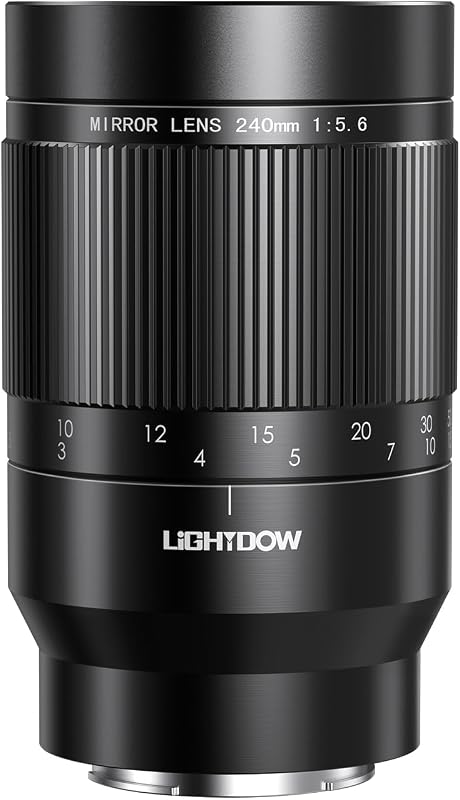
Product description The video showcases the product in use.The video guides you through product setup.The video compares multiple products.The video shows the product being unpacked.Video Player is loading.Click to play videoPlayMuteCurrent Time 0:00/Duration 0:21Loaded: 14.30%0:00Stream Type LIVESeek to live, currently behind liveLIVERemaining Time -0:21 1xPlayback RateChaptersChaptersDescriptionsdescriptions off, selectedCaptionsCaptions off, selectedEnglish (Automated)Audio Trackdefault, selectedFullscreenThis is a modal window. aplus content video Lightdow 420-800mm f/8.3 Manual Zoom Super Telephoto Lens + T-Mount (Full Frame) Focal Length 420-800mm Aperture Range F8.3-16 Filter diamater 67mm Focus Type Manual Focus Closest Focus Distance 3m/10Ft Lens mount For Canon EF/EF-S (with T adapter) Compatible Camera EOS Rebel SL3 SL2 | T8i T7 T7i T6 T6s T6i T5 T5i T4i T3i T3 T2i | 850D 800D 760D 750D 700D 650D 600D 550D 500D 450D 400D 350D 300D | 250D 200D 100D | 90D 80D 77D 70D 60D 60Da 50D 40D 30D 20D 20Da 10D | 4000D 3000D | 2000D 1300D 1200D 1100D 1000D | 1D/1D Mark II/1D Mark III/1D Mark IV | 1DC | 1DX/1DX Mark II/1DX Mark III | 1Ds/1Ds Mark II/1Ds Mark III | 5D/5D Mark II/5D Mark III | 5DS/5DS R | 6D/6D Mark II | 7D/7D Mark II. Incompatible Models NOT for Canon Mirrorless Camera, such as EOS R, Ra, RP, R3, R5, R5 C, R6, R6 Mark II, R7, R8, R10, R50, R100 | EOS M, M3, M5, M6, M6 mark II, M10, M50, M100, M200 Telephoto 420mm Telephoto 800mm The video showcases the product in use.The video guides you through product setup.The video compares multiple products.The video shows the product being unpacked.Video Player is loading.Click to play videoPlayMuteCurrent Time 0:00/Duration 0:15Loaded: 20.02%0:00Stream Type LIVESeek to live, currently behind liveLIVERemaining Time -0:15 1xPlayback RateChaptersChaptersDescriptionsdescriptions off, selectedCaptionsCaptions off, selectedJapanese (Automated)Audio Trackdefault, selectedFullscreenThis is a modal window. aplus content video Lightdow Manual Focus Telephoto Lens VERY IMPORTANT NOTES FULL MANUAL LENS, no electric contacts→no auto focus→no image stabilization, require more exprerience with Manual Exposure. Need to set camera to M mode.Camera will not display the aperture value Manual Lens: The focus ring on the lens needs to be turned to focus accurately. As with all telephoto lenses, it is recommended to use with a tripod and the timer function to avoid camera shake for best results. Zoom Telephoto Lens 420-800mm f/8.3-16 Manual Super Telephoto Zoom Lens If the image turns out dark, perform the following steps, Reduce the shutter speed, from 1/500s down to 1/100s or slower 1/50 etc;Increase the ISO value, from ISO 100 to ISO 200/400/800 etc. It may take some time to get the perfect shot you want, just keep practicing and exploring the fun of manual telephoto lens. Not recommended for beginners. The video showcases the product in use.The video guides you through product setup.The video compares multiple products.The video shows the product being unpacked.Video Player is loading.Click to play videoPlayMuteCurrent Time 0:00/Duration 0:10Loaded: 30.03%0:00Stream Type LIVESeek to live, currently behind liveLIVERemaining Time -0:10 1xPlayback RateChaptersChaptersDescriptionsdescriptions off, selectedCaptionsCaptions off, selectedEnglish (Automated)Audio Trackdefault, selectedFullscreenThis is a modal window. aplus content video Manual Focus Lens - Used in M-mode How to Use the Manual Lens? Attach the lens with T-ring adapter to your camera;Switch to M mode. No aperture value displayed ISO and shutter speed must be adjusted manually in M mode.Manual lenses do not display the aperture value, which is why F00 or F-- is displayed on the camera.The aperture value F8.3-16 cannot be set by the camera, this is automatically changed with the focal length 420 - 800mm. Previous page Next page Why can't my camera press the shutter after installation? This is a full manual focus lens, no electric contacts, your camera will not detect the lens when mounted, switch camera to M mode and then you can press the shutter and take photo. Why does my picture seem to be blurry, out of focus? Fine tune the front focusing ring to make your target in focus. How to do if the image turns out dark? Increase the ISO and decrease the shutter speed. If the image turns out too bright, reverse the above steps.
Agregás al carrito
Sumás este y otros productos que querés traer.
Cotizás el envío
Calculamos flete aéreo y aranceles a Argentina.
Confirmás y pagás
Un asesor te contacta con el link de pago.
Lo recibís en casa
Tracking en tiempo real. Aduana incluida.
Lo que suele llevarse para tu cámara · un solo envío para todo
De la misma marca, empezando por lo más reseñado
Los mejor puntuados del mismo tipo de producto
Mismo tipo de producto y precio parecido


![PEHAEL for iPhone 17 Privacy Screen Protector+Camera Lens Protector | 3+3 Pack, Installation Frame, Cleaning kits, Anti-Spy Private, Anti-Scratch, 9H Tempered Glass, Case Friendly, [6.3 inch]](https://m.media-amazon.com/images/I/61UXu7cBl7L._AC_SL800_.jpg)

![Lightdow 12 x 12 Inch (30 x 30 cm) White Balance 18% Gray Reference Reflector Grey Card with Carry Bag [Folded Version]](https://m.media-amazon.com/images/I/616NhxHaV1L._AC_SL800_.jpg)