Cargando el producto…

Precio desde
$ 120.122
+ flete y aranceles — se calculan al cotizar
Tamaño
Compra protegida
Puerta a puerta
Aduana incluida
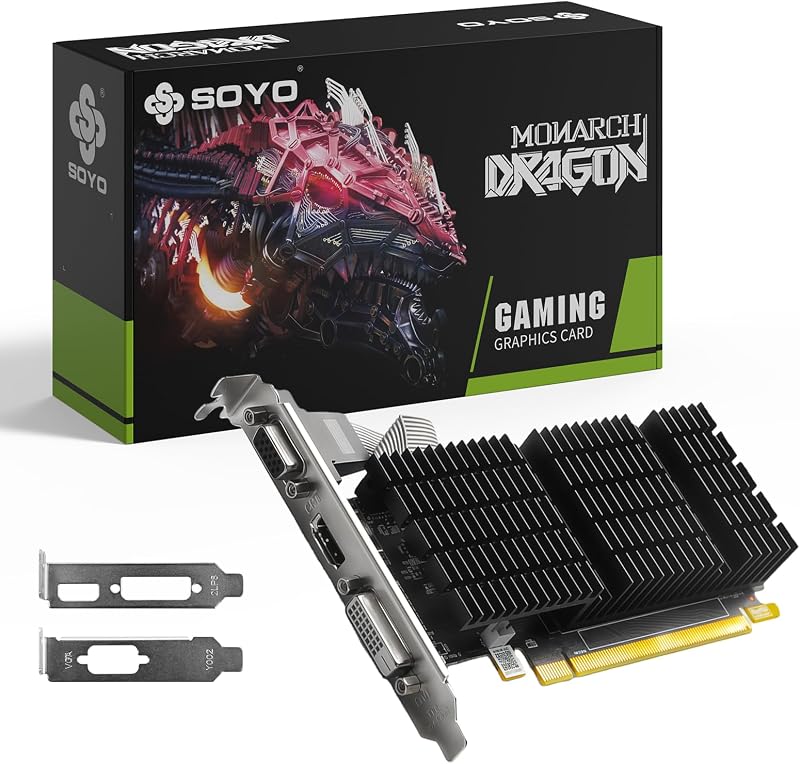
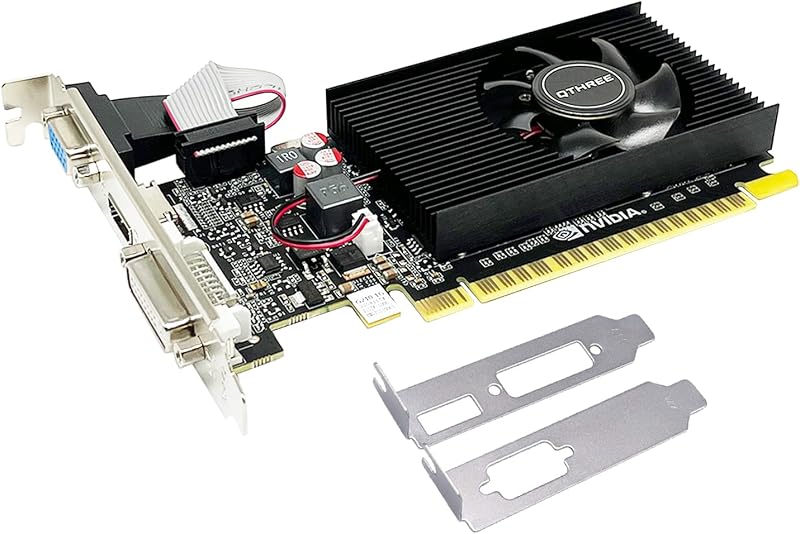
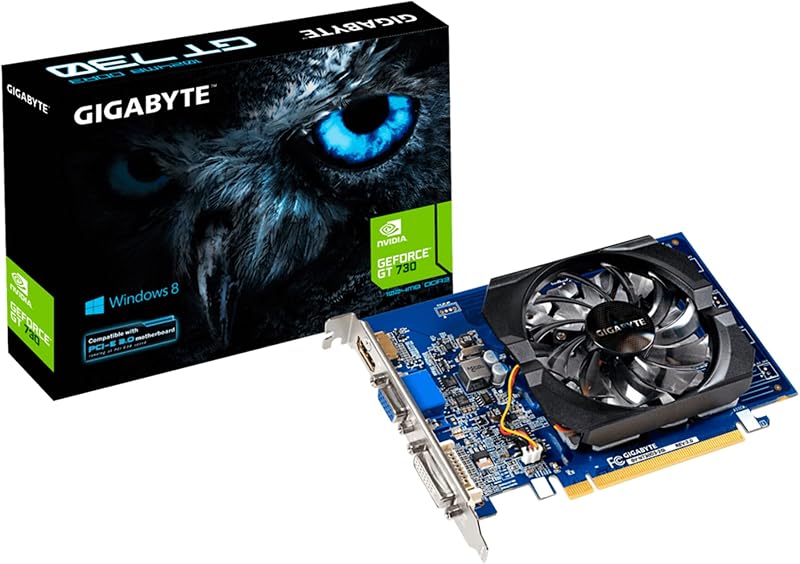
Product description GLORTO GeForce GT 740 4GB DDR3 Graphics Card Elevate your desktop experience with this budget-friendly GPU, delivering reliable performance for everyday computing and multimedia tasks. Its 4GB DDR3 memory provides sufficient bandwidth for smooth HD visuals and multitasking, offering a 20%+ performance uplift over older DDR1/2 solutions while maintaining cost efficiency. Key Advantages: Enhanced Entry-Level Gaming: Handles casual titles at 1080p with stable frame rates, ideal for MOBAs and older AAA games Multi-Display Flexibility: Supports tri monitors via HDMI, DVI, and VGA ports for expanded workspace or immersive setups Energy-Efficient Design: Low 65W TDP requires no external power connectors, compatible with most OEM systems like Dell Inspiron Optimized Architecture: Features 384 CUDA cores and PCIe 3.0 interface for accelerated photo/video editing workflows Ideal for upgrading office PCs or home entertainment systems, this card balances affordability with capable 1080p output. Its plug-and-play installation simplifies setup – simply replace your existing GPU via standard PCIe slot. NVIDIA GeForce GT 740 4GB DDR3 128Bit PCI Express 3.0 Low Profile Video Card with HDMI / VGA / DVI Port for Office/Home Entertainment/Light Games Enjoy all your videos and pictures at HD resolutions, speed up your PC experience With 4096MB of memory capacity, this graphics card can meet the demands of home entertainment, light gaming, and office tasks. Offers DVI, VGA and HDMI interfaces, making the video card easy to connect different types of displays. The DVI interface is suitable for digital signals, while the VGA interface is suitable for analog signals, and the HDMI interface supports high-definition video transmission. Features a half-height low-profile design that making it compatible with various computer cases, especially SFF tower match with the included brackets. What You Will Get: Glorto GeForce GT 740 4GB DDR3 Graphics Card x1 Low Profile Brackets x2 Perfectly Compatible with All Kinds of Windows Systems include Win11 Speed up your PC experience when you upgrade from integrated graphics to the new NVIDIA GeForce GT 740 dedicated card. Enjoy all your videos and pictures at HD resolutions, with 8X faster video editing, 9X faster photo editing, and 5X faster web browsing compared to integrated graphics. Discover 3X faster gaming performance than integrated graphics, making all your gameplay richer and smoother. You can even get the latest drivers and optimize game settings with a single click using GeForce Experience. The GeForce GT 740 is everything you need for a better, faster PC experience. What Glorto GeForce GT 730 Can Do: Dual/Tri Screen Display Picture&Video Editing Office Working Specification GPU Name GK107 Memory Format 4GB DDR3 128 bits Ports HDMI / DVI / VGA CUDA Core 384 GPU Clock 993 MHz Memory Clock 667 MHz Size 160*120*20mm Slot PCI Express x16 3.0 DirectX Support DirectX 12(11_0) Maximum Digital Resolution 2560x1600 Computing OpenCL / CUDA / DirectCompute / DirectML Technologies OpenGL 4.6 / Vulkan / PhysX Troubleshooting Tips The following troubleshooting tips may help if you experience problems. Contact GLORTO for more advanced troubleshooting information. Check that the card is seated properly in the PCI Express slot.Ensure that the display cable is securely fastened to the card's display connector.Make sure that the monitor and computer are plugged in and receiving power.If necessary, disable any built-in graphics capabilities on your motherboard. For more information, consult your computer's manual or manufacturer. (NOTE: Some manufacturers do not allow the built-in graphics to be disabled or to become the secondary display.)Make sure you selected the appropriate display device and graphics card when you install the graphics driver.Restart your computer. Press on your keyboard after system starts up. When the Windows Advanced Options Menu appears, select Safe Mode and press . After getting into Safe Mode, in Device Manager check whether the driver for the graphics card is correct.If you are not able to find the desired monitor color/resolution settings: The color and screen resolution options available for selection depend on the graphics card being installed. If necessary, adjust your monitor's setting using monitor's adjust panel to make the screen look focused, crisp, and sharp. (Please refer to the monitor's manual.) See More
Agregás al carrito
Sumás este y otros productos que querés traer.
Cotizás el envío
Calculamos flete aéreo y aranceles a Argentina.
Confirmás y pagás
Un asesor te contacta con el link de pago.
Lo recibís en casa
Tracking en tiempo real. Aduana incluida.
Los mejor puntuados del mismo tipo de producto
Mismo tipo de producto y precio parecido