Cargando el producto…

Precio desde
$ 40.939
+ flete y aranceles — se calculan al cotizar
Color
Compra protegida
Puerta a puerta
Aduana incluida
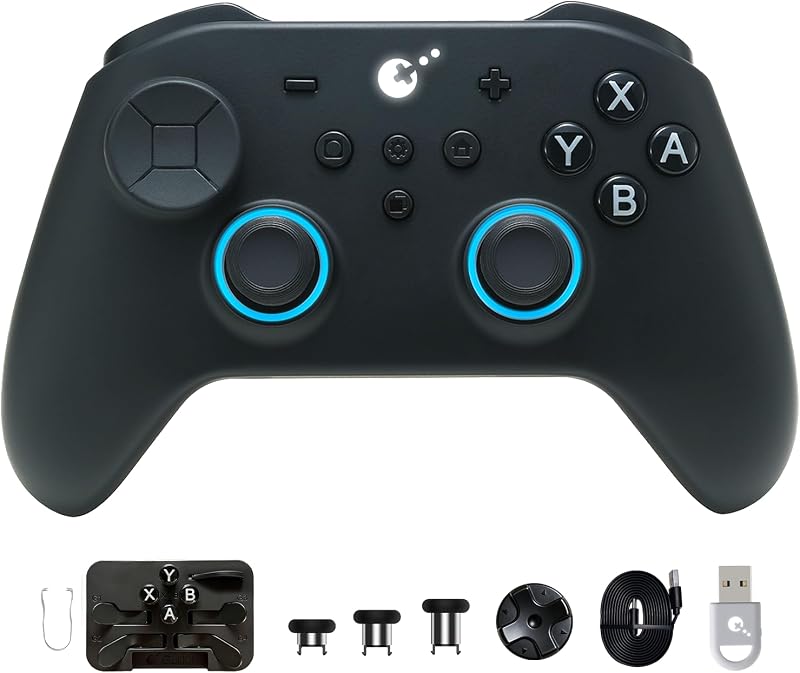
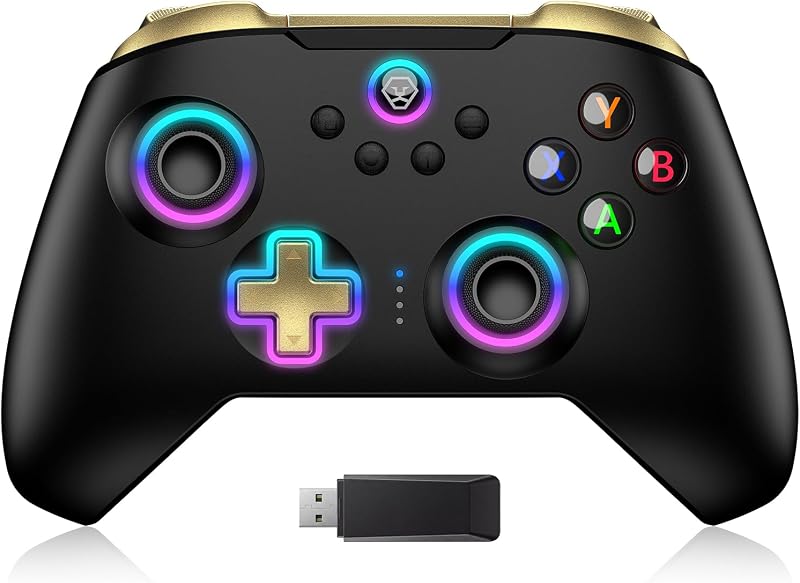
Product description Switch 2 Wake-up--Exclusive to GuliKit New Release Game Controller NOTE: Please follow SPECIAL pairing method for Switch 2 wake-up Please check the uploaded video for pairing guide and make sure to update to latest firmware on our site. A. Set controller to NS mode, turn it on, hold pairing button for 2 seconds, indicator flashes quickly to start pairing. B. Set Switch 2 into sleep mode first( black screen), press HOME button on Joy-Con to wake screen, next enter controller pairing interface and get paired. (Pairing by regular way without setting Switch 2 into sleep mode first will cause only paired but with no Switch 2 wake-up support.) Discover 3 Key Benefits Patented GuliKit Hall Effect Joysticks Deliver anti-drift & exceptional 2200-level high precision control. Multi-frequency Vibration Motor Provide rich haptic feedback based on game scenarios like Racing Game. Zero-power Standby Extends battery life and reduces battery anxiety, perfect for on-the-go use. More Attractive Reasons to Choose It Semi-auto Turbo/Full-auto Turbo Function A/B/X/Y/R/ZR Built-in Gyro for More Immersive Game Experience Since the controller’s functions need to be set according to personal preferences and are applicable to different platforms, here are the troubleshooting suggestions: 1. Clear all controller settings and reset them based on your new needs to prevent forgotten special game settings from affecting the experience of other games. 2. For the Switch2 wake-up function, our controller has a special pairing method; please refer to our operation guide video in detail. 3. After switching to a different platform, adjust the back of the controller to the corresponding mode before re-pairing. 4. For Bluetooth connection, ensure no plugins are blocking it for smooth connection. Product Color Options NOTE FOR WIRELESS CONNECTION: Q: Why is there delay for Bluetooth wireless connection to computer with the controller? A:1. If a Bluetooth adapter is used for connection between the computer and controller,please make sure there is no WIFI router or similar wireless devices close to the adapter to avoid signal intereferences. 2.Most Bluetooth adapters work as a simple wireless transmitter and receiver with Bluetooth driver installation requested on computer, and the driver calls the computer's CPU for computation. So delay may occur when CPU is occupied much,or there is issue with the adapter,driver itself or different driver versions. GuliKit Elves 2 Bluetooth Game Controller for Switch/2,Windows,iOS & Android,... GuliKit Elves 2 Pro Wireless Gaming Controller for Switch/Switch 2,Windows,iO... GuliKit ES PRO Fastest Wireless E-sports PC Game Controller with Lowest Wirel... Add to Cart Add to Cart Add to Cart Customer Reviews 4.1 out of 5 stars 174 4.1 out of 5 stars 220 4.1 out of 5 stars 127 Price $22.49$22.49 $33.99$33.99 $29.99$29.99 Switch 2 Wake Up YES NO YES JOYSTICK HALL EFFECT ANTI-DRIF HALL EFFECT ANTI-DRIF TMR MAGNETIC JOYSTICK STICK PRECISION 2200 2200 4000 VIBRATOR TYPE Dual-rotor Vibration Motors GuliKit Maglev Motor,HD / SUPER HAPTIC / ROTORY Dual-rotor Vibration Motors TRIGGERS DIGITAL HAIR TRIGGER DIGITAL HAIR TRIGGER HALL EFFECT AUTO-PILOT GAMING / 10 MINUTES / PROTECTIVE CASE YES YES / ADJUSTABLE JOYSTICK SENSITIVITY NO YES YES NON-PHYSICAL ABXY BUTTON SWAP NO YES YES
Agregás al carrito
Sumás este y otros productos que querés traer.
Cotizás el envío
Calculamos flete aéreo y aranceles a Argentina.
Confirmás y pagás
Un asesor te contacta con el link de pago.
Lo recibís en casa
Tracking en tiempo real. Aduana incluida.
De la misma marca, empezando por lo más reseñado
Los mejor puntuados del mismo tipo de producto
Mismo tipo de producto y precio parecido