
Cargando el producto…

Precio de origen
$ 1.726.302
$ 1.999.451
+ flete y aranceles — se calculan al cotizar
Compra protegida
Puerta a puerta
Aduana incluida
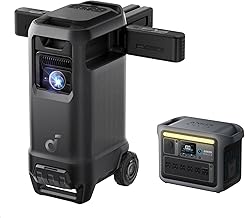
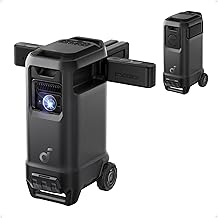
Product description The video showcases the product in use.The video guides you through product setup.The video compares multiple products.The video shows the product being unpacked. nebula p1 D2431 Merchant Video Previous page Next page 1 Feature Highlights 2 Feature Comparison 3 Technical Specs Previous page Next page 1 Wider Soundstage 2 Flexible Placement 3 Audio Instant Ready 4 Powerful Sound 5 20H Speaker Playtime Previous page Next page 1 Higher Brightness 2 Lasting Clarity 3 True-to Life Visuals 4 Smoother Visuals 5 180‘’ Max Screen Previous page Next page 1 Smart Setup 2 Snap Fit 3 Official Netflix 4 Broad Connectivity Previous page Next page 1 Carry Anywhere 2 Camping Entertainment 3 Backyard Gathering 4 Family Moments 5 Fluid Gaming Does it have a built-in battery? Nebula P1 does not have a built-in battery and needs to be plugged in to operate. It is compatible with portable power banks providing an output of 100W or higher. For convenience, you can purchase Nebula P1 and Anker 737 Power Bank bundle on Amazon. How do I connect the speakers to the projector,or what can I do if encounter connection issue? Go to Settings > Remotes & Accessories > Pair More Official Accessories > Soundcore Surround Speaker.Press the Power button on the speaker 5 times until the light flashes blue. Select Continue, choose the speaker, and wait for "Speaker Connected." How can I get better screen brightness? Brightness decreases as projection distance increases. Placing the projector 5.2-7 ft away in dim light, 8.7-3.1 ft away in a dark room, and only use 15.8 ft in a completely dark room, and in daytime use, a 60-inch image at 5.2-7 ft is recommended. Why is there a gray border around the image? The gray border is a normal characteristic of DLP projectors caused by the inactive edge of the DMD chip; it is not a defect. To minimize the border, keep the projector level and aligned with the screen, and reduce or turn off keystone correction. Why does the Google TV home screen update or refresh while using the projector? This is caused by Google Mobile Services updating in the background and typically does not indicate a device malfunction. Keep the projector connected to the internet, and it should automatically return to normal once the update is complete.
Agregás al carrito
Sumás este y otros productos que querés traer.
Cotizás el envío
Calculamos flete aéreo y aranceles a Argentina.
Confirmás y pagás
Un asesor te contacta con el link de pago.
Lo recibís en casa
Tracking en tiempo real. Aduana incluida.
Lo que suele llevarse para tu pantalla · un solo envío para todo
De la misma marca, empezando por lo más reseñado
Los mejor puntuados del mismo tipo de producto
Mismo tipo de producto y precio parecido






![Outdoor-Projector-4K [VIDAA Live TV/40W Dolby/920 ISO] with WiFi6 and Bluetooth Compatible with Netflix, Smart Projector, AI Voice Control & Auto Focus, HDR10, Movie Proyector for Ceiling Home Theater](https://m.media-amazon.com/images/I/81JKkw44iPL._AC_UY218_.jpg)


