Cargando el producto…
Precio de origen
$ 174.732
+ flete y aranceles — se calculan al cotizar
Compra protegida
Puerta a puerta
Aduana incluida
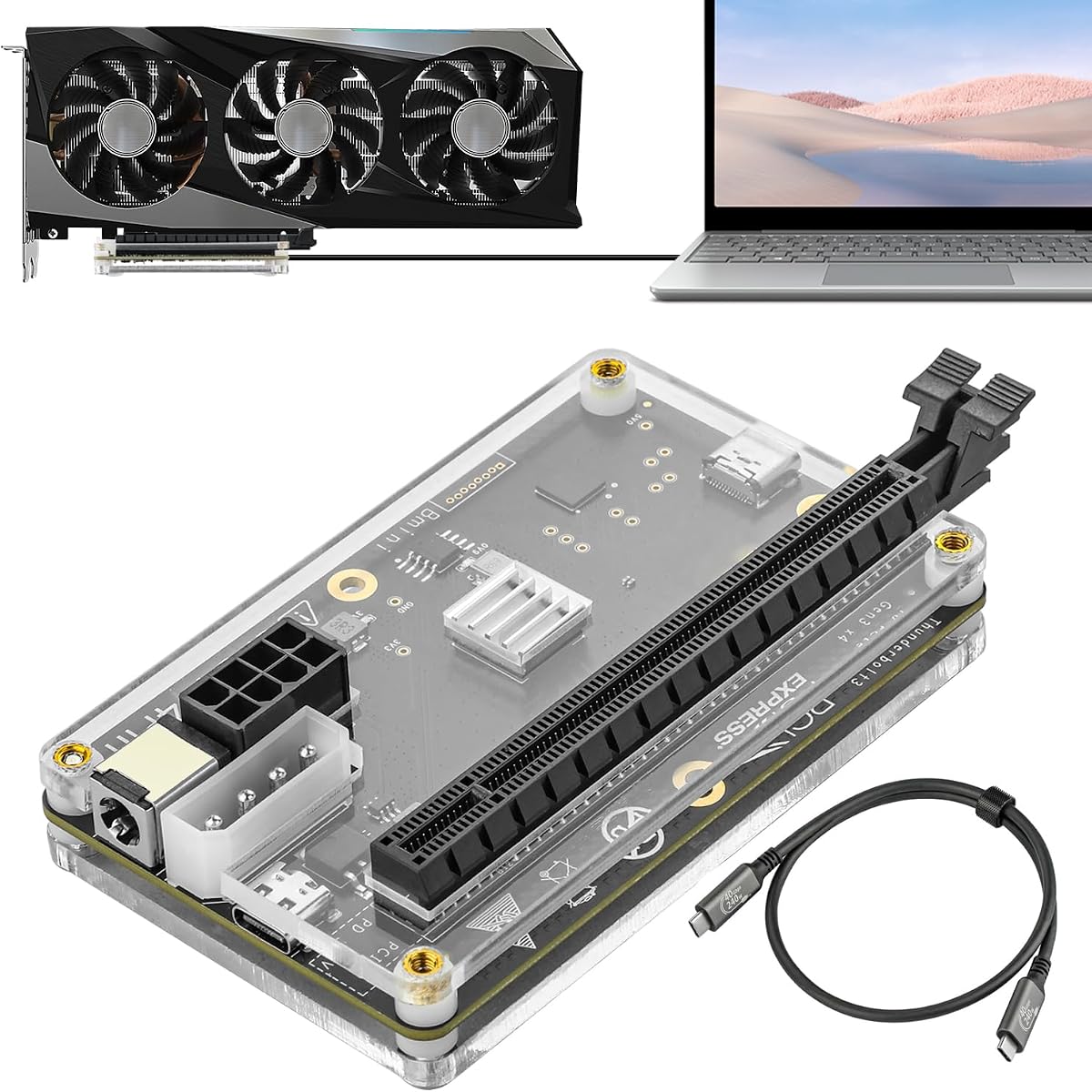
Product description Please note: you must check if your device has a Thunderbolt port! It is not a standard Type-C port. The Thunderbolt port has a lightning bolt symbol!! Many people mistake Type-C for Thunderbolt, causing their devices to not work!!! Please note: No support for Mac devices with AMD CPU when using external GPUs, but support capture cards, network cards, or RAID cards. Pre-sales Q&A 1.Which laptops / mini PCs are compatible? Thunderbolt 3, Thunderbolt 4, and USB4 are all supported. 2.How to check if your device has Thunderbolt or USB4? step 1: Open Device Manager → System devices.If any Thunderbolt device is listed, it is compatible. If not, proceed to the next step; Check Device Manager → Universal Serial Bus controllers.If a USB4 Host Router is present, it is compatible. For Intel devices:11th Gen or newer CPUs usually support Thunderbolt 4 after a BIOS update. For AMD devices:6800 series or newer usually support USB4 after a BIOS update. 3. Performance Loss No performance loss for all tasks except gaming. For gaming, performance mainly depends on:CPU model, Using internal screen or external monitor, Graphics card model 4. Reverse Charging: Not supported. 5.DMA Devices DMA devices are not supported. After-sales Support 1. Graphics card not detected: If the blue, green and white lights are all on, unplug and reconnect the Thunderbolt cable on the computer side. If the white light is off, turn on the power supply, use the CPU 8-pin power for the dock, and plug in the 24-pin jumper. 2. Blue light turns off: Normal on Windows 11, no need to handle. 3. White light turns off No power input or wrong power connection. Please use the jumper or connect the CPU 8-pin power correctly. 4.Error Code 10: Unplug and replug the Thunderbolt cable, then restart the computer. 5. Error Code 12: For Intel Mac with Windows installed: recommend return directly. For normal Windows PC (Intel/AMD): enter BIOS, set Secure Boot priority to the lowest. 5. Error Code 43: Graphics driver not installed correctly. Restart the computer and perform a clean reinstall of the graphics driver. PCIe 4.0 x4 64Gbps Compatible eGPU DOCK, with OCuLink SFF-8612 8311 to PCIe x... PCIe 5.0 x4 128Gbps eGPU Dock, for 50 Series Graphics Cards, M.2 NVME... PCIe 5.0 x4 128Gbps eGPU Dock, for 50 Series Graphics Cards, M.2 NVME... Add to Cart Add to Cart Add to Cart Customer Reviews 4.5 out of 5 stars 79 5.0 out of 5 stars 1 5.0 out of 5 stars 4 Price $92.99$92.99 $96.99$96.99 $106.99$106.99 Usage Dock for OCuLink Dock for NVME M.2 Dock for NVME M.2 See More
Agregás al carrito
Sumás este y otros productos que querés traer.
Cotizás el envío
Calculamos flete aéreo y aranceles a Argentina.
Confirmás y pagás
Un asesor te contacta con el link de pago.
Lo recibís en casa
Tracking en tiempo real. Aduana incluida.
Lo que suele llevarse para tu notebook · un solo envío para todo
De la misma marca, empezando por lo más reseñado
Los mejor puntuados del mismo tipo de producto
Mismo tipo de producto y precio parecido