Cargando el producto…

Precio de origen
$ 32.747
$ 36.388
+ flete y aranceles — se calculan al cotizar
Compra protegida
Puerta a puerta
Aduana incluida
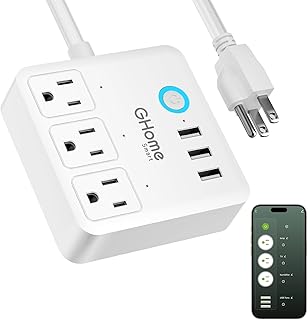
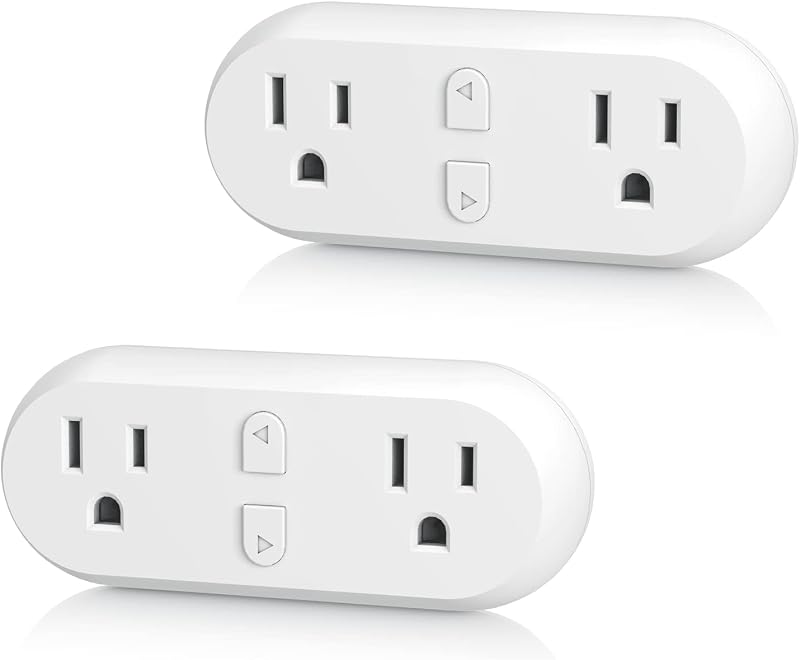
Product description Previous page Enjoy hands-free control via Siri, Alexa, Google Assistant & SmartThings for a smarter, safer home. Control your devices anytime anywhere, set automations with other Matter devices for a smarter home. In GHome app, tap the plug on home page, then tap the upper-right edit icon to create a group. Next page 1 Voice Control 2 App Control 3 Group Control Previous page Next page Previous page Creat Scene The devices automatically turn on and off based on weather temperature, sunrise and sunset times. Random Timer Random timer, turns lights on and off randomly to make it look like someone is home. Countdown Timer Set it and forget it — power cuts off automatically when time's up. Safe and stress-free. Cycle Timer Set a period. The socket alternates run/stop by your set On/Off durations within this time. Next page Exclusive functions of GHome app. Other apps' functions vary by app. 1 Schedule 2 Smart Scene 3 Away Mode 4 Countdown 5 Cycle Timer Previous page Power to 1800W Rated for a maximum load of 15A (120V/1800W) Matter Automation Trigger multiple Matter devices by status, location, or time — all working together seamlessly. Next page 1 Power to 1800W 2 Matter Automation User Guide for GHome, Alexa, Apple, Google & SmartThings. Previous page Next page What are the available methods to set up a Matter Smart Plug, and is a hub required? There are two ways. Option 1 (recommended): via the GHome App, no hub required. This ensures full functionality and avoids compatibility issues. Option 2: via a third-party Matter-enabled app, but a Matter-compatible hub is required. How to control the same Matter device across multiple platforms? Need to reset the device when adding another ecosystem? Share the Matter code across ecosystems to operate the same device with multiple apps — unlocking extra features. Note: No need to reset the device when using a shared Matter code to connect another ecosystem. How to link voice assistant without Matter? If you are not using Matter or do not have a Matter-compatible hub, please refer to the video or user guide on Amazon for instructions on linking Alexa, Google, or SmartThings via the GHome App. Why cannot connect to the Internet? (Wi-Fi setup & router limits) Make sure the router has 2.4G band on and connect to it. Avoid special symbols in the password. Keep the AP away from interference. Also, a single router has limited bandwidth — a 300M router may not support 50+ devices. Try restarting the router. Why does the Internet often disconnect? Some devices may be taking up too much network resources. Consider blacklisting them to free up bandwidth. Also, upgrading your router may be an effective solution. For unstable connections, check 2.4G band settings and reduce interference sources.
Agregás al carrito
Sumás este y otros productos que querés traer.
Cotizás el envío
Calculamos flete aéreo y aranceles a Argentina.
Confirmás y pagás
Un asesor te contacta con el link de pago.
Lo recibís en casa
Tracking en tiempo real. Aduana incluida.
De la misma marca, empezando por lo más reseñado
Los mejor puntuados del mismo tipo de producto
Mismo tipo de producto y precio parecido