Cargando el producto…

Precio de origen
$ 216.754
+ flete y aranceles — se calculan al cotizar
Compra protegida
Puerta a puerta
Aduana incluida
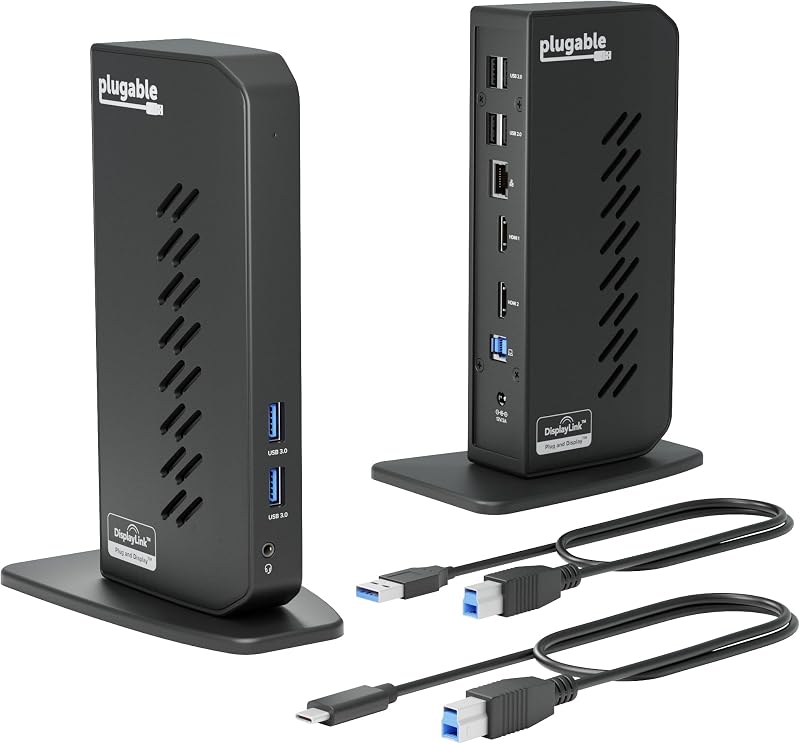
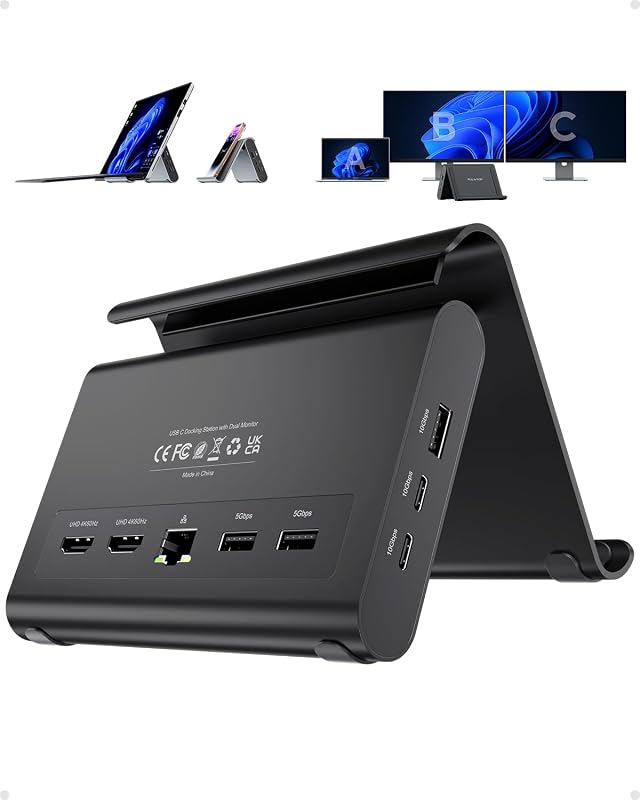
Product description The video showcases the product in use.The video guides you through product setup.The video compares multiple products.The video shows the product being unpacked.Video Player is loading.Click to play videoPlayMuteCurrent Time 0:00/Duration 0:17Loaded: 17.66%0:00Stream Type LIVESeek to live, currently behind liveLIVERemaining Time -0:17 1xPlayback RateChaptersChaptersDescriptionsdescriptions off, selectedCaptionsCaptions off, selectedAudio Trackdefault, selectedFullscreenThis is a modal window. Top Pick by WIRED Best Dual-Monitor Dock Walk up, plug in, and start working with the Plugable USB-C laptop dock, featuring dual HDMI display support up to 4K 60Hz, 65W charging, 1x USB-C 5Gbps, 2x USB-A 5Gbps, 1x USB-A 480Mbps, Gigabit Ethernet, and 3.5mm audio. No drivers needed with compatible USB-C laptops using DP Alt Mode and MST. Previous page Next page 1 Compatibility 2 DP Resolution & Rates 3 Display Modes Previous page Next page 1 Port Layout 2 Dual Display 3 Power Delivery 4 What’s Included System Requirements Supports full-featured USB-C, USB4, and Thunderbolt 4 / Thunderbolt 3 systems running Windows 10 / 11, ChromeOS 100+ Drivers No driver installation required; up-to-date system graphics drivers recommended Display Capabilities Dual 4K@60Hz supported with laptops supporting DP 1.4 with DSC over a USB-C connection that supports Alternate Mode. Dual 1920x1080@60Hz supported with laptops supporting DP 1.2 Not Recommended For Apple MacBook Pro / Air due to no MST support in macOS. Only one external display is supported when using this dock with a Mac. Will this dock work with any laptop? A computer that has a full featured USB-C / USB4 / Thunderbolt 4 or 3 port that is running Windows 10 or 11, ChromeOS version 100+ should be compatible with the Plugable UD-MSTH2. Computers that do not meet these requirements are not supported Is my Apple Mac computer compatible with the Plugable UD-MSTH2 docking station? macOS does not support MST. UD-MSTH2 will power/charge a Mac and drive one external HDMI display; a second external display will not extend. For dual displays on Mac, choose one of our DisplayLink-based docks instead Do I need to install software or drivers in order to use the UD-MSTH2? No. UD-MSTH2 is driverless. For best results, keep your laptop’s graphics and USB-C firmware up to date. Are my monitors compatible with the UD-MSTH2 docking station? Any monitor with HDMI input works. For 4K 60Hz, use HDMI 2.0 capable screens and certified HDMI 2.0 cables. Dual 4K 60Hz is dependent on system's graphics capabilities. What cable type or length should I use? Use the included USB-C cable. HDMI cables should be Premium Certified 4K60 (HDMI 2.0), no longer than 6 ft for best signal quality Compare Plugable Products UD-MSTH2 Add to Cart UD-MSTHDC Add to Cart UD-3900Z Add to Cart UD-4VPD Buying Options TBT4-UDZ Add to Cart Video Output Types 2x HDMI 2.0 2x HDMI 2.0, 2x DisplayPort 2x HDMI 2x HDMI 2x DisplayPort and 2x HDMI Max Resolution Supported 4K 4K 60Hz 2x 1920x1200 @ 60Hz 2x 4K 120Hz 4K 60Hz Total Port Count 9 12 10 11 16 Laptop Charging 65W 60W Does Not Charge 100W 100W (96W Certified) Laptop Connection USB-C, USB4, Thunderbolt 4/3 USB-C, USB4, Thunderbolt 4/3 USB 3.0/USB-C, Thunderbolt 4/3 USB-C, USB4, Thunderbolt 4/3 USB-C, USB4, Thunderbolt 4/3
Agregás al carrito
Sumás este y otros productos que querés traer.
Cotizás el envío
Calculamos flete aéreo y aranceles a Argentina.
Confirmás y pagás
Un asesor te contacta con el link de pago.
Lo recibís en casa
Tracking en tiempo real. Aduana incluida.
Lo que suele llevarse para tu pantalla · un solo envío para todo
De la misma marca, empezando por lo más reseñado
Los mejor puntuados del mismo tipo de producto
Mismo tipo de producto y precio parecido