Cargando el producto…

Precio de origen
$ 471.370
+ flete y aranceles — se calculan al cotizar
Compra protegida
Puerta a puerta
Aduana incluida
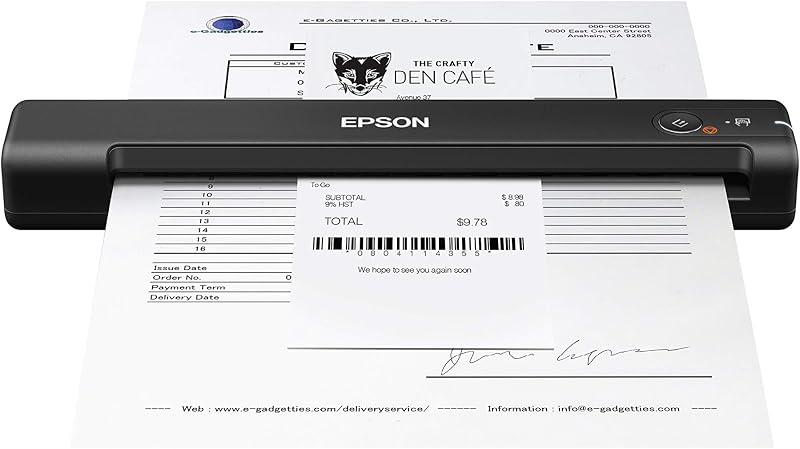
Product description Conveniente and practical scanner, the must-have artifact for office or on a business trip. High-resolution scanner for A4-size documents and images with exceptional scanning performance. Portable Document Scanner for Business Our this portable handheld scanner support JPEG / PDF dual modes, very easy to use and no need to install any professional driver software to look through scanned content. How to use? 1. Put the right position on the scanning objects. 2. Hold the scanner and press "iScan" for a while, the green light flash, it's time to start scan. If no operation for 3s, it will automatically shut off. 3. Moving slowly and keep stable, need complete scan in 5s. (Note: you need move stable, when scanning, it is best to fix the top of the file to avoid movement and scan failure) 4. Press"iScan" to stop after you complete scan. (No need to download software or drivers. Simply connect to the computer via USB to view the scanned content. Please install the memory card before scanning.) Package including: 1* Portable Document Scanner1* 16G Memory Card1* USB Cable1* English User Manual1* Cleaning cloth1* Portable pocket Portable scanner for documents, books or pictures Perfect handheld size, allowing you scan without constraint at anytime. We packed with USB cable, you can easily connect to your PC to look through and transfer scanned photos or documents anywhere, anytime. Power source: Charged by 2 AA batteries (not include) Note: The memory card only supports Class 6 and above; Micro SD card with memory below 32G. We have sent with a 16G memory card. Photos can be scanned to treasure memories for your family or loved ones. How to perform white balance calibration (Also can refer to the uploaded video): (Note: Do not insert the SD card during calibration) 1. Place the scanner on white paper and press the "Scan" button to turn on 2. Press and hold the "Scan" and "JPEG/PDF" buttons simultaneously for approximately 2s. 3. Then red and green LED indicators will light up. Do not move it; wait for the red light to turn off. 4. After the red light turns off, smoothly slide the scanner until the green light turns off. 5. After calibration is complete, press the "Scan" button to turn off the scanner. If you encounter an "SD card full" message upon first use, you can try formatting the SD card.
Agregás al carrito
Sumás este y otros productos que querés traer.
Cotizás el envío
Calculamos flete aéreo y aranceles a Argentina.
Confirmás y pagás
Un asesor te contacta con el link de pago.
Lo recibís en casa
Tracking en tiempo real. Aduana incluida.
Los mejor puntuados del mismo tipo de producto
Mismo tipo de producto y precio parecido