Cargando el producto…

Precio desde
$ 127.404
+ flete y aranceles — se calculan al cotizar
Color
Compra protegida
Puerta a puerta
Aduana incluida
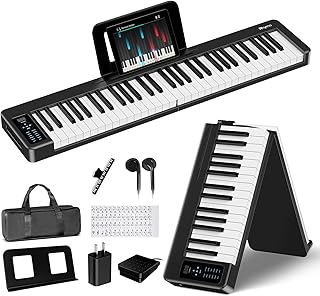
Product description The video showcases the product in use.The video guides you through product setup.The video compares multiple products.The video shows the product being unpacked. Rhymo 61 Keys Smart Keyboard If you are looking for an electronic piano that can teach you how to play, the Rhymo 61 key piano keyboard is the best choice. The keyboard features lighted up keys and intelligent LED guidance that shows you exactly which notes to play, making it the perfect learning keyboard piano for beginners. Previous page Next page 1 Intelligent Teaching 2 Smart Reminder 3 Fun Learning 4 Song Library This smart piano keyboard offers clear advantages: velocity-sensitive keys for realistic touch, compatibility with a sustain pedal for expressive playing, and 128 tones with 128 rhythms for various music styles. Ideal for beginners, this digital piano is simple to operate and easy to connect via Bluetooth, MIDI, or headphones. Suitable for both adults and kids. Instant Bluetooth Wireless Connection Connect to the Keytap APP in seconds with no cables or extra wires needed. Simple, clean setup for instant LED guidance and real teacher video lessons — hassle-free for kids and adults. 10W Dual Stereo + Full MIDI Powerful, room-filling sound with rich grand piano samples, much louder and richer than toy-like 6W speakers. Plus full MIDI connectivity for recording, composing, and connecting to software — perfect for both great sound and future expansion. Everything you need to start playing piano today is included. If you’ve been searching for an affordable, high-quality portable piano keyboard or electric piano keyboard that actually teaches you how to play, the Rhymo 61 Keys Smart Keyboard is the perfect choice. How do I connect the piano to the Keytap app via Bluetooth? Ensure the piano is powered on, then: 1.Enable Bluetooth in your phone's settings. 2.Launch the keytap app. Tap the keyboard icon in the top-right corner. 3.Select "Bluetooth". 4.Locate "P61A" in the device list and tap "Connect." How do I get my redemption code? Why is the app asking me to pay? You do not need to pay for the app. You can claim your code in one of two ways: 1.Tap "Contact Support" directly within the app. 2.Contact Rhymo through your order history. Enter your code in the "Activation Code" field to activate your access. Why are the keys not lighting up after connecting via Bluetooth? Ensure that both the piano and your phone's Bluetooth are turned on and successfully paired. The keys should light up once the connection is established. How do I turn the keyboard lights on or off? After long pressing the [Function key] on the panel, beep beep, Press the [Keyboard Light] button to select whether the keyboard light is on or off. When the Keyboard Light is selected as on, it can assist teaching. functions. How do I use the Function (Fn) button? After long pressing the [Function key], beep beep, some keys become function keys. For a complete list of key assignments and features, please refer to the User Manual.
Agregás al carrito
Sumás este y otros productos que querés traer.
Cotizás el envío
Calculamos flete aéreo y aranceles a Argentina.
Confirmás y pagás
Un asesor te contacta con el link de pago.
Lo recibís en casa
Tracking en tiempo real. Aduana incluida.
Lo que suele llevarse para tu celular · un solo envío para todo
De la misma marca, empezando por lo más reseñado
Los mejor puntuados del mismo tipo de producto
Mismo tipo de producto y precio parecido



![Syncwire Cell Phone Ring Holder Stand [2 Pack], 360 Degree Rotation Finger Ring Kickstand with Polished Metal Phone Grip for Magnetic Car Mount Compatible with iPhone, Samsung, LG, Sony, HTC | 360° Rotation, Mini Size, All Metal, Strong Adhesive, Finger Ring Kickstand , for Smartphones](https://m.media-amazon.com/images/I/61rzsM-OVbL._AC_SL800_.jpg)