
Cargando el producto…

Precio de origen
$ 10.904
$ 11.814
+ flete y aranceles — se calculan al cotizar
Compra protegida
Puerta a puerta
Aduana incluida
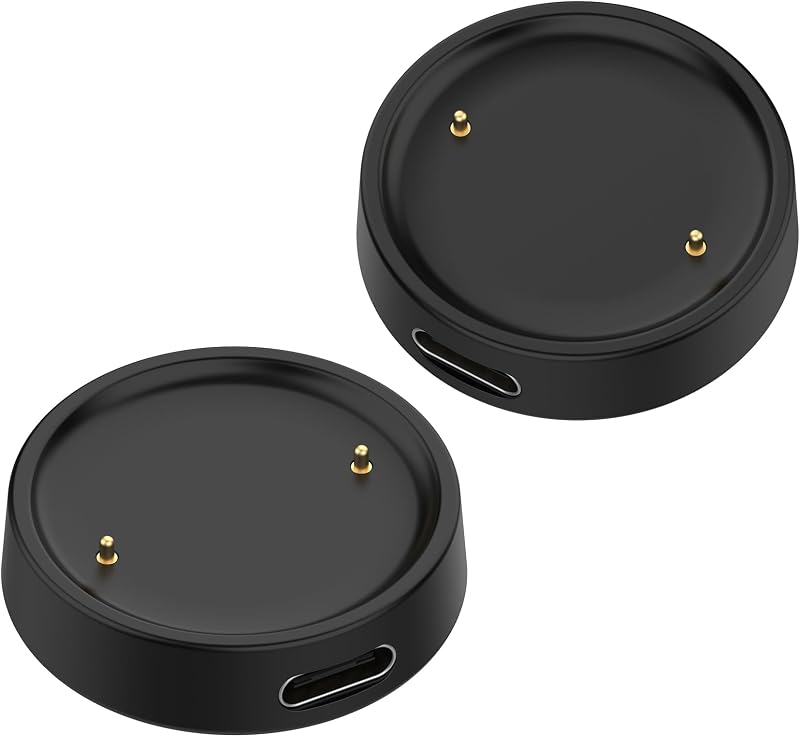
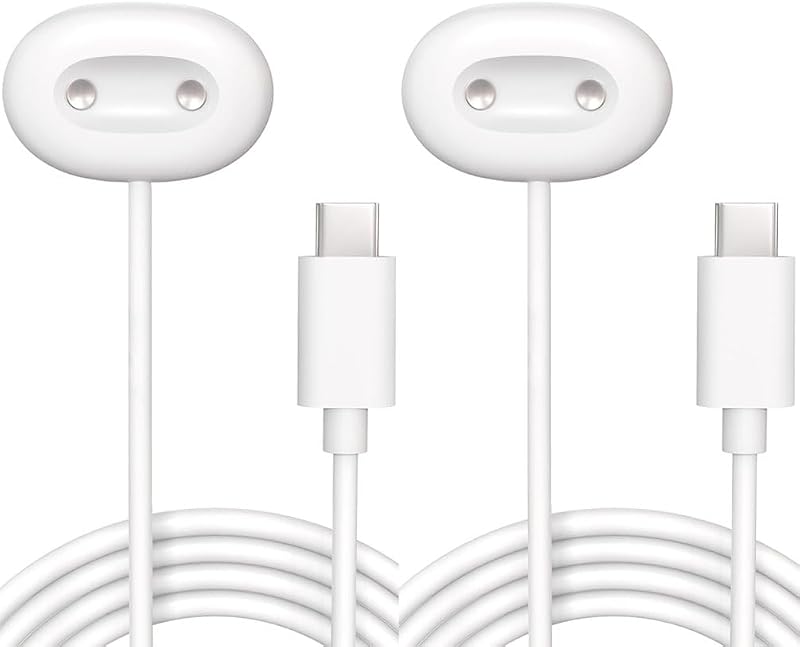
Product description Specification: Cable Length 3.3 ft/100 cm Charge Time 120 Minutes Input 5V / 1000-1500 mAh Output 5V/ 1000 mAh Materials PC+ABS (Recharge Stand), PVC (Cable) Safety Protection System Over-Current, Over-Voltage, Short-Circuit and Over-Temperature Protection Compatibility Samsung Galaxy Watch Ultra / Galaxy Watch 7 / Galaxy Watch FE / Galaxy Watch 6 / Galaxy Watch 5 / Galaxy Watch 4 / Galaxy Watch 3 / Watch Active 2 / Watch Active 1 Please note Not compatible with Gear S2/S3/S4, not for Galaxy watch (released in 2018) Compatibility: - Compatible with Galaxy Watch Ultra (47mm SM-L705U) - Compatible with Galaxy Watch 7 (40mm SM-L300NZ)、(44mm SM-L310NZ) - Compatible with Galaxy Watch FE (40mm SM-R861) - Compatible with Galaxy Watch 6 (40mm SM-R930/SM-R935U)、 (44mm SM-R940/SM-R945U) - Compatible with Galaxy Watch 6 Classic (43mm SM-R950/SM-R955U)、 (47mm SM-R960/SM-R965U) - Compatible with Galaxy Watch 5 (40mm SM-R900)、(44mm SM-R910) - Compatible with Galaxy Watch 5 Pro (45mm SM-R920) - Compatible with Galaxy Watch 4 (40mm SM-R860)、(44mm SM-R870/SM-875) - Compatible with Galaxy Watch 4 Classic (42mm SM-R880)、 (46mm SM-R890 /SM-R895) - Compatible with Galaxy Watch 3 (41mm SM-R850)、 (45mm SM-R840) - Compatible with Galaxy Watch Active 2 (40mm SM-R830 / SM-R820 ) - Compatible with Galaxy Watch Active 1 (40mm SM-R500) Instructions For Use: (1)Connect the charging cable to the charging power source. We recommend using a computer, laptop, power bank or using a 5V/1A adapter for charging.(Do not use a fast charger to charge voltages/currents exceeding 5V 1A) (2)Align and place the back of the Galaxy Watch with the center of the charging cable. Tips: (1)When there is a foreign object between the Galaxy watch and the charging cable, it may not charge. Therefore,when charging,please avoid sweat, liquids or dust between your Galaxy Watch and the charging cable. (2)If the battery is fully discharged, the Galaxy watch will not turn on immediately after connecting the charger. Before starting, please let the battery charge for a few minutes. (3)If the Galaxy watch is charged at the same time with other devices through a multi-purpose charger, the charging time may be longer. (4)If the voltage is unstable, the touch screen of Galaxy watch may not operate while charging. If this happens, disconnect Galaxy watch from the charger. Safety & Troubleshooting Guide To ensure the longevity of your device and your safety, please read this guide carefully before use. Not Charging or Connection Keeps Dropping If your device fails to charge or the connection is intermittent, it may be due to debris, misalignment, or incompatible accessories. Recommended Actions: Check Power Source: Ensure your power adapter and outlet are functioning correctly. Try connecting the cable to a different wall outlet or a known working 5V/1A adapter.Inspect and Clean Contacts: Check the charging cable and device port for any visible damage, deformation, oxidation, or dirt. Gently clean the metal charging contacts on both the watch and the cable using a dry, soft cloth or a cotton swab. You may also use a dry, soft brush or toothpick to remove stubborn lint from the port.Align Correctly: Place the back of the watch perfectly against the charging cable. Ensure it aligns automatically via magnetic attraction. Tip: Remove any protective cases, skins, or thick films from the watch, as they may interfere with the connection. Slightly adjust the watch's position to test the connection stability.Restart Device: Restart your smartwatch and try charging again to rule out software glitches. Avoid Interference: Keep the charging setup away from strong magnetic fields or large metal objects that could disrupt the charging process.Replace Damaged Cables: Stop using the cable immediately if you notice fraying, exposed wires, or a loose connector. Continued use may cause short circuits, electric shock, or permanent damage to your device. The Cable Gets Hot During Use It is normal for the charging cable to generate slight warmth during operation. However, if it becomes excessively hot to the touch, please follow these steps: Recommended Actions: Use the Correct Power Adapter: Only use a standard 5V/1A wall charger. Avoid using fast-charging adapters (QC/PD), high-current power banks, as unstable voltage can cause overheating.Ensure Proper Ventilation: Charge your device in a cool, dry, and well-ventilated area. Do not cover the device or cable with blankets, pillows, or clothing while charging.Inspect Cable Placement: Keep the cable straight and free from sharp bends, knots, or heavy pressure.Critical Warning: If the cable becomes too hot to hold, emits smoke, produces a burning smell, or shows signs of melting, unplug it immediately and discontinue use. Contact for a replacement. Additional Safety Precautions Water Resistance: Do not charge the device if the charging port or cable is wet. Ensure both are completely dry before connecting to power.Environment:
Agregás al carrito
Sumás este y otros productos que querés traer.
Cotizás el envío
Calculamos flete aéreo y aranceles a Argentina.
Confirmás y pagás
Un asesor te contacta con el link de pago.
Lo recibís en casa
Tracking en tiempo real. Aduana incluida.
De la misma marca, empezando por lo más reseñado
Los mejor puntuados del mismo tipo de producto
Mismo tipo de producto y precio parecido


![Sinoacc Charger for Fitbit Sense & Versa 3 Smartwatch Replacement Rapid Charging Cable Cord for Sense/Sense 2/Versa 3/Versa 4 Smart Watch [1m/3.3ft]](https://m.media-amazon.com/images/I/51p2Dj9Ms+L._AC_SL800_.jpg)



![NOUKAJU [2 unidades] Cargador para Google Pixel Watch 4 SmartWatch, cable de carga magnético tipo C, cable cargador para Cosmo Google Pixel Watch 4 (41 mm/45 mm) SmartWatch (blanco)](https://m.media-amazon.com/images/I/518qvbTiyfL._AC_SL800_.jpg)


![Emilydeals Charger for Fitbit Sense/Sense 2/Versa 3/Versa 4, Replacement USB Charging Cable Cord for Fitbit Smart Watch [3.3ft/100cm] (1)](https://m.media-amazon.com/images/I/41s5Q1BAN4L._AC_SL800_.jpg)


![[Paquete de 2] Cable de carga magnético para reloj inteligente FITVII HM57, HM78, HM58, HM18, HM08, H56 y Morepro HM57, cargador rápido de reloj inteligente de 2 pies (blanco y negro)](https://m.media-amazon.com/images/I/61t2zN0BRLL._AC_SL800_.jpg)
