Cargando el producto…

Precio desde
$ 126.967
+ flete y aranceles — se calculan al cotizar
Color
Opción 2
Compra protegida
Puerta a puerta
Aduana incluida
Product description Important Note: This is not a piano keyboard. It is a MIDI controller designed for music production and requires basic skills in composition and familiarity with DAW (music production app) software. Recommended for adults or teens with experience in music production. It is not a music toy for kids. The video showcases the product in use.The video guides you through product setup.The video compares multiple products.The video shows the product being unpacked.Video Player is loading.Click to play videoPlayMuteCurrent Time 0:00/Duration 0:00Loaded: 0%0:00Stream Type LIVESeek to live, currently behind liveLIVERemaining Time -0:00 1xPlayback RateChaptersChaptersDescriptionsdescriptions off, selectedCaptionsCaptions off, selectedAudio TrackFullscreenThis is a modal window.The media could not be loaded, either because the server or network failed or because the format is not supported. Synido TempoPAD Beat Maker Machine Synido TempoPAD Beat Maker Machine Want Music Production to Be Simpler, More Energetic, and More at Will? For those who enjoy a compact, easy-to-use, and simplistic design, Synido TempoPAD is a great choice that offers ultra-precise flexibility and full programmability to ensure perfect control of your music. Compatible with any MIDI-enabled device, including PCs, Macs, and mobile devices, making it ideal for both home and professional use. Catch Your Inspiration Instantly NOTICE: Please be aware that our MIDI pad does not produce sound on its own. Cubase Tutorial 1: Basic MIDI Port Setup The video teaches you hand in hand to complete device connection and core settings of MIDI ports, from enabling the device's DAW mode and entering the Cubase Studio Setup interface, to setting TempoPAD as visible and checking the corresponding MIDI input ports, avoiding the misunderstanding of pitch interference. You can accurately complete the basic configuration even with zero foundation, laying a solid foundation for subsequent full-function mapping. The video showcases the product in use.The video guides you through product setup.The video compares multiple products.The video shows the product being unpacked.Video Player is loading.Click to play videoPlayMuteCurrent Time 0:00/Duration 0:00Loaded: 0%0:00Stream Type LIVESeek to live, currently behind liveLIVERemaining Time -0:00 1xPlayback RateChaptersChaptersDescriptionsdescriptions off, selectedCaptionsCaptions off, selectedAudio TrackFullscreenThis is a modal window.The media could not be loaded, either because the server or network failed or because the format is not supported. Synido TempoPAD × Cubase Tutorial Cubase Tutorial 2: External Device Mount & Full-Function Mapping Following the basic settings from the previous video, this tutorial demonstrates the entire process of adding external devices in detail. It shows you how to select the Mackie Control controller in Cubase and set TempoPAD as the dedicated MIDI input. Once completed, the pad will fully control Cubase functions including track selection, mute and solo, fader adjustment, and transport operations, allowing you to handle professional recording and mixing workflows effortlessly. The video showcases the product in use.The video guides you through product setup.The video compares multiple products.The video shows the product being unpacked.Video Player is loading.Click to play videoPlayMuteCurrent Time 0:00/Duration 0:00Loaded: 0%0:00Stream Type LIVESeek to live, currently behind liveLIVERemaining Time -0:00 1xPlayback RateChaptersChaptersDescriptionsdescriptions off, selectedCaptionsCaptions off, selectedAudio TrackFullscreenThis is a modal window.The media could not be loaded, either because the server or network failed or because the format is not supported. Synido TempoPAD × Cubase Tutorial Quick MIDI Mapping for Ableton Live Follow the step-by-step video tutorial, connect your Synido TempoPAD to your computer via USB and switch it to DAW mode. Enable the device's MIDI input and remote control in Ableton Live preferences to finish basic mapping. You can easily trigger sounds, navigate Session View, and control transport playback and effect parameters with the pad. Achieve seamless hardware and software integration in one simple setup, perfect for both live improvisation and studio arrangement workflows. The video showcases the product in use.The video guides you through product setup.The video compares multiple products.The video shows the product being unpacked.Video Player is loading.Click to play videoPlayMuteCurrent Time 0:00/Duration 0:00Loaded: 0%0:00Stream Type LIVESeek to live, currently behind liveLIVERemaining Time -0:00 1xPlayback RateChaptersChaptersDescriptionsdescriptions off, selectedCaptionsCaptions off, selectedAudio TrackFullscreenThis is a modal window.The media could not be loaded, either because the server or network failed or because the format is not supported. Synido TempoPAD & Ableton Live Easy MIDI Setup for FL Studio Connect Synido TempoPAD and
Agregás al carrito
Sumás este y otros productos que querés traer.
Cotizás el envío
Calculamos flete aéreo y aranceles a Argentina.
Confirmás y pagás
Un asesor te contacta con el link de pago.
Lo recibís en casa
Tracking en tiempo real. Aduana incluida.
Los mejor puntuados del mismo tipo de producto
Mismo tipo de producto y precio parecido


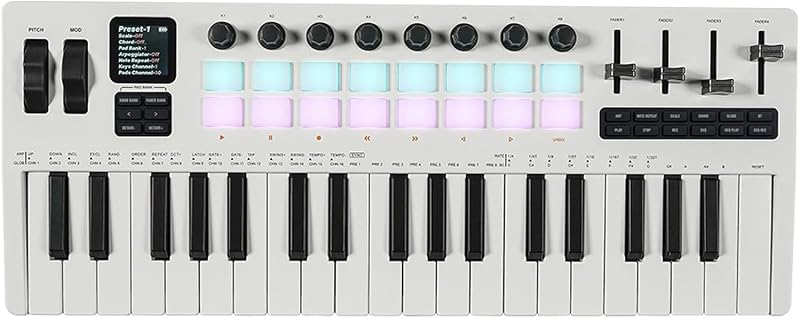


![Novation Launchkey 25 [MK3] Controlador de teclado MIDI: integración perfecta con Ableton Live. Modo acorde, modo escala y arpegiador: todo el software que necesita para la producción musical](https://m.media-amazon.com/images/I/61dYS8kfFhL._AC_SL800_.jpg)