Cargando el producto…

Precio desde
$ 86.702
+ flete y aranceles — se calculan al cotizar
Tamaño
Compra protegida
Puerta a puerta
Aduana incluida
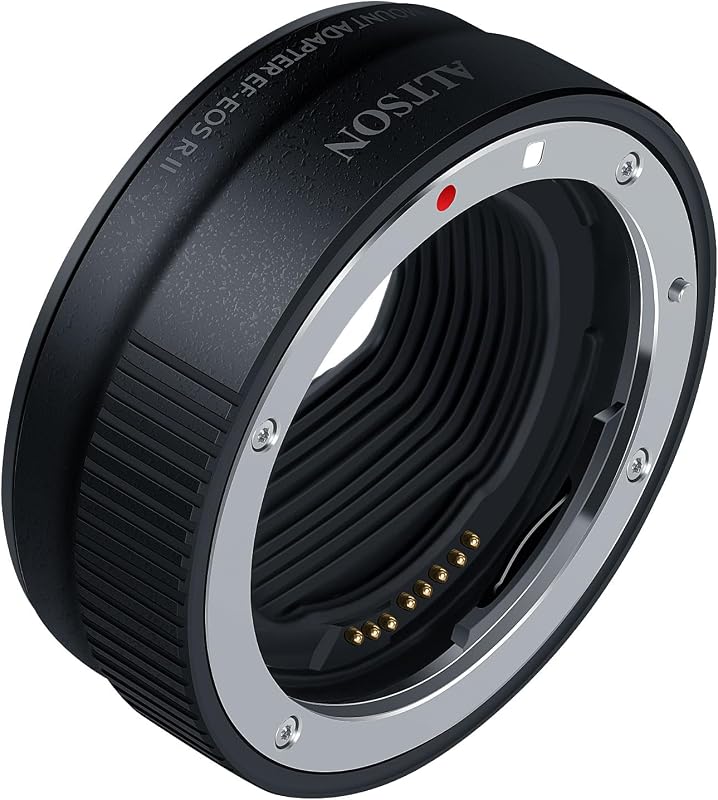
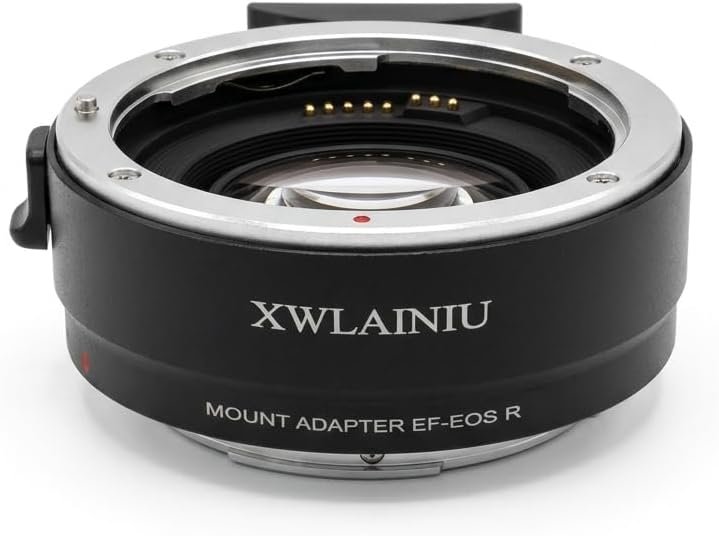
Product description Previous page Manual focus This lens mount adapter is manual so most automatic functions must be adjusted manually Precision engineering Engineered to fit perfectly for a secure connection and no light leakage Intuitive design Dots and the Urth logo ensure proper alignment while attaching and locking into place Next page 1 Manual adapter 2 Precise fit 3 Easy mounting How do I identify my lens mount? Check the lens barrel or rear. Common mounts include Canon EF, Nikon F, Sony E, etc. How do I identify my camera mount? Check the camera body near the lens mount. Look for labels like Canon EF, Nikon F, Sony E, etc. How do I choose the correct lens adapter? Identify your lens and camera mounts, then select an adapter that connects the two. Will this adapter support auto-focus? No, this manual adapter only supports manual focus and other manual functions. Can I adjust aperture with this lens adapter? You’ll need to adjust the aperture manually on your lens or via the adapter if supported. Previous page Prepare camera and adapter Switch your camera to Manual ("M") or Aperture Priority ("A"). If applicable, set adapter to “open” and align the textured ring on the adapter with the “>l” mark before attaching to the lens. Attach the adapter to the lens Align the dot on your lens with the dot on the adapter. Rotate the lens until it securely locks in place. If your adapter has a silver ring at the base of the lens, rotate it until it locks securely. Attach the adapter to the camera body Attach the adapter to the camera like a lens, aligning the dots if present. Rotate until it locks (the Urth logo will be centered at the top). Hold both the lens and adapter for better grip. Adjust the aperture For lenses with an aperture ring, set the "Open-Lock" ring on the adapter to the lock "o<" position, then use the aperture ring to adjust. Otherwise, use the textured ring on the adapter to adjust. Remove the adapter Press the lens release button and rotate the adapter and lens to remove them. Next, press the adapter's release button (if present) and rotate, or just rotate to remove the adapter from the lens. Next page Previous page More lens options Utilize your existing lens collection across multiple camera bodies, maximizing the use of your gear Compact and lightweight A compact, lightweight tool perfect for minimizing the gear you need to pack Unlock your creative potential Explore new creative possibilities by using a diverse range of lenses with your camera Next page 1 Optimize your kit 2 Travel-ready tool 3 Creative possibilities Previous page Certified B Corporation Urth is committed to accountability, transparency & continuous improvement Made for life Urth products are guaranteed for life, as longevity is key to sustainability Every purchase plants 1 tree Each Urth product funds regeneration projects for a 10x greater positive impact Next page 1 B Corp Certified 2 Lifetime guaranteed 3 Tree planting
Agregás al carrito
Sumás este y otros productos que querés traer.
Cotizás el envío
Calculamos flete aéreo y aranceles a Argentina.
Confirmás y pagás
Un asesor te contacta con el link de pago.
Lo recibís en casa
Tracking en tiempo real. Aduana incluida.
Lo que suele llevarse para tu cámara · un solo envío para todo
De la misma marca, empezando por lo más reseñado
Los mejor puntuados del mismo tipo de producto
Mismo tipo de producto y precio parecido


![PEHAEL for iPhone 17 Privacy Screen Protector+Camera Lens Protector | 3+3 Pack, Installation Frame, Cleaning kits, Anti-Spy Private, Anti-Scratch, 9H Tempered Glass, Case Friendly, [6.3 inch]](https://m.media-amazon.com/images/I/61UXu7cBl7L._AC_SL800_.jpg)