Cargando el producto…

Precio de origen
$ 99.369
+ flete y aranceles — se calculan al cotizar
Compra protegida
Puerta a puerta
Aduana incluida
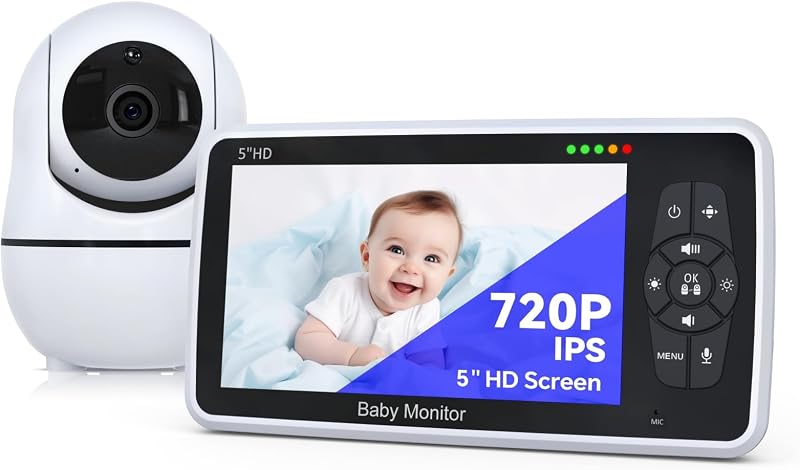
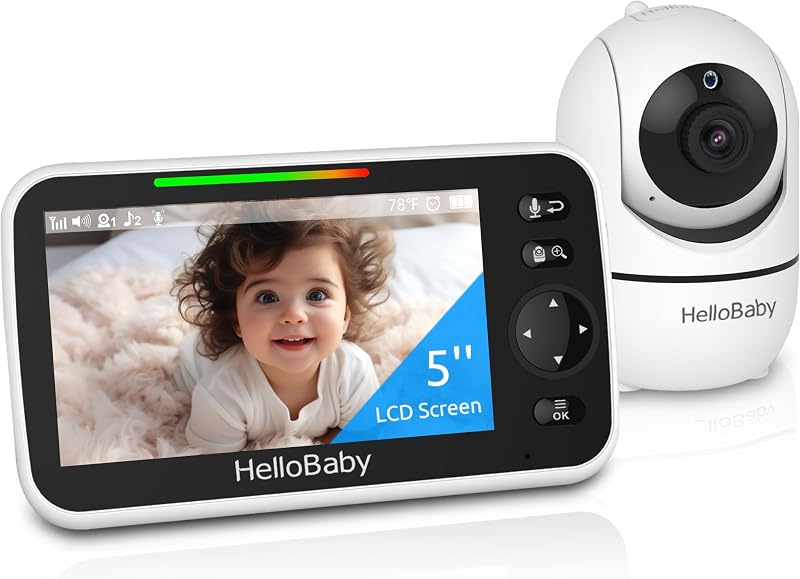
Product description FAQs & Troubleshooting Baby Monitor Not Working Normally/Erratically Confirm proper installation: Ensure the power supply is securely plugged in. Use only the Envilink power supply included with your monitor. Verify the electrical outlet is functional and not controlled by a wall switch.Check power status: Make sure both the parent unit and baby unit are turned on. The blue light on the back of the camera should be lit.Improve connection/reception:1. The parent unit may be too far from the baby unit. 2. Household devices (e.g., WiFi routers, laptops, smartphones, tablets) may interfere. Place the parent unit at least 3 feet away from these devices. 3. Reposition the parent unit (closer to the baby unit or away from WiFi devices) to find better reception. Note: Units should not be placed less than 3 feet apart.Reset the units (step-by-step): 1. Unplug the power from both the baby unit and parent unit. 2. Wait approximately 15 seconds. 3. Reconnect the power adapters to both units. 4. Allow 1 minute for the units to reconnect automatically.(Note: Noise, static, or erratic performance may come from nearby electronic/cordless devices using the same frequency. Keep the baby monitor as far from these devices as possible.) Unable to Scan QR for Network Connection First, check these key points: 1. Is the baby camera properly plugged in and turned on? 2. Did the baby camera enter network pairing mode successfully? 3. Can the app generate a valid QR (with clear screenshot)? 4. Did the camera confirm successful QR scanning? 5. What error message appears when the QR cannot be read? 6. What specific message shows when failing to connect to the network? 7. Is your router using a 5G band? (Note: Only 2.4G WiFi is supported.) Additional fixes: If the camera scans the QR but shows "network connection timeout", confirm your router is not 5G and the app’s QR is correct.If pairing mode is active but "QR scan timeout" persists: Restart the baby camera, re-enter pairing mode, and try scanning again. VOX Mode Activates monitor only when baby’s sounds are detected. Extend battery life, cut idle static, enjoy seamless use. 5 Lullabies for Baby Our video baby monitor features precise temperature monitoring to adjust your baby’s clothes or blankets promptly for optimal comfort. Feeding Remind Baby monitor can set timely alerts for baby’s feeding and diaper changes, streamlining your parenting schedule with ease. Temperature Detection This video baby monitor features precise temperature monitoring to adjust your baby’s clothes or blankets promptly for optimal comfort. Envilink Video Baby Monitor & Smart Baby Monitor Video Baby WiFi Monitor Add to Cart Baby Monitor with App Add to Cart Baby Monitor with Camera Add to Cart Smart Baby Monitor Add to Cart Baby Monitor 2 Cameras Add to Cart Customer Reviews 3.8 out of 5 stars 112 4.0 out of 5 stars 108 4.0 out of 5 stars 108 4.2 out of 5 stars 62 4.2 out of 5 stars 5 Price $54.99$54.99 $39.99$39.99 $39.99$39.99 $58.99$58.99 $79.99$79.99 Screen Size 2.8" 2.8" 2.8" 2.8" 2.8" Battery milliamp-hours 2500mAh 2500mAh 2500mAh 2500mAh 2500mAh Pixel (app) 480P 480P 480P 1080P 1080P AI Function × × × √ √ Lullabies (app) 5 5 5 8 8 Connection Range 1200ft 1200ft 1200ft 1200ft 1200ft Color Black Black White Black Black
Agregás al carrito
Sumás este y otros productos que querés traer.
Cotizás el envío
Calculamos flete aéreo y aranceles a Argentina.
Confirmás y pagás
Un asesor te contacta con el link de pago.
Lo recibís en casa
Tracking en tiempo real. Aduana incluida.
Lo que suele llevarse para tu cámara · un solo envío para todo
Los mejor puntuados del mismo tipo de producto
Mismo tipo de producto y precio parecido


![PEHAEL for iPhone 17 Privacy Screen Protector+Camera Lens Protector | 3+3 Pack, Installation Frame, Cleaning kits, Anti-Spy Private, Anti-Scratch, 9H Tempered Glass, Case Friendly, [6.3 inch]](https://m.media-amazon.com/images/I/61UXu7cBl7L._AC_SL800_.jpg)