Cargando el producto…
Precio de origen
$ 98.115
$ 163.085
+ flete y aranceles — se calculan al cotizar
Compra protegida
Puerta a puerta
Aduana incluida
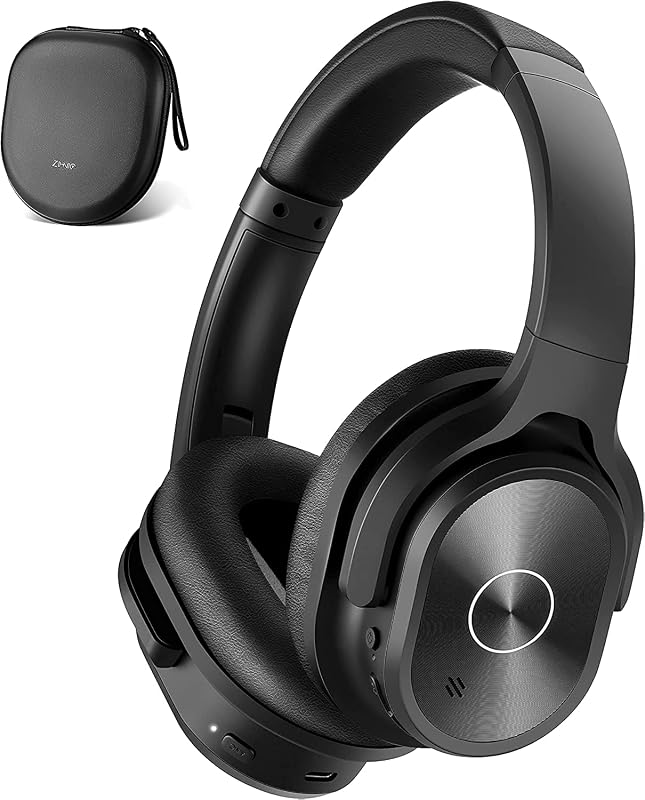
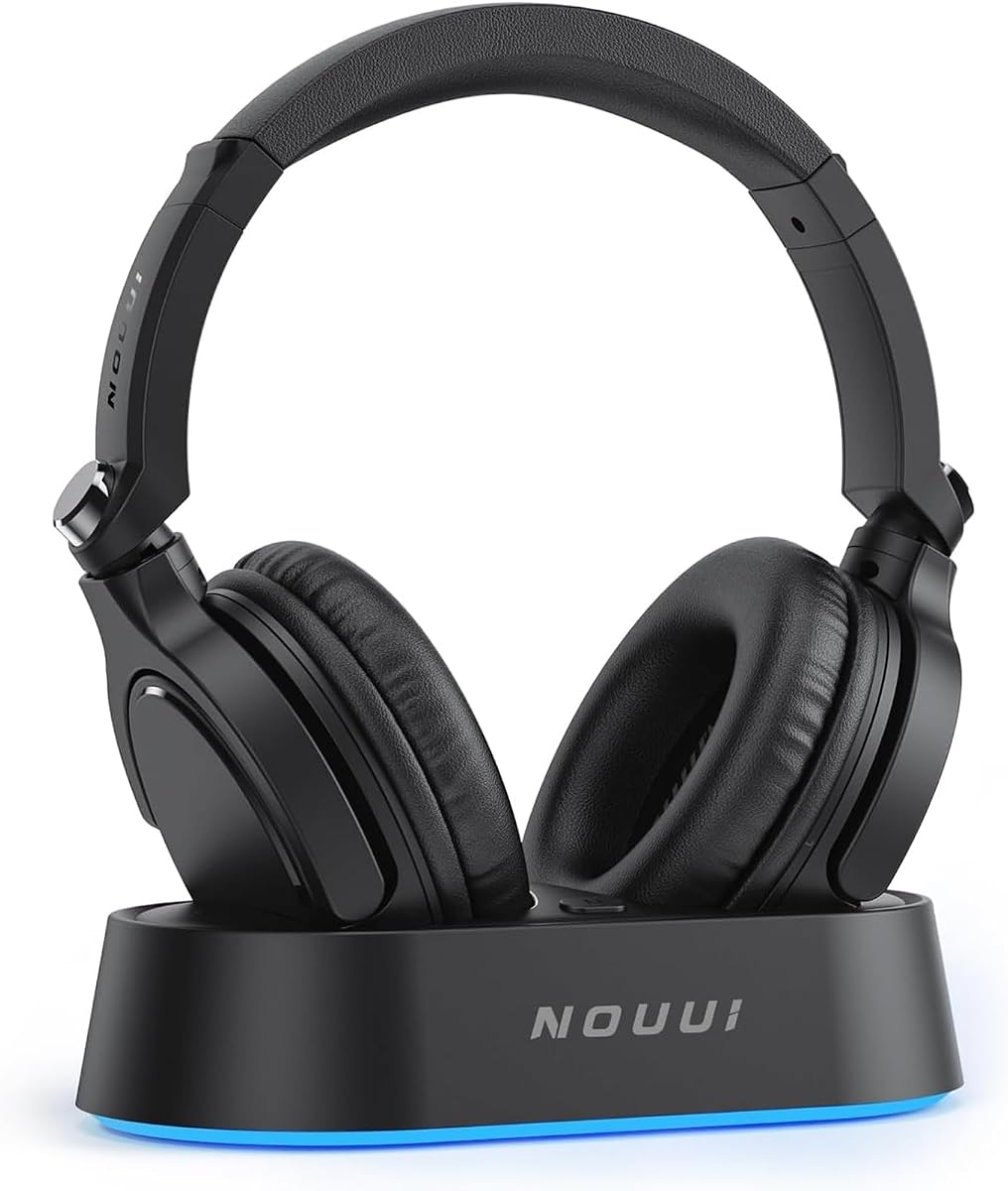
Product description Previous page Wireless Headphones for TV with Ultra-Low Latency Immerse in real-time TV sound with ultra-low 40ms latency and 100FT range, synced for every moment TV Headphones Wireless for Seniors and Audiophiles Experience flawless sound quality, from strings to bass, for a fully immersive TV viewing experience Next page 1 Real-Time Audio Sync 2 All-Around Enjoyment Previous page Break Free with Wireless Freedom Move freely with a 30M range, enjoying seamless audio connection without boundaries or interruptions TV Headphones Wireless with 65-Hour Battery Life Enjoy up to 65-hour of uninterrupted TV audio, with quick recharge on the TV transmitter when needed Next page 1 Unleash Wireless Freedom 2 Week-Long Battery Power Previous page Multi-Device TV Headphones for All Your Needs Pair with TVs through a transmitter or Bluetooth with phones and tablets, perfect for everyday use Wireless Headphones for TV with Effortless Setup No complicated setup is needed—connect and enjoy your favorite shows instantly with ease Next page 1 Universal Compatibility 2 Easy To Operate Easy to Set Up Charge & Power On Simply plug in the charging cable to the TV headphones wireless transmitter and flip the TV transmitter switch to "ON" to start using your device. Audio Cable Connection Insert the optical, AUX 3.5mm, or RCA cable into the TV transmitter and your TV's output port. Only one output at a time. Power on the TV headphones Set Up Audio Output Headphones for TV to "Settings" > "Sound/Audio" > "Sound Output" > "Expert Settings" > "Audio Digital Output Format" and choose "PCM/Stereo/Optical." Enjoy Uninterrupted Audio Put on your wireless headphones for TV, sit back, and experience seamless, high-quality audio for your favorite shows Do I need to pair the TV headphones wireless with the transmitter when I first get them? No, the TV headphones are pre-paired with the transmitter. Just turn on both devices and when the transmitter's LED turns blue, the headphones will prompt that they are paired, which means the pairing is successful How do I know if this Headphones for TV is charging using the transmitter? When you place the TV Headphones on the transmitter, the LED on the headphones will light up red and the transmitter will flash white to indicate that it is charging. When the LEDs on the headphones and transmitter are solid blue, fully charged What should I do to be able to play sound from headphones and TV at the same time? If you want audio playback from both the headphones and the TV, it is recommended that you select "TV Speaker" for the sound output of the TV How do I connect the headsets to my TV via the transmitter? Please plug the optical audio cable into the transmitter and TV > Make sure the transmitter and headphones are paired > Then set the audio output format of the TV to PCM/Stereo/Optical How do I mute my TV Wireless Headphones? Please click the MFB button on the side of the headphones to pause the audio. Kindly note: pressing the MFB button will only pause the audio from the headphones and will not affect the playback of the TV program.
Agregás al carrito
Sumás este y otros productos que querés traer.
Cotizás el envío
Calculamos flete aéreo y aranceles a Argentina.
Confirmás y pagás
Un asesor te contacta con el link de pago.
Lo recibís en casa
Tracking en tiempo real. Aduana incluida.
Lo que suele llevarse para tu celular · un solo envío para todo
Los mejor puntuados del mismo tipo de producto
Mismo tipo de producto y precio parecido



![Syncwire Cell Phone Ring Holder Stand [2 Pack], 360 Degree Rotation Finger Ring Kickstand with Polished Metal Phone Grip for Magnetic Car Mount Compatible with iPhone, Samsung, LG, Sony, HTC | 360° Rotation, Mini Size, All Metal, Strong Adhesive, Finger Ring Kickstand , for Smartphones](https://m.media-amazon.com/images/I/61rzsM-OVbL._AC_SL800_.jpg)