Cargando el producto…
Precio desde
$ 90.997
+ flete y aranceles — se calculan al cotizar
Versión
Compra protegida
Puerta a puerta
Aduana incluida
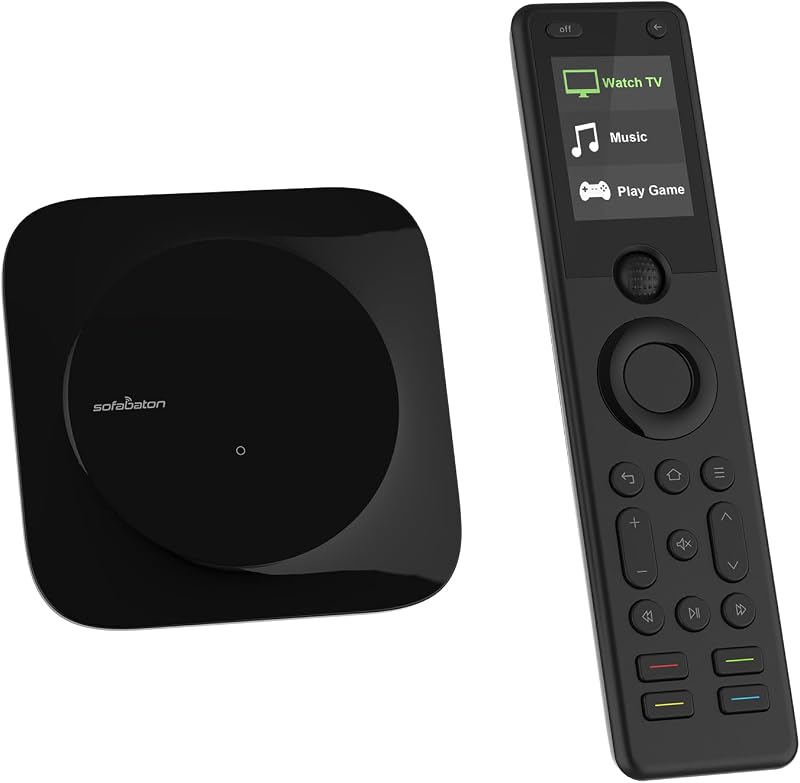
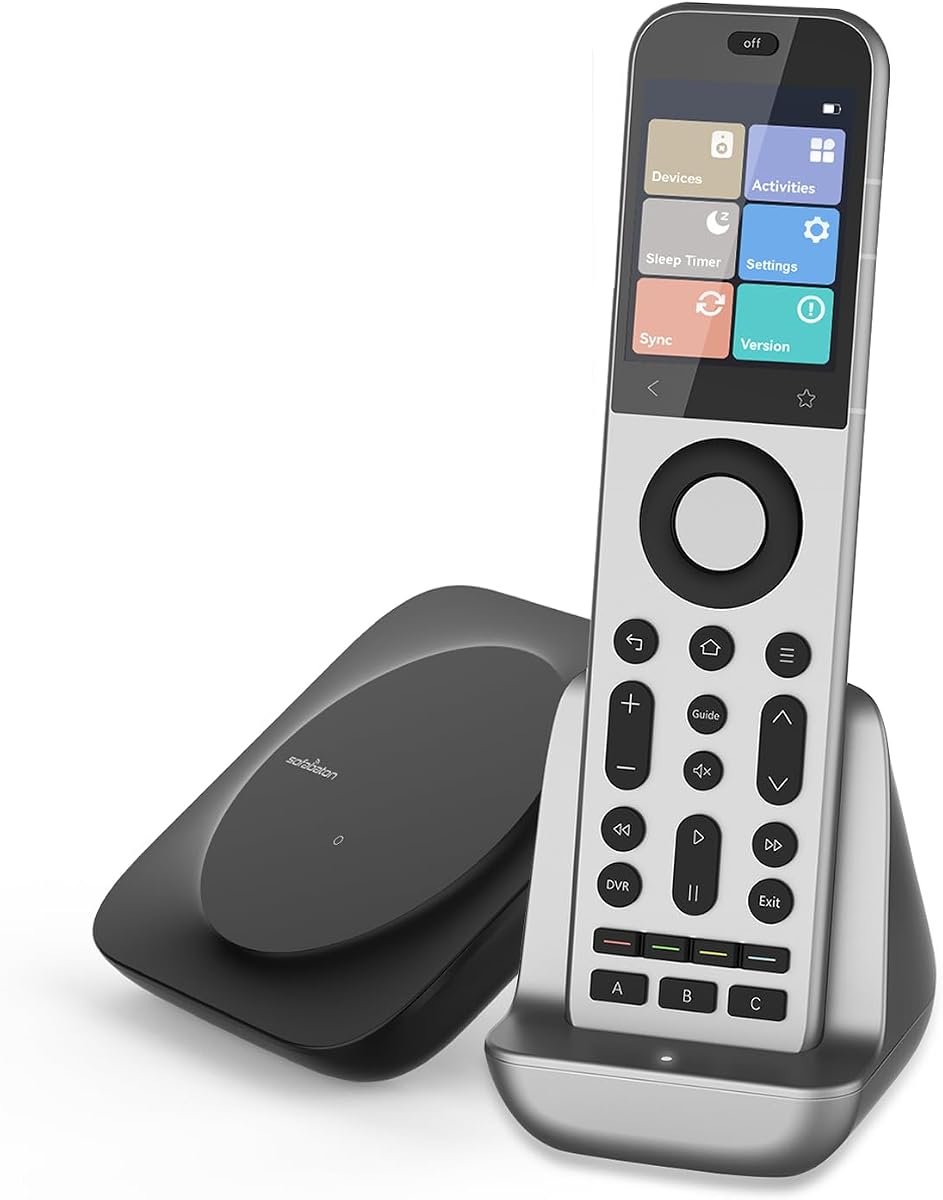
Product description Say goodbye to the coffee-table clutter. The SofaBaton X2 delivers a cleaner, faster, truly universal home-entertainment experience. SofaBaton X2 is a next-generation universal remote for modern smart homes. It unifies IR, Bluetooth, and Home Assistant control, enabling seamless management of all your devices from one place. With local IP control, firmware upgrades, and customizable macros, X2 ensures fast, precise, and secure performance. Its ergonomic design and responsive touchscreen make it powerful yet effortless to use—a truly future-ready smart control solution. The Sofabaton set includes SofaBaton X2 remote, Charging Dock and Hub SofaBaton X2 includes a built-in IR transmitter and supports an optional extender for whole-home control of TVs, audio systems, and air conditioners. The SofaBaton R1 infrared repeater needs to be purchased separately Revolutionary Simultaneous Bluetooth Connection Unlike ordinary remotes that force you to disconnect and reconnect, the X2 stays paired with 4 Bluetooth devices at once. Switch instantly between TV, soundbar, streaming box or smart lights — no lag, no fuss. 2.4-inch HD Colour Touchscreen + Built-in IR Transmitter A vibrant 480×640 display responds instantly to every tap and swipe. Favourite channels, numeric keypad and one-touch activities appear the moment you need them. With a built-in IR blaster at the top, the X2 controls your TV and soundbar directly — no hub required for line-of-sight devices. Instructions for Using “Activities” launching Activities mode involves sliding or swiping the activity icon to the right on the touchscreen, rather than tapping, to prevent accidental activation. To deactivate Activities, press the OFF button at the top of the remote. This shuts down all active devices and ends the mode. The free SofaBaton app turns your phone into the ultimate programming companion. Add devices, re-map buttons, create sophisticated macros, and back everything up to the cloud in seconds. Whether you have 5 gadgets or 50, setup is effortless and entirely in your hands. NOTE: 1. Scan the QR c*de on the packaging box to download the Sofabaton App and register an account (the instruction manual inside the box also contains a QR c*de for app download). 2. Inside the packaging box, you will find the instruction manual and all X2 accessories, including the remote, Hub, charging dock, charger, and IR blaster. 3. Plug in the Hub and remote to activate them. If you also purchased an IR Repeater, plug it in as well. 4. The Hub remote require firmware updates. 5. Open the Sofabaton App and connect to the 2.4GHz network. Select the X Series to begin setting up the Hub and complete the network configuration. 6. After completing the Hub network configuration, please wait 5 minutes. The WiFi will automatically update its settings. 7. After 5 minutes, reconnect to the Hub. Once connected, an upgrade window will pop up to upgrade the Hub. Click “Upgrade” to begin the Hub upgrade. 8. This process may take approximately 3 to 10 minutes, depending on the network connection status. Please wait patiently for the upgrade to complete. 9. After the upgrade is complete, you will see “Update Successful,” indicating the Hub upgrade was successful.
Agregás al carrito
Sumás este y otros productos que querés traer.
Cotizás el envío
Calculamos flete aéreo y aranceles a Argentina.
Confirmás y pagás
Un asesor te contacta con el link de pago.
Lo recibís en casa
Tracking en tiempo real. Aduana incluida.
De la misma marca, empezando por lo más reseñado
Los mejor puntuados del mismo tipo de producto
Mismo tipo de producto y precio parecido