Cargando el producto…

Precio de origen
$ 274.379
$ 313.579
+ flete e impuestos
Compra protegida
Puerta a puerta
Gestión aduanera
Tu compra, acompañada de principio a fin
Todo esto está en los Términos y Condiciones. Leerlos
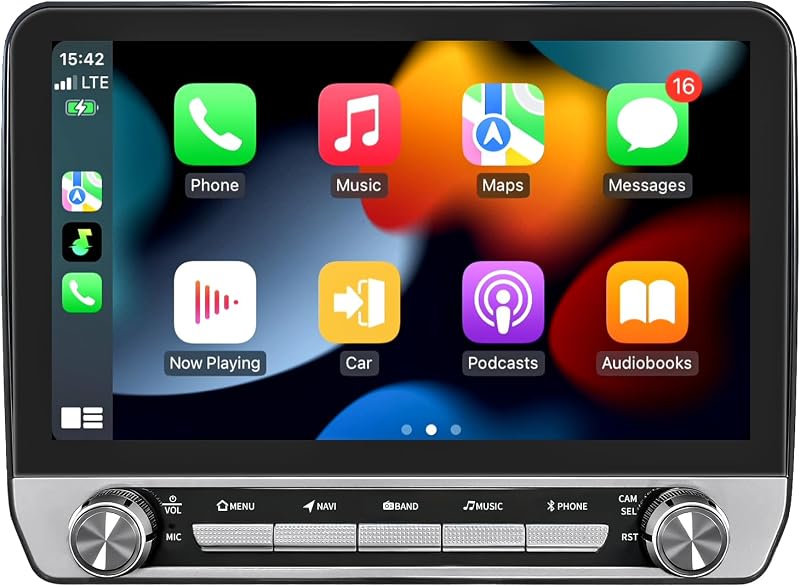
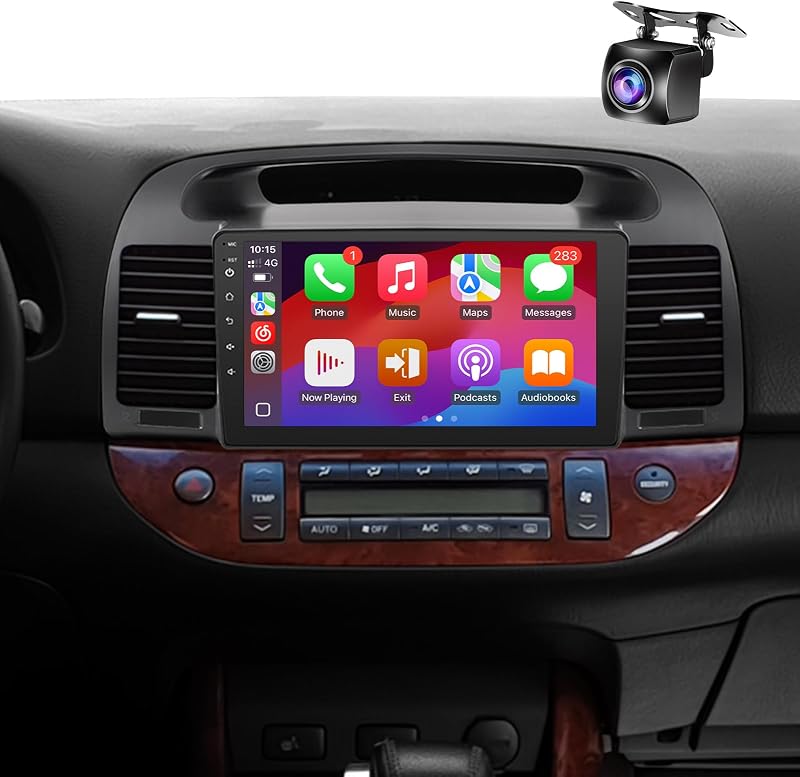
Descripción del producto Radio de coche mejorada 5GWiFi para Toyota Tacoma radio 2005-2015 Pantalla táctil de 9 pulgadas unidad principal de repuesto estéreo para coche Carplay inalámbrico Android Auto GPS Para Toyota Tacoma radio: Toyota Tacoma radio 2005 2006 2007 2008 2009 2010 2011 2012 2013 2014 2015 El año es solo para referencia. Verifique la consola central, el conector y el sistema de sonido originales antes de comprar. Android 15.0 2G RAM+32G ROM: Creado para mayor comodidad: almacene mapas, aplicaciones y música mientras disfruta de una experiencia receptiva y sin demoras. CarPlay inalámbrico/con cable y Android Auto: transmita música, obtenga direcciones y responda llamadas sin esfuerzo, con o sin cables, a su manera. Cámara de visión trasera HD: visibilidad trasera amplia y detallada para estacionar sin problemas. Ideal para viajes diarios al trabajo y áreas concurridas.GPS incorporado: encuentre su camino sin esfuerzo con rutas precisas, ideal tanto para la conducción diaria como para aventuras espontáneas.Conectividad WiFi 5G más rápida: manténgase en línea con WiFi confiable de alta velocidad, ideal para navegación, música y comodidad de manos libres.Bluetooth: el emparejamiento sin esfuerzo le permite hablar y transmitir música de forma inalámbrica para una experiencia de conducción más inteligente y segura.Radio FM/AM + RDS: actualice su unidad con radio confiable e información en tiempo real para un viaje mejor y más informado.Puertos USB traseros dobles: Actualice la comodidad con puertos USB de acceso trasero para cargar o reproducir medios externos.Ajuste de sonido DSP EQ: establezca ajustes preestablecidos de ecualizador personalizados para combinar diferentes estilos de música al instante.Pantalla dividida y pantalla HD de 9 pulgadas: disfrute de imágenes claras de alta definición de 9" y multitarea en pantalla dividida para cada viaje.Compatible con control del volante: mejore su experiencia de conducción con fácil acceso a los controles estéreo directamente desde el volante.Instalación Plug & Play: sin estrés de cableado: conéctelo y experimente un proceso de instalación rápido y fluido. CarPlay inalámbrico/con cable y Android Auto Conduce de forma más inteligente con una radio toyota tacoma que admite CarPlay y Android Auto inalámbrico/con cable Refleja instantáneamente tu teléfono, usa aplicaciones en una pantalla grande y mantén tus manos en el volante. Haz que cada viaje sea más fácil con estos accesorios de toyota tacoma. El emparejamiento rápido de Bluetooth te permite transmitir música y atender llamadas con manos libres. Perfecto para conducir en ciudad o en carretera con menos distracciones. Navegación GPS incorporada Manténgase en el camino correcto con este estéreo Toyota Tacoma. Su GPS incorporado brinda una navegación fluida y precisa ya sea que esté en línea o fuera de línea, lo que lo ayuda a conducir con menos estrés y más confianza. Radio FM y pantalla dividida Conduzca de forma más inteligente con estos accesorios Dodge Ram 3500 que combinan radio FM y pantalla dividida. Siga las instrucciones mientras disfruta de la música sin interrupciones ni cambios de aplicación. EQ/DSP y pantalla HD Estos accesorios tacoma 2005-2015 mejoran cada viaje con claridad HD y sonido personalizado. Las configuraciones de DSP y EQ lo ayudan a crear la configuración de audio perfecta, ya sea de viaje o de crucero. Conexión WiFi 5G más rápida Manténgase a la vanguardia en la carretera con accesorios Tacoma que cuentan con WiFi 5G más rápido. Las aplicaciones se cargan más rápido, la navegación se actualiza al instante y la música se transmite sin demoras, perfecto tanto para conducir en la ciudad como para viajes largos. Cámara de visión trasera HD Con una cámara de visión trasera HD incorporada, estos accesorios Tacoma de segunda generación te ayudan a ver con claridad al dar marcha atrás. Es perfecto para conductores que desean un estacionamiento más seguro y controlado todos los días. Compatible con control en el volante Disfrute de una conducción más conectada con este estéreo con pantalla táctil. Utilice el volante para controlar la música y las llamadas sin tener que tocar la pantalla: perfecto para una conducción más segura y sin estrés. Instalación Plug & Play Facilite la instalación con este estéreo para automóvil con bluetooth. Su diseño plug & play garantiza una configuración rápida, lo que le permite actualizar su vehículo en minutos sin herramientas ni esfuerzo adicionales. P: ¿Qué podría estar causando que mi Bluetooth no se pueda emparejar o que la conexión inalámbrica siga interrumpiéndose? R: 1.Asegúrese de que el cable de marcha atrás esté conectado al amplificador de señal Bluetooth y Wi-Fi; 2. Vaya al menú Bluetooth del estéreo del automóvil y deje que detecte su teléfono; 3.Seleccione “Car-BT”, ingrese “0000” y elimine los emparejamientos anteriores si es necesario. P: ¿Cómo evito que CarPlay se inicie automáticamente o controlo cuándo se conecta? R: 1. Al emparejar Bluetooth y Zlink se iniciará CarPlay automáticamente; 2.Desactive la conexión en segundo plano para evitar la reconexión automática; 3.CarPlay se puede alternar en Configuración de iPhone > General > CarPlay > Zlink. P: ¿Cuál es el proceso correcto para duplicar la pantalla inalámbrica desde mi teléfono? R: iOS: inicie Zlink5 Wireless Mirroring, habilite el punto de acceso en el iPhone, conecte la radio a Wi-Fi y luego seleccione zj-airplay; Android: abra Zlink5 Wireless Mirroring, instale Zlink, empareje Bluetooth y active Personal Hotspot. P: ¿Por qué el Wi-Fi se desconecta o deja de funcionar cuando CarPlay está funcionando? R: El Wi-Fi se corta automáticamente mientras CarPlay está funcionando, así que desactiva la Conexión en segundo plano para evitar que se vuelva a conectar. P: ¿Por qué mi cámara de marcha atrás no muestra ningún vídeo en la pantalla? R: 1.Asegúrese de que los cables del disparador de marcha atrás y de la cámara estén conectados de forma segura; 2.Elija el formato de cámara correcto en Configuración de fábrica (8888)
Agregás al carrito
Sumás este y otros productos que querés traer.
Cotizás el envío
Calculamos flete aéreo y aranceles a Argentina.
Confirmás y pagás
Online con tarjeta, o por transferencia, con el total final a la vista.
Lo recibís en casa
Seguimiento en tiempo real. El despacho lo hacemos nosotros.
Lo que suele llevarse para tu cámara · un solo envío para todo
Los mejor puntuados del mismo tipo de producto
Mismo tipo de producto y precio parecido

![[Versión anterior] Tarjeta de memoria SanDisk Ultra microSDXC UHS-I de 256 GB con adaptador - 100 MB/s, C10, U1, Full HD, A1, tarjeta micro SD - SDSQUAR-256G-GN6MA](https://m.media-amazon.com/images/I/61mDTjSOe8L._AC_SL800_.jpg)

![PEHAEL para iPhone 17 Protector de pantalla de privacidad+Protector de lente de cámara | Paquete de 3+3, marco de instalación, kits de limpieza, antiespía privado, antiarañazos, vidrio templado 9H, compatible con estuches, [6,3 pulgadas]](https://m.media-amazon.com/images/I/61UXu7cBl7L._AC_SL800_.jpg)



![[4+64G] para Toyota Camry 2006-2011 (con JBL) Android 15 estéreo de auto, pantalla táctil Incell de 9 pulgadas Radio CarPlay/Android Auto GPS WiFi Bluetooth FM/RDS+ AHD cámara de respaldo](https://m.media-amazon.com/images/I/718GFyJJ5ML._AC_SL800_.jpg)


![[8Core 64GB] Estéreo de auto Android para Toyota Tacoma JBL 2005-2015 | Radio Tacoma con pantalla táctil de 9 pulgadas con Carplay Android Auto Bluetooth WiFi GPS AM FM - Cámara incluida](https://m.media-amazon.com/images/I/718DJ1etZvL._AC_SL800_.jpg)






![SIXTOP [Canbus incluido] 2+64G Android estéreo de auto para Mitsubishi Lancer 2008-2017 inalámbrico CarPlay Android Auto 10.1 pulgadas pantalla táctil Bluetooth navegación GPS WiFi/FM/RDS SWC AHD cámara trasera](https://m.media-amazon.com/images/I/71TSQryEAwL._AC_SL800_.jpg)