Cargando el producto…

Precio desde
$ 114.875
+ flete e impuestos
Color
Tamaño
Compra protegida
Puerta a puerta
Gestión aduanera
Tu compra, acompañada de principio a fin
Todo esto está en los Términos y Condiciones. Leerlos
Descripción del producto Página anterior Página siguiente Guía de instalación en video Reemplace las baterías secas Reemplace las baterías secas El video muestra el producto en uso. El video lo guía a través de la configuración del producto. El video compara varios productos. El video muestra el producto desempaquetado. Reemplace las baterías secas Ajuste de avance y retroceso del motor Ajuste de avance y retroceso del motor Inversión del motor La dirección de funcionamiento de las persianas es opuesta a lo que se muestra en el botón emisor Método 1: Presione ambos juntos hasta que el motor gire una vez Método 2: Presione la tecla "M" El motor de 10" gira 3 veces El video muestra el producto en uso. El video lo guía a través de la configuración del producto. El video compara varios productos. El video muestra el producto desempaquetado. Motor hacia adelante y hacia atrás Ajuste del uso del botón M del interruptor del motor Uso del botón M del interruptor del motor Al presionar el botón un número diferente de veces se obtendrán diferentes funciones. El video muestra el producto en uso. El video lo guía a través de la configuración del producto. El video compara varios productos. El video muestra el uso del botón M del interruptor del motor Agregar un nuevo emisor Agregar un nuevo emisor Un motor puede coincidir con uno o más emisores. Los emisores deben coincidir. El video muestra el producto en uso. El video lo guía a través de la configuración del producto. compara varios productos. El vídeo muestra el producto desembalándolo. Agregar un nuevo emisor Coincidencia rápida y eliminar coincidencia Coincidencia rápida y eliminar coincidencia PASO 1: Versión de batería: instale la batería seca PASO 2: Presione el botón "M" del motor durante 2", el motor gira hacia adelante y hacia atrás una vez. El motor ingresa al estado de coincidencia (válido durante 60 segundos) PASO 3: El interruptor selecciona el modo "admin" PASO 4: Mantenga presionado "S" durante 2" El motor girará hacia adelante y hacia atrás una vez. Coincidencia exitosa. El video muestra el producto en uso. El video lo guía a través de la configuración del producto. El video compara varios productos. El video muestra el producto desembalándolo. Emparejamiento rápido y eliminación de emparejamiento Establecer el punto más alto y más bajo Establecer el punto más alto y más bajo PASO 1: Establecer el punto más alto Utilice el botón en el frente para ajustar la cortina en la posición que desee. Presione "arriba" durante 2", el motor gira una vez. Esta posición se establece como el punto más alto. PASO 2: Establezca el punto más bajo Utilice el botón en el frente para ajustar la persiana en la posición que desee. Presione "abajo" durante 2", el motor gira una vez. Esta posición se establece como el punto más bajo. El video muestra el producto en uso. El video lo guía a través de la configuración del producto. El video compara varios productos. El video muestra el producto desembalándolo. Establecer punto más alto y más bajo Acerca de Persianas enrollables motorizadas recargables y accesorios inteligentes Persianas remotas de batería seca Agregar al carrito Persianas remotas todo en uno Agregar al carrito Control remoto Allesin de 15 canales Agregar al carrito Convertidor USB Allesin Agregar al carrito Puente WiFi inteligente (2.4G) Agregar al carrito Precio $70.95$70.95 $99.74$99.74 $24.99$24.99 $26.99$26.99 $69.99$69.99 Fuente de alimentación 6 pilas AA Batería recargable Batería CR2032 Se requiere adaptador de corriente Viene con un enchufe integrado Admite panel solar
Agregás al carrito
Sumás este y otros productos que querés traer.
Cotizás el envío
Calculamos flete aéreo y aranceles a Argentina.
Confirmás y pagás
Online con tarjeta, o por transferencia, con el total final a la vista.
Lo recibís en casa
Seguimiento en tiempo real. El despacho lo hacemos nosotros.
Los mejor puntuados del mismo tipo de producto
Mismo tipo de producto y precio parecido


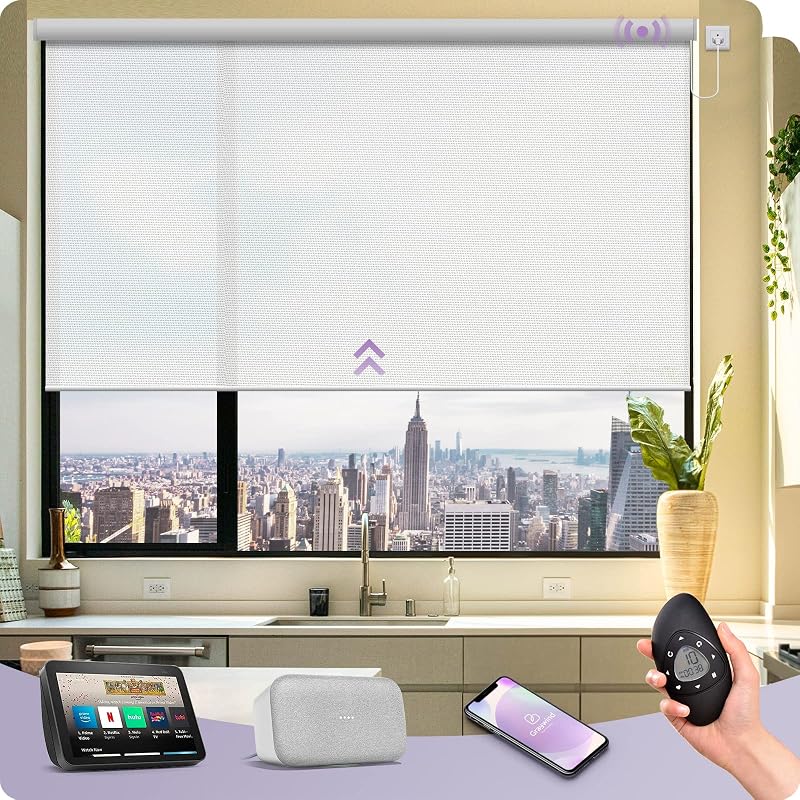
![Persianas motorizadas con control remoto [filtrado de luz] Persianas inteligentes compatibles con Alexa Google HomeKit, 70% Blackout persianas enrollables automáticas para ventanas interiores, tamaño personalizado, luz de luna lineal](https://m.media-amazon.com/images/I/71QmwsnXuoL._AC_SL800_.jpg)