Cargando el producto…

Precio de origen
$ 240.354
$ 267.088
+ flete e impuestos
Color
Compra protegida
Puerta a puerta
Gestión aduanera
Tu compra, acompañada de principio a fin
Todo esto está en los Términos y Condiciones. Leerlos
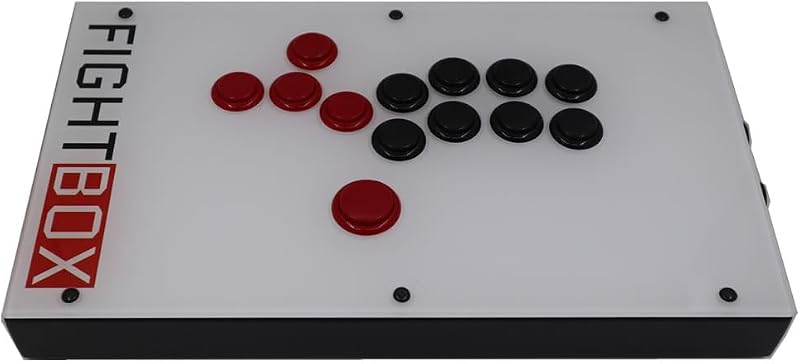
Descripción del producto Control de la barra de luces RGB Cuando enciendes el controlador, la barra de luces RGB comienza con ambos lados respirando el mismo color. Presione L3 + R3 juntos durante 0,5 segundos para recorrer los modos de iluminación: Ambos lados cambian de color juntos → Los lados izquierdo y derecho cambian a diferentes colores → Ambos lados permanecen en un color fijo (7 colores disponibles). Mantenga presionado L3 + R3 durante 3 segundos para encender o apagar la barra de luces. Control de la luz ambiental La luz ambiental está ENCENDIDA de forma predeterminada cuando se enciende. Mantenga presionados los botones Turbo + Captura de pantalla durante 3 segundos para encender o apagar la luz ambiental. Instrucciones de conexión inalámbrica Conexión del interruptor Conexión por primera vez: en la pantalla de inicio de su Switch, vaya a "Controladores" → "Cambiar agarre/orden" para ponerlo en modo de emparejamiento. Mantenga presionado el botón INICIO durante 3 segundos. Los LED parpadearán en un patrón en movimiento. El controlador se emparejará con la consola automáticamente. Cuando está conectado, el LED correspondiente permanece encendido. Vuelva a conectar un dispositivo que haya emparejado antes: simplemente presione el botón INICIO brevemente. Los LED parpadearán lentamente en un patrón de movimiento, activarán su Switch y se volverán a conectar automáticamente. Teléfono/tableta Android: modo gamepad Mantenga presionado X + HOME durante 3 segundos. LED2 y LED3 parpadearán rápidamente al mismo tiempo. Vaya a la configuración de Bluetooth de su dispositivo, busque el dispositivo llamado "Gamepad" y vincúlelo. Una vez conectados, esos dos LED permanecerán encendidos. Teléfono/tableta iOS 13+ Mantenga presionado Y + HOME durante 3 segundos. LED1 y LED4 parpadearán rápidamente al mismo tiempo. En la configuración de Bluetooth de tu dispositivo, busca "Mando inalámbrico DUALSHOCK 4" y emparéjalo. Después de una conexión exitosa, estos dos LED permanecerán encendidos. Instrucciones de conexión por cable Conexión por cable del interruptor Utilice el cable tipo C incluido para conectar el controlador a la base Switch. Asegúrese de que la "Comunicación por cable del controlador profesional" esté activada en la Configuración del sistema de su Switch. El LED correspondiente permanecerá encendido una vez conectado. Conexión por cable a PC Conecte el controlador a su computadora con un cable USB. Se inicia en modo X-INPUT (LED1 encendido). Mantenga presionados los botones "–" y "+" durante 5 segundos para cambiar al modo D-INPUT; verá que el LED2 y el LED3 se iluminan al mismo tiempo.
Agregás al carrito
Sumás este y otros productos que querés traer.
Cotizás el envío
Calculamos flete aéreo y aranceles a Argentina.
Confirmás y pagás
Online con tarjeta, o por transferencia, con el total final a la vista.
Lo recibís en casa
Seguimiento en tiempo real. El despacho lo hacemos nosotros.
Los mejor puntuados del mismo tipo de producto
Mismo tipo de producto y precio parecido