Cargando el producto…

Precio de origen
$ 127.404
$ 154.708
+ flete y aranceles — se calculan al cotizar
Compra protegida
Puerta a puerta
Aduana incluida
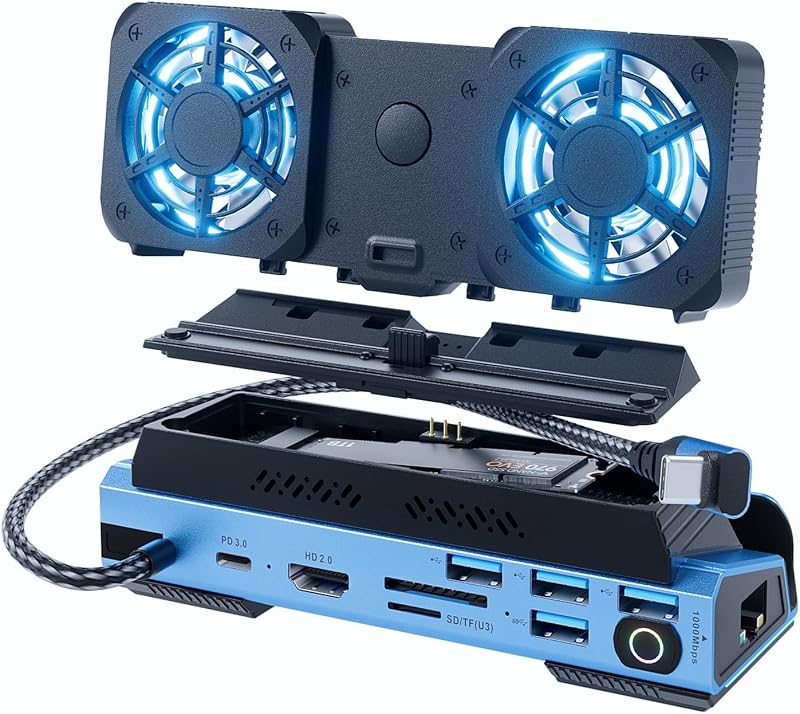
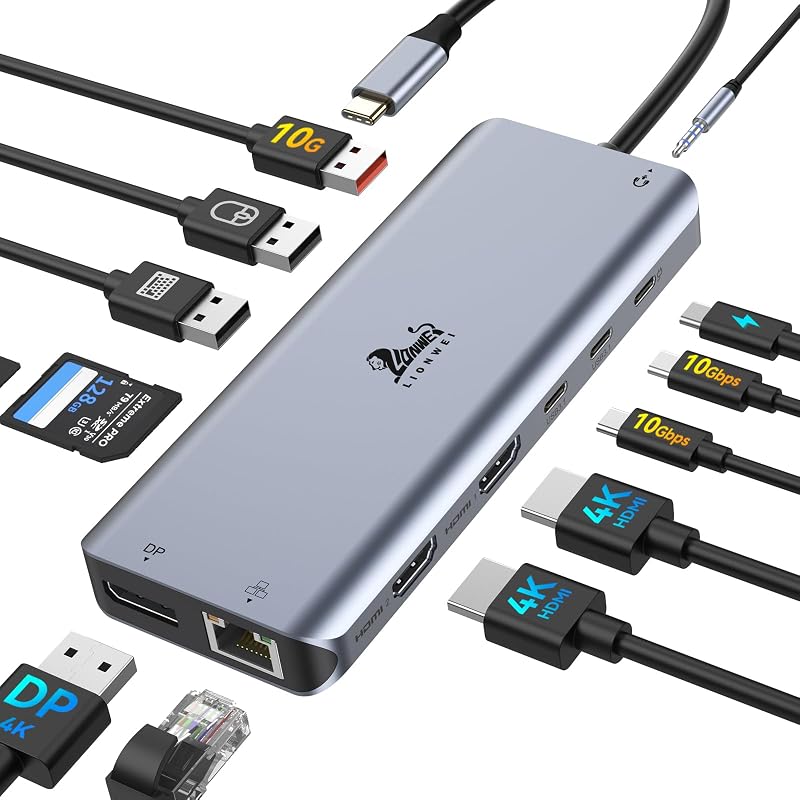
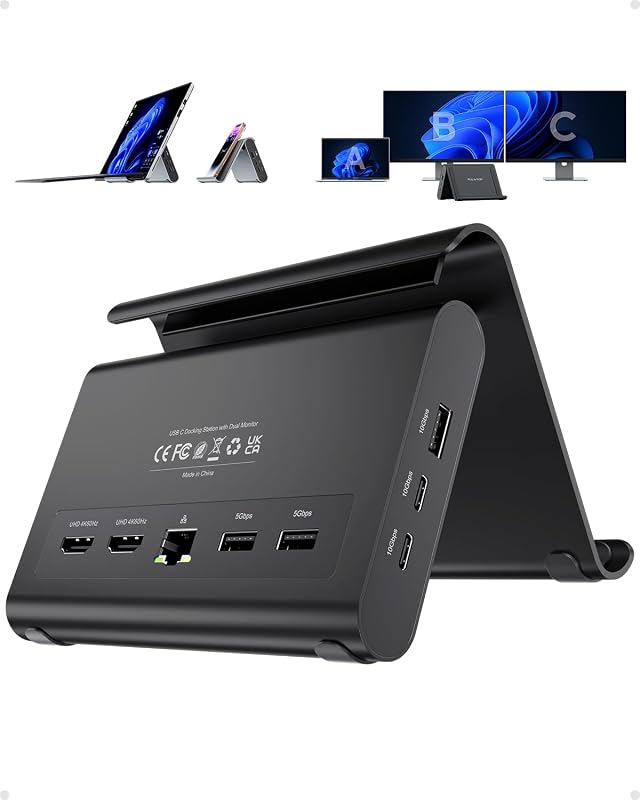
Product description Previous page Next page 1 11-in-1 2 Ultra 8K@30Hz 3 10Gbps Data 4 100W PD 5 1000Mbps Ethernet Previous page Next page 1 Triple Display Setup 2 Display Modes 3 Windows Resolution 4 macOS Resolution Previous page Next page Previous page Next page 1 One for All Scenarios 2 Stand Support 3 Tidy Connections Usage Tips & QA ✔️Check before buy 𝐏𝐥𝐞𝐚𝐬𝐞 𝐦𝐚𝐤𝐞 𝐬𝐮𝐫𝐞 𝐲𝐨𝐮𝐫 𝐝𝐞𝐯𝐢𝐜𝐞’𝐬 𝐔𝐒𝐁-𝐂 𝐩𝐨𝐫𝐭 𝐬𝐮𝐩𝐩𝐨𝐫𝐭𝐬 𝐝𝐢𝐬𝐩𝐥𝐚𝐲 𝐟𝐮𝐧𝐜𝐭𝐢𝐨𝐧 (𝐃𝐢𝐬𝐩𝐥𝐚𝐲𝐏𝐨𝐫𝐭 𝐀𝐥𝐭𝐞𝐫𝐧𝐚𝐭𝐞 𝐌𝐨𝐝𝐞). This means your USB-C port should support video output, data transfer, and Power Delivery (PD). So please check your device specs before purchasing. ✔️Triple Display Support This USB-C docking station supports up to 3 monitors with 2HDMI+DP, typically 4K@60Hz + 4K@60Hz + 1080P@60Hz. !!! About Resolution Please ensure that your device’s HDMI version is 2.0 or higher for optimal performance. !!! About Power Delivery Please use a 100W or higher power adapter and cable (not included). Only the connected Host device receives up to 85W charging. !!! About Mac For Mac Users: Triple display support is limited to A-AAA or A-BBB configurations and does not support A-BCD. !!! About Ethernet Please use a CAT6 or higher Ethernet cable for optimal network performance. The Ethernet port works normally when the orange LED is solid and the green LED is blinking, indicating an active connection and data transmission. !!! Note 4 **𝐍𝐨𝐭𝐞: 𝐈𝐟 𝐲𝐨𝐮 𝐚𝐫𝐞 𝐧𝐨𝐭 𝐬𝐮𝐫𝐞, 𝐩𝐥𝐞𝐚𝐬𝐞 𝐟𝐞𝐞𝐥 𝐟𝐫𝐞𝐞 𝐭𝐨 𝐥𝐞𝐭 𝐮𝐬 𝐤𝐧𝐨𝐰, 𝐰𝐞 𝐚𝐫𝐞 𝐯𝐞𝐫𝐲 𝐠𝐥𝐚𝐝 𝐭𝐨 𝐜𝐡𝐞𝐜𝐤. Q1 Why does my device show a “Slow Charging” message when connected to the dock? A1 Some devices may display a “Slow Charging” message when charging through a dock, but the actual charging performance remains normal. This message can be safely ignored. Q2 Why do connected devices disconnect when the dock’s power cable is unplugged or reconnected? A2 When the power cable is unplugged or reconnected, the USB-C Power Delivery system renegotiates power between the charger, dock, and host device. During this process, the dock may briefly reset, causing connected devices to momentarily disconnect and reconnect. This is normal behavior. Is this docking station compatible with my laptop? This docking station requires your laptop’s USB-C port to support DisplayPort Alternate Mode (DP Alt Mode) for video output. Most modern laptops with full-featured USB-C ports support this, but some do not. Why is there no response after connecting the dock? If there is no response after connecting, please allow a few seconds for initialization, ensure all cables are securely connected, check if the cables are working properly, and try unplugging and reconnecting, as these steps usually resolve the issue Why do all external monitors show the same screen when connecting multiple displays on a Mac? This is a macOS limitation where multiple external displays may only support screen mirroring instead of extended mode depending on the device and system configuration, and it is not caused by the docking station but by the Mac system itself. What should I do if I encounter other issues during use? If you encounter any other issues during use, please let us know and we will respond quickly and provide effective solutions to help resolve the problem and ensure a smooth user experience. Why is the Ethernet port not working? Please use a CAT6 or higher Ethernet cable for stable performance. A working connection is indicated by a solid orange LED and a blinking green LED, showing active network link and data transmission.
Agregás al carrito
Sumás este y otros productos que querés traer.
Cotizás el envío
Calculamos flete aéreo y aranceles a Argentina.
Confirmás y pagás
Un asesor te contacta con el link de pago.
Lo recibís en casa
Tracking en tiempo real. Aduana incluida.
Lo que suele llevarse para tu notebook · un solo envío para todo
De la misma marca, empezando por lo más reseñado
Los mejor puntuados del mismo tipo de producto
Mismo tipo de producto y precio parecido