Cargando el producto…

Precio desde
$ 186.787
+ flete e impuestos
Color
Compra protegida
Puerta a puerta
Gestión aduanera
Tu compra, acompañada de principio a fin
Todo esto está en los Términos y Condiciones. Leerlos
¿Es una compra grande? Repasala con una persona.
Te contamos cómo queda el costo total —flete, impuestos y aranceles— y cuánto tarda, antes de que pongas la tarjeta.
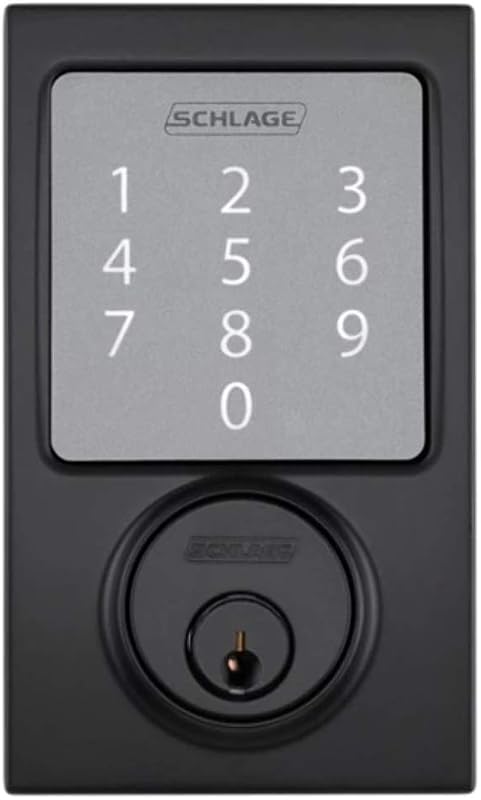
Escribinos por WhatsAppDescripción del producto Cerradura de puerta con control remoto Cerradura invisible, instalada dentro de la puerta sin ningún orificio de cerradura visible en el exterior. Los intrusos no pueden manipularlo ya que la cerradura está oculta y oculta a la vista. 4 métodos de desbloqueo Control remoto El paquete contiene 4 controles remotos; se utiliza para un desbloqueo rápido y fácil. Puede tener uno en su oficina o en su automóvil para evitar que se pierda el control remoto. Aplicación para teléfono inteligente Puede bloquear/desbloquear la puerta simplemente con un clic en una aplicación. También puede autorizar a otros teléfonos inteligentes a desbloquear el dispositivo. Perilla de desbloqueo rápido Hay una perilla de desbloqueo rápido en la parte superior del dispositivo. Cuando esté en el interior, puede girar esta perilla para bloquear/desbloquear rápidamente el dispositivo. Medida de emergencia Al instalar la cerradura, recuerde la posición de este tornillo en la puerta. En el caso extremo de que se pierdan todos los controles remotos, puede perforar un pequeño agujero en la puerta y girar el tornillo para desbloquearla. Especificaciones del control remoto: Dimensiones: 60 mm x 32 mm (2,36 x 1,26 pulgadas) Funciones remotas: Desbloquear, bloquear Cantidad estándar: 4 piezas incluidas en el paquete, se puede aumentar a 32 piezas como máximo Método de transmisión: Señal de código variable para evitar duplicaciones Tipo de batería: Batería de tipo botón CR2032 Duración de la batería: Aproximadamente 1 año Paquete incluido 1 x Cerradura de puerta (pilas AA no incluidas) 1 x Placa de pellizco inferior del cuerpo de la cerradura 1 x Asiento con pestillo 4 x Control remoto 1 x Instrucciones 1 x Paquete de tornillos Especificación Tipo: Cerradura de puerta con control remoto Material: Aleación de zinc Acero inoxidable Distancia del control remoto: 10-30 M (32 pies-95 pies) Fuente de alimentación: 4 baterías AA + 1 batería de respaldo 23 A 12 V (no incluida) Mantenga presionado el botón Bluetooth para emparejarlo con la aplicación del teléfono inteligente la primera vez Duración de la batería: 10 veces usada un día puede durar hasta 12 meses Dimensiones: 132 x 78 x 35 mm (5,20 x 3,07 x 1,38 pulgadas) Peso de la cerradura: aproximadamente 740 g (1,64 libras) Vida útil: 300.000 ciclos ¿Cómo conectarse a la aplicación para controlar la cerradura? Paso 1: Descargue e instale TTLock desde App Store o Google Play Store, o también puede escanear el código QR de arriba para descargar TTLock. Paso 2: Registro e inicio de sesión: Puede usar su número de teléfono o correo electrónico para registrar la cuenta. El código de verificación se enviará a su teléfono o correo electrónico y el registro se realizará correctamente después de la verificación. Paso 3: abra la opción Bluetooth en la configuración del teléfono. Paso 4: presione "Agregar bloqueo" en TTLock, la aplicación buscará su bloqueo automáticamente y luego podrá agregarlo. Si no se muestra ningún candado en la búsqueda, puede presionar prolongadamente el botón de reinicio de BT hasta que se encienda la luz azul. Paso 5: Después de que el candado se agregue correctamente, puede tocar para bloquear/desbloquear, verificar registros, cambiar configuraciones, etc.
Agregás al carrito
Sumás este y otros productos que querés traer.
Cotizás el envío
Calculamos flete aéreo y aranceles a Argentina.
Confirmás y pagás
Online con tarjeta, o por transferencia, con el total final a la vista.
Lo recibís en casa
Seguimiento en tiempo real. El despacho lo hacemos nosotros.
Lo que suele llevarse para tu celular · un solo envío para todo
Los mejor puntuados del mismo tipo de producto
Mismo tipo de producto y precio parecido