Cargando el producto…

Precio de origen
$ 58.780
$ 78.380
+ flete e impuestos
Compra protegida
Puerta a puerta
Gestión aduanera
Tu compra, acompañada de principio a fin
Todo esto está en los Términos y Condiciones. Leerlos
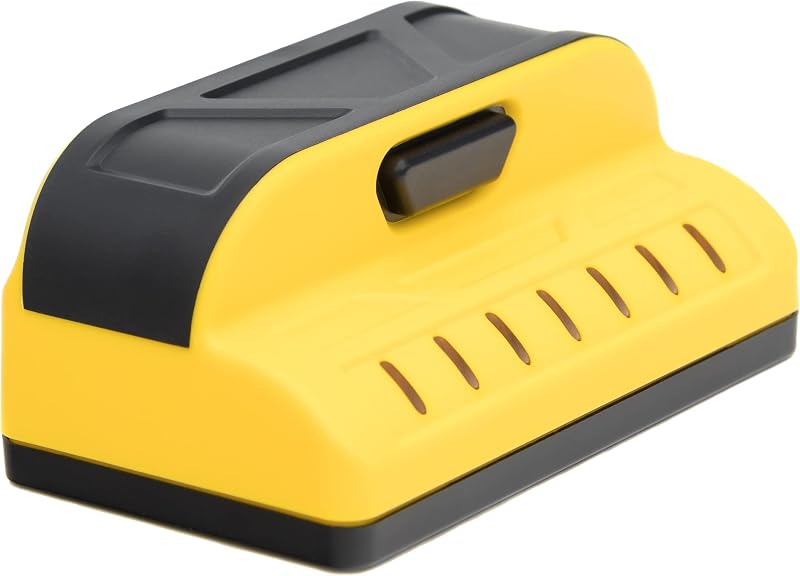
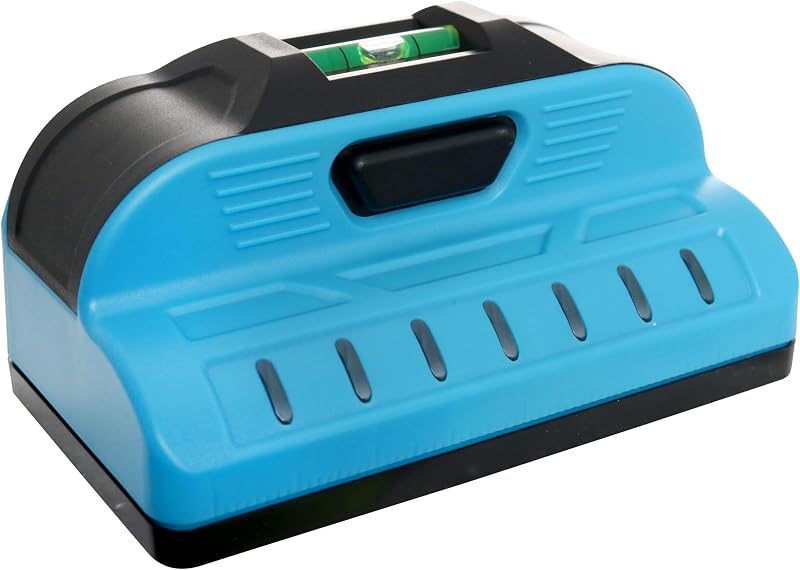
Product description The video showcases the product in use.The video guides you through product setup.The video compares multiple products.The video shows the product being unpacked. stud finder with laser level deep scanning Previous page Next page Previous page Next page Previous page Next page Why can't the stud finder detect studs accurately? Calibrate before scanning. Keep close to the wall and move slowly in one direction. For better accuracy, scan the area multiple times from different directions and mark both edges of the stud. The center is located between the two edges. Why does the scanner show different stud locations each time? Different readings may occur if the scanner is moved too quickly, lifted from the wall, or not calibrated properly. Keep steady contact with the wall, move slowly, and recalibrate before each scan for more consistent results. Why does the AC mode indicate live wires where there aren't any? AC detection can be affected by outlets, switches, metal objects, or electrical interference. Recalibrate the scanner, avoid calibrating near power sources, and scan slowly to reduce false alerts. How do I find the exact center of a stud? The scanner detects the edges of a stud first. Scan from both directions, mark the two detected edges, then use the midpoint between the marks as the stud center for more accurate drilling and installation. Why can't the scanner detect live wires? The wire must be energized to be detected. Turn on the connected power source, such as a light or appliance, then select AC mode and calibrate before scanning. De-energized wires cannot be detected. Troubleshooting Guide: 1. Why does the detected stud (or joist) position change after multiple scans? This wall scanner detects changes in material density behind the wall, so slight differences between scans may occur due to variations in wall materials, thickness, moisture, and environmental conditions. For better accuracy, calibrate before each measurement and wait until the indicator arrow turns green. Keep the scanner flat against the wall, move slowly and steadily in a straight line, maintain consistent pressure, and scan multiple times from different directions to confirm the target location. 2. Why does the detector show signals or beep when no object or live wire is nearby? False signals may occur due to calibration errors, improper grounding, or environmental interference. If the display continues showing yellow/red signals in an empty area, move away from the detection area or turn off nearby strong AC sources, then press and hold the **MODE** button for 2 seconds to perform manual calibration. For AC detection, ensure the wire is energized, maintain good contact with the wall, and avoid insulated gloves, shoes, nearby metal objects, and strong electrical interference. This function detects energized single-phase AC wires (110–240V, 50–60Hz). Detection performance may be affected by metal surfaces, high humidity, foil insulation, or shielding materials. 3. Why does the scanner perform differently on different walls? Detection performance may vary depending on wall materials, thickness, moisture levels, and hidden structures. For best results, use the scanner on drywall, wood substrates, painted drywall, light textured walls, and wallpaper surfaces. Avoid wet walls, concrete, brick walls, metal foil wallpaper, and plaster walls with metal mesh. Recommended Scanning Steps: (1)Remove nearby metal objects (such as watches, rings, or tools).(2) Select the correct detection mode for your application.(3) Keep the scanner flat against the wall and move slowly in a straight line.(4) Maintain consistent pressure and avoid lifting the device during scanning.(5) When the signal changes from green to yellow and then red, and the center indicator appears, mark the detected location.(6) Scan from multiple directions and compare results. Always verify the location before drilling, cutting, or installation.
Agregás al carrito
Sumás este y otros productos que querés traer.
Cotizás el envío
Calculamos flete aéreo y aranceles a Argentina.
Confirmás y pagás
Online con tarjeta, o por transferencia, con el total final a la vista.
Lo recibís en casa
Seguimiento en tiempo real. El despacho lo hacemos nosotros.
Los mejor puntuados del mismo tipo de producto
Mismo tipo de producto y precio parecido