Cargando el producto…

Precio de origen
$ 56.820
+ flete e impuestos
Compra protegida
Puerta a puerta
Gestión aduanera
Tu compra, acompañada de principio a fin
Todo esto está en los Términos y Condiciones. Leerlos
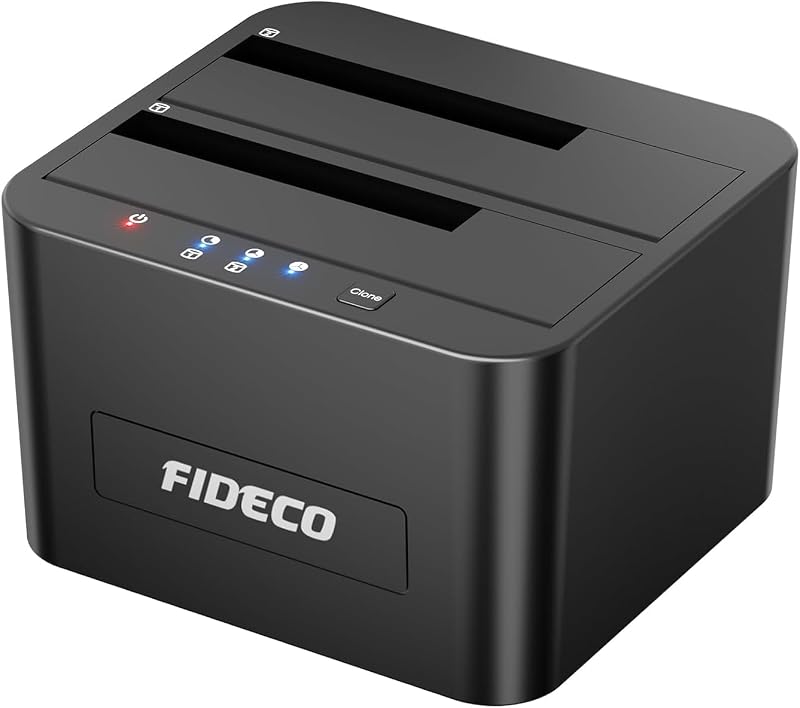
Descripción del producto Estación de acoplamiento para disco duro externo SSK USB 3.0 a SATA I/II/III de doble bahía para HDD de 2,5 / 3,5 pulgadas, SSD con función de duplicador/clonador de disco duro ¿Cómo utilizar la función de clonación sin conexión del disco duro? Botón CLONE, suéltelo cuando vea que todas las luces parpadean. Luego presione rápidamente el botón CLONE. Un LED amarillo parpadeará al 25 % indicando que el proceso de clonación ha comenzado. El proceso de clonación se completa cuando escuche el 'ruido de explosión' tres veces (25 % -100 %). Finalmente presione el interruptor de encendido en la posición APAGADO y expulse las unidades. Atención: La unidad de destino debe tener al menos la misma o mayor capacidad que la unidad de origen para utilizar la clonación de unidad a unidad sin conexión. Confirme que tanto la unidad de origen como la de destino pueden funcionar correctamente y que la unidad de destino no tiene datos importantes. El proceso de clonación eliminará los datos existentes de la unidad de destino. Dado que la unidad de destino se clonará para que sea la misma que la unidad de origen en cuanto a partición, formato y datos. Para conservar los datos existentes en la unidad de destino y en la unidad de origen, cambie la base al modo PC y conéctela a su PC para transferir datos a través de su computadora manualmente. No desconecte las unidades directamente al clonar. Solo cuando escuche el 'ruido de explosión' tres veces, lo que indica que el proceso de clonación se ha completado, podrá expulsar sus unidades. Cuando su disco duro esté transfiriendo datos con la computadora, POR FAVOR, no desconecte directamente el disco duro cuando la transferencia de datos esté en proceso. Expulse la unidad de la computadora SÓLO cuando se complete la transmisión, o podría sufrir una pérdida de datos. Evite que los dos discos duros se influyan entre sí: 1. Cuando se complete la clonación, tenga en cuenta: Para proteger mejor los datos de su unidad y prolongar la vida útil del disco duro, apague la base HDD o cambie al modo PC después de completar la clonación. 2. Cuando esté en modo PC, tenga en cuenta: Para proteger mejor los datos de su unidad y prolongar la vida útil del disco duro, no inserte ni desconecte su unidad cuando la base HDD esté encendida. Expulse sus unidades de la computadora antes de apagar la base HDD. Estación de acoplamiento de doble bahía de aluminio SSK clon con un solo clic No es compatible con unidades IDE La estación de acoplamiento SSK HDD no es compatible con unidades IDE. Es compatible con todos los HDD y SSD SATA de 2,5 y 3,5 pulgadas. Nota: 1. Esta estación de acoplamiento para HDD DK103PRO es nuestro diseño actualizado. Ponemos el botón seleccionable CLONE/PC en la parte posterior, protege mejor los datos. 2. Debido a las propiedades del disco duro, haga una copia de seguridad oportuna de sus datos almacenados en el disco duro en caso de pérdida. El paquete incluye: 1 base de acoplamiento SSK DK103PRO 1 cable USB 3.0 1 adaptador de corriente de 12 V/3 A 1 manual del usuario Estación de acoplamiento para disco duro externo SSK USB 3.0 a SATA de doble bahía Clonar un disco a otro sin computadora La base dual proporciona acceso simultáneo a ambas unidades, utiliza energía externa para un rendimiento estable de la unidad y admite el intercambio en caliente, por lo que no necesitará reiniciar su computadora. Admite la tecnología UASP, UASP es un nuevo protocolo de transporte que puede aumentar la velocidad de transferencia de datos, hasta un 20% más rápido que el USB 3.0 convencional. Transfiera archivos 1G en 10 segundos. Disco duro compatible: 2,5/3,5 pulgadas Capacidad máxima del disco duro: 20 TB Velocidades máximas de transferencia de datos: 5 Gbps Aluminio + plástico ABS (excelente disipación de calor) Dimensiones del artículo: 5 x 3,8 x 2,8 pulgadas Dos sistemas independientes en una base El modo de clonación y el modo PC son dos sistemas independientes en la base. Trabajan de manera indecente sin interferir entre sí simplemente activando el interruptor de modo detrás del muelle. 1. Clonación rápida y sencilla: clone y haga una copia de seguridad de los datos en su disco sin conectarse a una PC a toda velocidad simplemente presionando la tecla de clonación en la base. 2. Diseño de protección de datos: cambie la base al modo PC para proteger sus datos y evitar que se borren presionando la tecla de clonación sin querer. En el modo PC, sólo su PC conectada puede leer y escribir en su disco, por lo que la seguridad de sus preciados datos está totalmente en sus propias manos. Actualizar la capacidad de su estación de acoplamiento de disco duro externo Xbox SSK puede actualizar la capacidad de su Xbox para instalar juegos más grandes. Disfruta de la libertad de jugar tus juegos favoritos en más lugares que nunca. Vayas donde vayas, conéctate a tu Xbox y podrás seguir jugando con tus amigos y grabar tus mejores momentos de juego. Cree almacenamiento en la nube privada Si su enrutador admite un disco duro externo, puede crear una ubicación central de almacenamiento en la nube privada para almacenar y proteger todos los datos de cada computadora, tableta y teléfono inteligente PC y Mac en su hogar u oficina pequeña. Almacene, acceda y comparta archivos desde cualquier lugar a través de su red a velocidades de hasta 10/100/1000 Mbp. Disfrute de películas con calidad de alta definición Miles de películas, cientos de canciones y montones de fotografías. La estación de acoplamiento para disco duro externo SSK ayuda a protegerlo todo con confiabilidad comprobada, respaldo sin interrupciones, usabilidad de Mac y Windows, puertos USB 3.0 compatibles con UASP y SATA de 5 Gbp
Agregás al carrito
Sumás este y otros productos que querés traer.
Cotizás el envío
Calculamos flete aéreo y aranceles a Argentina.
Confirmás y pagás
Online con tarjeta, o por transferencia, con el total final a la vista.
Lo recibís en casa
Seguimiento en tiempo real. El despacho lo hacemos nosotros.
Lo que suele llevarse para tu herramienta · un solo envío para todo
De la misma marca, empezando por lo más reseñado
Los mejor puntuados del mismo tipo de producto
Mismo tipo de producto y precio parecido










![WAVLINK Estación de acoplamiento para disco duro externo USB 3.0 y USB C a SATA de doble bahía para HDD/SSD de 2,5/3,5 pulgadas con UASP (6 Gbps), compatible con función de clonación/duplicación sin conexión [16 TB X2]-Negro](https://m.media-amazon.com/images/I/51jp4vxjVJL._AC_SL800_.jpg)