Cargando el producto…

Precio de origen
$ 78.380
+ flete e impuestos
Compra protegida
Puerta a puerta
Gestión aduanera
Tu compra, acompañada de principio a fin
Todo esto está en los Términos y Condiciones. Leerlos
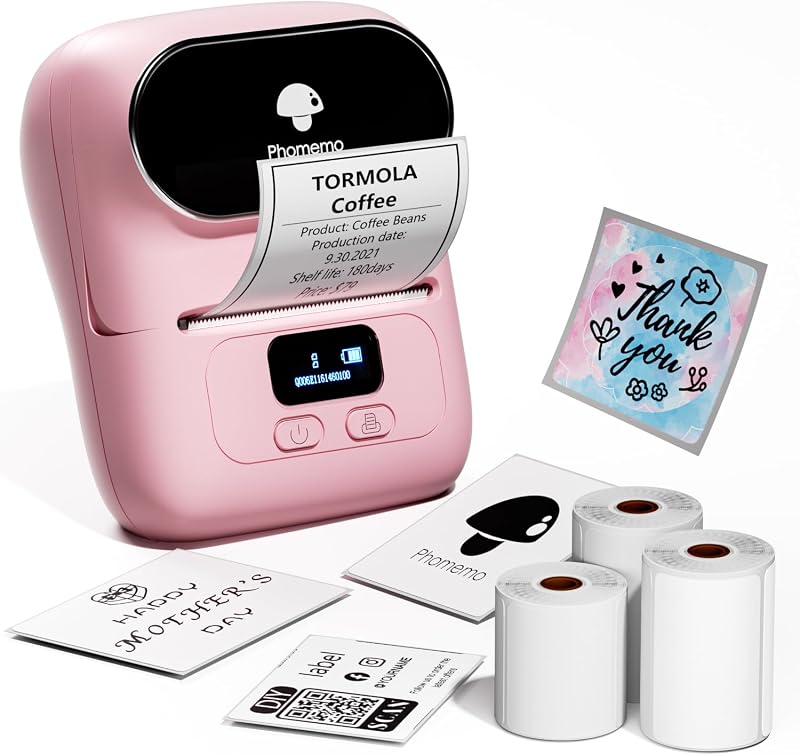
1. Inicie la impresión en teléfono y tableta: Paso 1: Escanee el código QR y descargue la aplicación (aplicación de Android: Printed Label, aplicación de iOS: Zlabel). Paso 2: encienda la impresora de etiquetas Bluetooth y el Bluetooth de su teléfono o tableta. Paso 3: haga clic en la aplicación para buscar la señal de Bluetooth, conéctela a través de Bluetooth en la aplicación y seleccione el tamaño del papel y el tipo de archivo para comenzar a imprimir. 2. La computadora portátil/PC comienza a imprimir: Paso 1: encienda la impresora de etiquetas térmicas y conéctese a la computadora usando un cable USB. Paso 2: Vaya a "Esta PC", abra el disco, haga doble clic en la página web "Descargar controlador y ver el manual del usuario" para descargar el controlador y ver los videos tutoriales de instalación. Seleccione su modelo de impresión para descargar el controlador 9270. Paso 3: verifique que el sistema operativo (OS) de su computadora portátil/PC descargue e instale el controlador 9270 correcto desde el sitio web. Seleccione y abra su etiqueta de envío e imprima.3.El paquete incluye:1xImpresora térmica1xManual de usuario1xAdaptador de corriente1x Cable tipo C30x Etiquetas de prueba4.Más rentable: la tecnología de impresión térmica mejorada permite que la impresora de etiquetas térmicas 4x6 no necesite tinta ni tóner, lo que hace que su trabajo sea más rentable. Impresión de alta definición de 203DPI, fácil de escanear y leer. Función de ajuste automático de la posición de la etiqueta para evitar el desperdicio de papel.
Agregás al carrito
Sumás este y otros productos que querés traer.
Cotizás el envío
Calculamos flete aéreo y aranceles a Argentina.
Confirmás y pagás
Online con tarjeta, o por transferencia, con el total final a la vista.
Lo recibís en casa
Seguimiento en tiempo real. El despacho lo hacemos nosotros.
Lo que suele llevarse para tu celular · un solo envío para todo
Los mejor puntuados del mismo tipo de producto
Mismo tipo de producto y precio parecido
![Funda Mkeke para iPhone 14 Pro transparente [no amarillenta] | [Protección de grado militar] Funda para teléfono a prueba de golpes para Apple iPhone 14 Pro 2022](https://m.media-amazon.com/images/I/71XkP-M0RfL._AC_SL800_.jpg)