Cargando el producto…

Precio de origen
$ 82.810
+ flete e impuestos
Compra protegida
Puerta a puerta
Gestión aduanera
Tu compra, acompañada de principio a fin
Todo esto está en los Términos y Condiciones. Leerlos
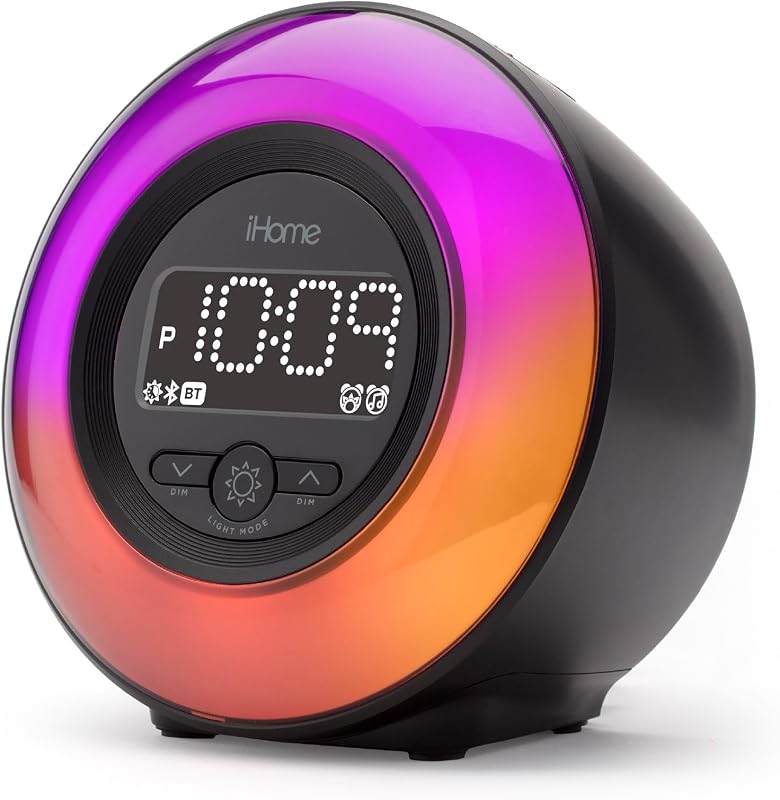
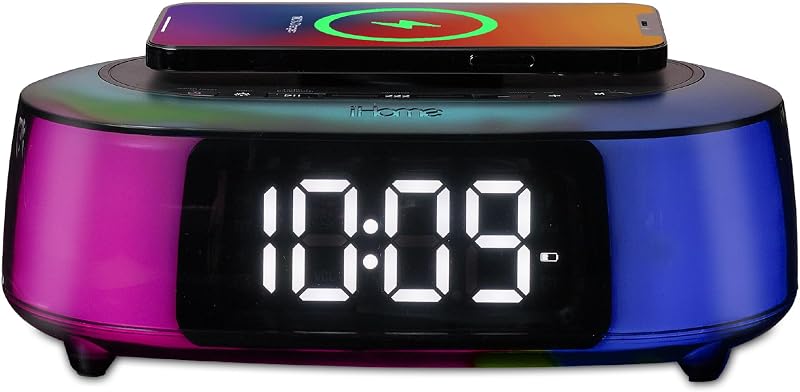
Descripción del producto Conexión de Bluetooth/Sincronización automática de hora La primera vez que se enciende el iBT32 presionando el botón de ENCENDIDO, ingresará al modo de emparejamiento de Bluetooth. Esto hará que aparezca "iHome iBT32" en el menú Bluetooth de su dispositivo. Seleccione "iHome iBT32" para conectar su dispositivo al iBT32. Cuando el emparejamiento sea exitoso, un mensaje de voz anunciará "CONECTADO" y el ícono de Bluetooth aparecerá en la pantalla indicando que el iBT32 está listo para reproducir música. Una vez conectado, la hora del iBT32 cambiará para coincidir con la hora actual del dispositivo del usuario. Configuración manual de la hora 1. Mantenga presionado el botón de configuración de hora durante 2 segundos para ingresar al proceso de configuración de hora. La pantalla parpadea 12 o 24 horas. Presione el botón + o - para seleccionar entre el formato de hora de 12 o 24 horas. Presione el botón Configurar hora para confirmar su selección. 2. La hora en la pantalla parpadea. Presione el botón + o - para ajustar la hora. Presione el botón de configuración de hora para confirmar. 3. Los minutos en la pantalla parpadean. Presione el botón + o - para ajustar los minutos. Presione el botón de configuración de hora para confirmar y salir del proceso. - Para emparejar Bluetooth manualmente, consulte la sección "Emparejamiento manual de su dispositivo Bluetooth". - Para desactivar la sincronización de hora: Mantenga presionado el botón de configuración de hora durante 5 segundos hasta que la pantalla muestre "OFF" y suene un tono. - Para activar la sincronización de hora: Mantenga presionado el botón de configuración de hora durante 5 segundos hasta que la pantalla muestre "ON" y suene un tono. Emparejamiento manual a través de Bluetooth 1. Encienda su dispositivo Bluetooth y hágalo “detectable” activando el modo Bluetooth (verifique en Opciones o Configuración). 2. Mantenga presionado el botón de Encendido para encender el iBT32. 3. Presione y suelte el botón Modo según sea necesario para poner el iBT32 en modo Bluetooth. "BT" aparecerá en la pantalla. 4. Mantenga presionado el botón Reproducir/Pausa/Emparejamiento Bluetooth durante 2 segundos. El gabinete del iBT32 parpadeará en azul y el icono de Bluetooth parpadeará en la pantalla, lo que indica que el iBT32 está en modo de emparejamiento. 5. "iHome iBT32" debería aparecer en el menú Bluetooth de su dispositivo. Seleccione "iHome iBT32" para conectarlo. 6. Cuando el emparejamiento sea exitoso, un mensaje de voz anunciará "CONECTADO", el ícono de Bluetooth aparecerá fijo, lo que indica que el iBT32 está listo para reproducir música. Nota: Una vez que el iBT32 esté emparejado con un dispositivo, cuando esté encendido y en modo Bluetooth, intentará vincularse automáticamente cuando el dispositivo esté dentro del alcance. Uso de la radio FM Encienda la unidad, presione el botón MODE para seleccionar el modo FM. Presione el botón + o – para ajustar manualmente la frecuencia FM. Mantenga presionados los botones + y - para buscar la siguiente estación de FM.
Agregás al carrito
Sumás este y otros productos que querés traer.
Cotizás el envío
Calculamos flete aéreo y aranceles a Argentina.
Confirmás y pagás
Online con tarjeta, o por transferencia, con el total final a la vista.
Lo recibís en casa
Seguimiento en tiempo real. El despacho lo hacemos nosotros.
De la misma marca, empezando por lo más reseñado
Los mejor puntuados del mismo tipo de producto
Mismo tipo de producto y precio parecido