Cargando el producto…

Precio desde
$ 152.860
+ flete e impuestos
Tamaño
Compra protegida
Puerta a puerta
Gestión aduanera
Tu compra, acompañada de principio a fin
Todo esto está en los Términos y Condiciones. Leerlos
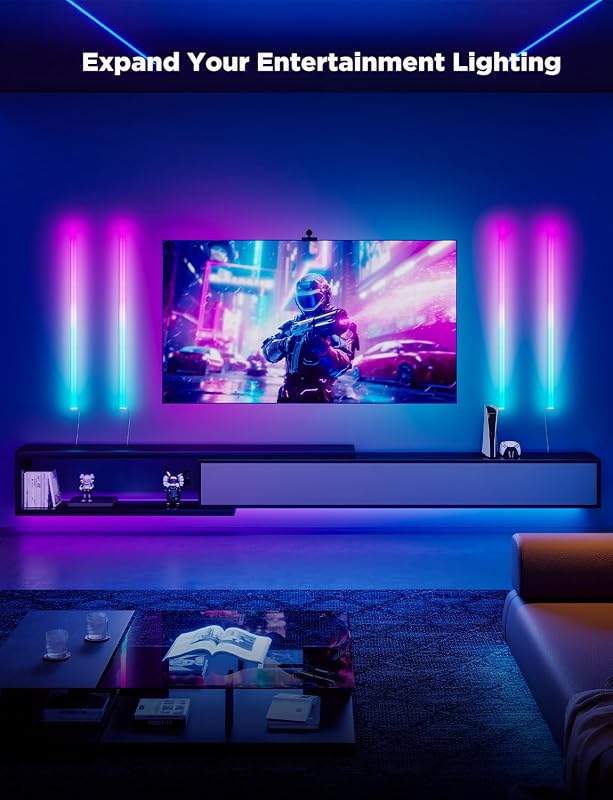
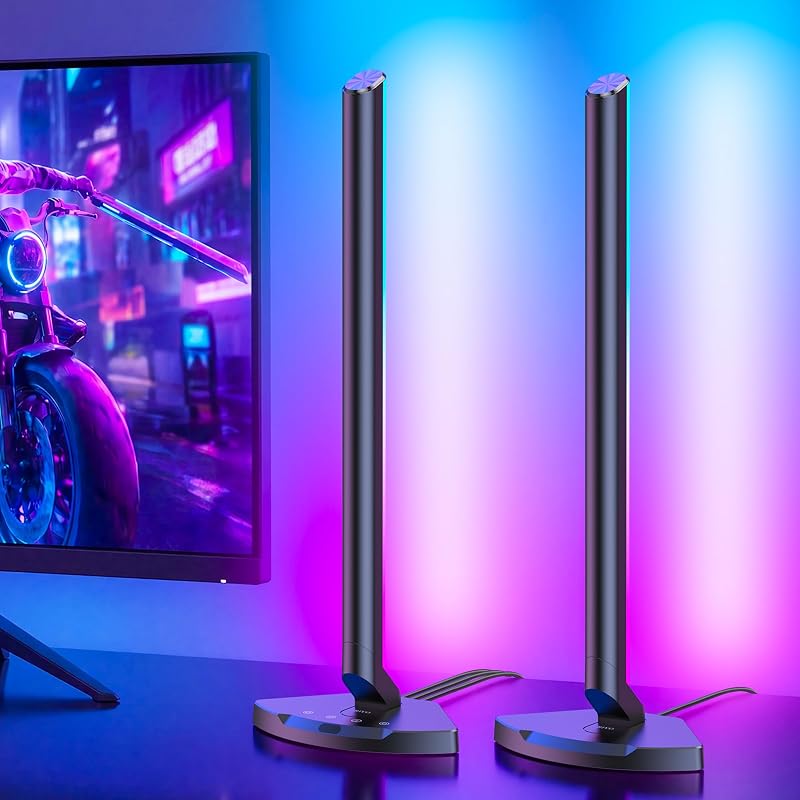
Descripción del producto Página anterior Página siguiente 1 LightBeats Music Sync 2 Reconocimiento de voz AI 3 Reconocimiento de estado de ánimo 4 Varios efectos de iluminación 5 Se necesita la aplicación Lepro+ Página anterior Página siguiente 1 Efectos de luz dinámicos 2 Hazlo tú mismo en cualquier forma que desees 3 Control de grupo 4 Función de memoria 5 Múltiples métodos de control Cómo instalar y conectar Lepro WL1 AI Smart RGB Wall Light Encienda Wi-Fi y Bluetooth en su teléfono inteligente (solo admite 2,4 GHz Wi-Fi).Descarga la aplicación Lepro+ (Compatible solo con Lepro+, no compatible con Lepro LampUX).Registra una nueva cuenta en la aplicación Lepro+.Enciende el aplique WL1 RGB y parpadeará en azul. Compruebe si su teléfono detecta el dispositivo en la pantalla. Siga las instrucciones en la pantalla para conectarse. ¡Entonces desbloquearás un fantástico viaje luminoso! El video muestra el producto en uso. El video lo guía a través de la configuración del producto. El video compara varios productos. El video muestra el producto desembalándolo. Cómo instalar y conectar el aplique de pared WL1 Pasos de instalación en video del comerciante ¿Qué hizo que el aplique de pared Lepro WL1 se destaque entre otros apliques de fabricación económica? Página anterior Iluminación LightGPM AI Con tecnología de inteligencia artificial estilo GPM de vanguardia, se destaca en recomendar efectos de iluminación basados en las emociones, comandos y escenas del usuario, brindando una solución de iluminación para el hogar perfecta y personalizada. Comprar ahora Tecnología LightBeats LightBeats sincroniza los dispositivos de iluminación con la dinámica del sonido, mejorando la experiencia del usuario al combinar ritmos auditivos y visuales. Comprar ahora Página siguiente ¿Por qué no pude conectarme con la APLICACIÓN? Compruebe si ha descargado la aplicación correcta. Solo es compatible con la aplicación Lepro+, escriba el nombre completo, incluido el "+", cuando busque en la tienda de aplicaciones. (NO descargue la aplicación "Lepro LampUX" que no es compatible). ¿Tengo que activar Wi-Fi y Bluetooth antes de conectarme? Sí, tanto Wi-Fi como Bluetooth deben estar activados antes de conectarse. De lo contrario, es posible que no busque el dispositivo o que no pueda conectarse. También es mejor mantener ambos encendidos durante el uso para garantizar un funcionamiento adecuado. ¿Por qué falla la conexión incluso cuando enciendo el Wi-Fi? Verifique si está utilizando Wi-Fi de 2,4 GHz. Solo admite Wi-Fi de 2,4 GHz. (NO es compatible con 5 Ghz) Después de encender Bluetooth y Wi-Fi al mismo tiempo para el primer emparejamiento, ¿aún necesito mantenerlos encendidos? Una vez emparejada, puedes controlar la bombilla solo a través de Wi-Fi o Bluetooth + datos móviles dentro del alcance de la señal. Si solo activa Bluetooth, solo podrá controlar los cambios de color. ¿Qué debo hacer si el tubo de luz recién agregado no se enciende? Desenchufe la alimentación y vuelva a enchufarla. También se recomienda instalar los tubos correctamente antes de conectar la alimentación.
Agregás al carrito
Sumás este y otros productos que querés traer.
Cotizás el envío
Calculamos flete aéreo y aranceles a Argentina.
Confirmás y pagás
Online con tarjeta, o por transferencia, con el total final a la vista.
Lo recibís en casa
Seguimiento en tiempo real. El despacho lo hacemos nosotros.
De la misma marca, empezando por lo más reseñado
Los mejor puntuados del mismo tipo de producto