Cargando el producto…

Precio de origen
$ 78.380
$ 109.740
+ flete e impuestos
Compra protegida
Puerta a puerta
Gestión aduanera
Tu compra, acompañada de principio a fin
Todo esto está en los Términos y Condiciones. Leerlos
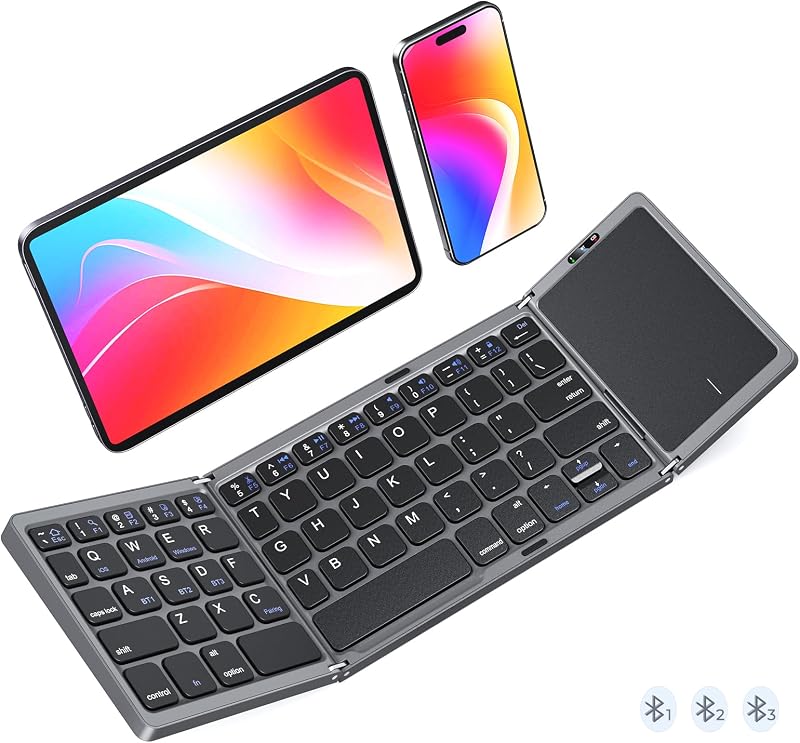
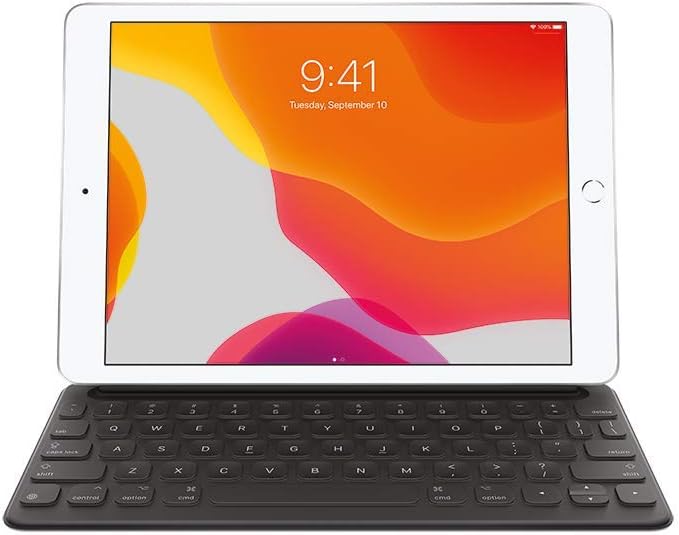
Descripción del producto K9552 MEETION Nuevo teclado plegable con panel táctil y teclado numérico Página anterior Página siguiente 1 Multi-Touch Trackpad 2 Full-Size Layout 3 Tri-Fold Design 4 Fn Shortcuts Página anterior Página siguiente 1 3 Bluetooth Connection 2 Large-Size Keycaps 3 USB-C Charging 4 Scissor Switch Abundant indicator Lights Cada canal Bluetooth cuenta con una luz indicadora dedicada, lo que hace que el estado de la conexión sea instantáneamente claro. Amplia compatibilidad Es compatible con iOS/Android/Windows Cuenta con 3 Bluetooth, que conectan 3 dispositivos con un interruptor de un solo clic. No es necesario desconectar los dispositivos existentes al conectar otros nuevos. ¿Qué debo hacer si el teclado está conectado pero el panel táctil no funciona? 1. Pulse FN+Espacio para activar el panel táctil del teclado; 2. Para iPhone/iPad, ve a Configuración > Accesibilidad > Toque > Toque de asistencia para comprobar si está encendido; 3. En el caso de las tabletas con Windows, ve a Configuración > Bluetooth y dispositivos > Panel táctil para confirmar que está habilitado. ¿Por qué no es anythi K9552 Opciones de compra K9553 Opciones de compra K9880 Rosa Añadir al carrito K9880 Opciones de compra Opiniones de los clientes 4.5 de 5 estrellas 38 — 4.3 de 5 estrellas 58 4.3 de 5 estrellas 58 Precio EUR 34.60EUR34.60 — EUR 25.95EUR25.95 EUR 24.65EUR24.65 Conectividad BT*3 BT*3 BT*3 BT*3 Teclado Tamaño plegado 7.87*4.72*0.79in 5.98*3.86*0.78in 7.05*4.7*0.67in 7.05*4.7*0.67in Teclado Tamaño abierto 14.25*4.72*0.39in 11.42*3.86*0.39in 13.98*4.7* 0.3in 13.98*4.7* 0.3in Distribución del teclado Tamaño completo +6 filas+teclado
Agregás al carrito
Sumás este y otros productos que querés traer.
Cotizás el envío
Calculamos flete aéreo y aranceles a Argentina.
Confirmás y pagás
Online con tarjeta, o por transferencia, con el total final a la vista.
Lo recibís en casa
Seguimiento en tiempo real. El despacho lo hacemos nosotros.
Lo que suele llevarse para tu celular · un solo envío para todo
De la misma marca, empezando por lo más reseñado
Los mejor puntuados del mismo tipo de producto
Mismo tipo de producto y precio parecido
![Funda Mkeke para iPhone 14 Pro transparente [no amarillenta] | [Protección de grado militar] Funda para teléfono a prueba de golpes para Apple iPhone 14 Pro 2022](https://m.media-amazon.com/images/I/71XkP-M0RfL._AC_SL800_.jpg)