Cargando el producto…
Precio de origen
$ 47.020
+ flete e impuestos
Color
Compra protegida
Puerta a puerta
Gestión aduanera
Tu compra, acompañada de principio a fin
Todo esto está en los Términos y Condiciones. Leerlos
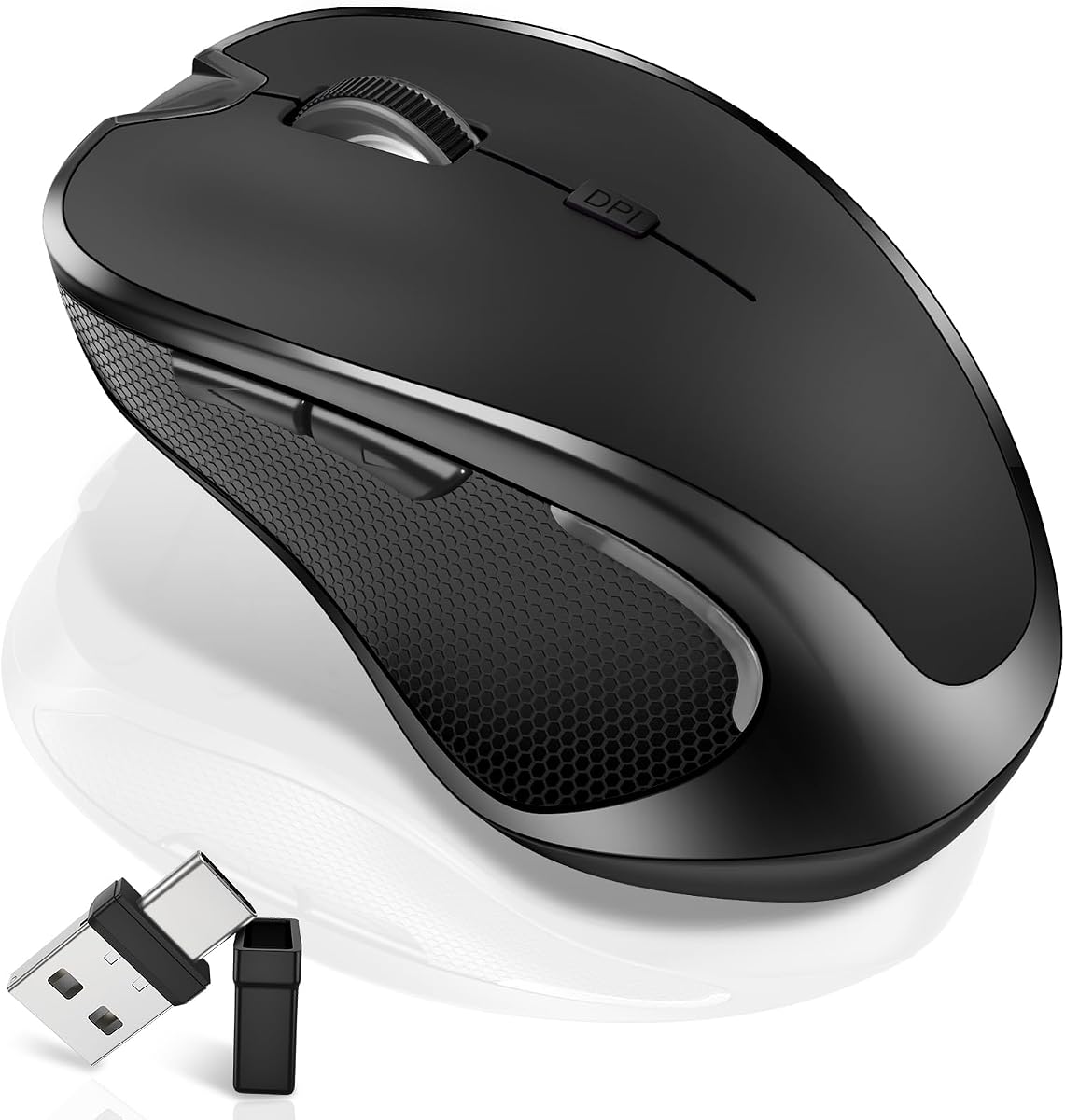
Product description Bluetooth Wireless Mouse - Bluetooth 5.2/3.0 +2.4GHz USB-A + 2.4GHz USB-C [Type-C] Broad Device Compatibility:Bluetooth wireless mouse for MacBook compatible with most system including PC Windows,Notebook,Pad,laptop,Mac;Linux;Android How to use the Bluetooth mouse: 1. Charge for 2 hours before first use,the red light is on when charging,the red light is automatically extinguished when fully charged,pairing open the Bluetooth mouse (switch to "BT"position),press the black circle(bluetooth pairing key)"Bluetooth connection button"More than 3 seconds. 2. Turn on the computer Bluetooth or toward the Bluetooth signal in the bottom right corner of the computer screen. Right click to select "add device", then the Bluetooth will enter the search state. (Note: Bluetooth normally has a Bluetooth logo in the lower right corner of the computer, if it normally starts.) 3. Wait for the computer to search interface into the Bluetooth device, the Bluetooth computer can search a mouse shape icon or "Bluetooth Mouse"(BT5.2 and BT3.0 switched freely)that is the Bluetooth mouse, and then click next to start the match, the pairing is successful mouse begin work. [Note!] √ If your device does not have Bluetooth, you need to install the Bluetooth adapter first. √ If you do not use the mouse for a long time, turn off the "ON / OFF" switch. √ In order to save battery life, please do not charge the mouse when there is electricity. √ Rarely occurs on the mouse connection problem, if the connection is not on the deletion of the current Bluetooth driver, and download the correct Bluetooth How to use the 2.4G wireless mouse: Charge for 2 hours before first use,the red light is on when charging, the red light is automatically extinguished and show blue light when fully charged,Press The Mode Toggle Button On The Bottom of The Mouse pairing open the 2.4G mouse (switch to "2.4G"position), Take out the usb and Type-C 2-in-1 receiver from the slot at the bottom of the wirless mouse, then select one end and insert it into the corresponding device's port. Type-C or USB receiver Plug-and-play Upgrade DPI Button 1、Short Press 1s to Switch Between 3 Grade DIP Optical Tracking Mode (800DPI、1200DPI、1600DPI).2、Long Press 3s to Turn ON/OFF Random Jiggler Mode (Keep Computer/Laptop Awake). Type-C Charging Port USB charging cable included in package Precise Optical Tracking Accurate TrackingUpgrade High-performance Optical ChipsMore Advanced Bluetooth Technology and Dual-port 2-in-1 Receiver 2.4GHz USB-A and USB-CBT5.2 and BT3.0 switched freely2.4GHz USB-A & USB Type-C receiver Plug-and-play Streamline Ergonomic Design Streamline Design (Comfortable hand feeling) more intimate ABS+Rubber Roller Rubber roller feels soft to the touch ABS Shell & Frosted Panel Frosted panels are less likely to leave fingerprints Slim and Portable The Lightweight and Slim Design Makes it Ideal for Travel and Fits Easily in a Laptop Bag or Pocket Streamline Ergonomic Design ABS+Rubber Roller ABS Shell & Frosted Panel Slim and Portable Applicable for a variey of devices Broad Device Compatibility:Normdecos bluetooth wireless mouse for MacBook pro compatible with most system including PC,Notebook,Pad,laptop,Mac OS;Support Win7 Win8 Win10 Linux OS X or Android tablet. NOTE : If you have two devices, one with Bluetooth 3.0 and the other with Bluetooth 5.2, the wireless mouse only supports connecting to one device and CAN NOT connect to both 3.0 and 5.2simultaneously. Package Included: 1 x Dual Mode Bluetooth Wireless Rechargeable Optical Mice (BT5.2+BT3.0+2.4GHz USB-A receiver+2.4GHz USB Type-C receiver).1 x 2.4G USB-A & USB Type-C Receiver.(2.4G USB-A and USB Type-C receiver hidden in the bottom slot of the mouse)1 x USB Charging Cable.(Do not use a high power charger or a fast charger to charge)1 x User Manual. Bluetooth Wireless Mouse (Black) Bluetooth Wireless Mouse (Blue) Bluetooth Wireless Mouse (Gray) Bluetooth Wireless Mouse (Purple) Bluetooth Wireless Mouse (Red) Add to Cart Add to Cart Add to Cart Add to Cart Add to Cart Customer Reviews 4.4 out of 5 stars 312 4.4 out of 5 stars 312 4.4 out of 5 stars 312 4.4 out of 5 stars 312 4.4 out of 5 stars 312 Price $23.99$23.99 $23.99$23.99 $23.99$23.99 $23.99$23.99 $23.99$23.99 Bluetooth ✓ ✓ ✓ ✓ ✓ 2.4GHz USB-A ✓ ✓ ✓ ✓ ✓ 2.4GHz USB-Type C ✓ ✓ ✓ ✓ ✓ Built-in Rechargeable ✓ ✓ ✓ ✓ ✓ Dimensions 4.33*2.8*1.38 4.33*2.8*1.38 4.33*2.8*1.38 4.33*2.8*1.38 4.33*2.8*1.38 Color Black Blue Gray Purple Red
Agregás al carrito
Sumás este y otros productos que querés traer.
Cotizás el envío
Calculamos flete aéreo y aranceles a Argentina.
Confirmás y pagás
Online con tarjeta, o por transferencia, con el total final a la vista.
Lo recibís en casa
Seguimiento en tiempo real. El despacho lo hacemos nosotros.
Los mejor puntuados del mismo tipo de producto
Mismo tipo de producto y precio parecido