Cargando el producto…

Precio desde
$ 41.140
+ flete e impuestos
Versión
Compra protegida
Puerta a puerta
Gestión aduanera
Tu compra, acompañada de principio a fin
Todo esto está en los Términos y Condiciones. Leerlos
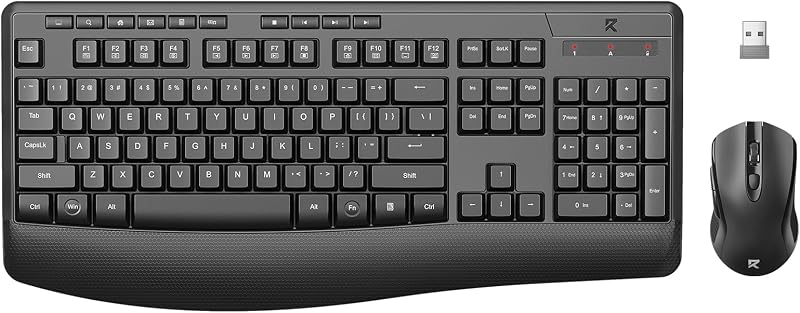
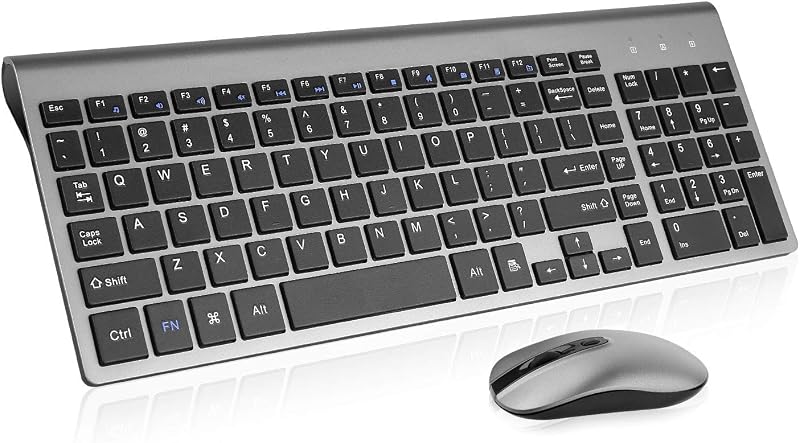
Product description How do I connect a wireless keyboard? Slide the power switch on the back of the keyboard to the ON position 2.4G - Insert the receiver and press and hold FN+4 (if automatic pairing does not occur) Bluetooth - Press and hold FN+1/2 and search for the device on your computer to connect How do I connect a wireless mouse? To use 2.4G mode, set the underside switch to "2.4G." Insert the USB receiver; connection is automatic. For Bluetooth, switch to "BT," then press and hold the "Pair BT" button for three seconds. Finally, connect your device's Bluetooth settings menu. Where can I find a 2.4 GHz receiver? The 2.4G receiver is located in the slot on the back of the mouse. This receiver is a dual-function receiver, allowing you to connect both the keyboard and mouse simultaneously in 2.4G mode
Agregás al carrito
Sumás este y otros productos que querés traer.
Cotizás el envío
Calculamos flete aéreo y aranceles a Argentina.
Confirmás y pagás
Online con tarjeta, o por transferencia, con el total final a la vista.
Lo recibís en casa
Seguimiento en tiempo real. El despacho lo hacemos nosotros.
De la misma marca, empezando por lo más reseñado
Los mejor puntuados del mismo tipo de producto
Mismo tipo de producto y precio parecido