Cargando el producto…

Precio desde
$ 48.294
+ flete e impuestos
Tamaño
Compra protegida
Puerta a puerta
Gestión aduanera
Tu compra, acompañada de principio a fin
Todo esto está en los Términos y Condiciones. Leerlos
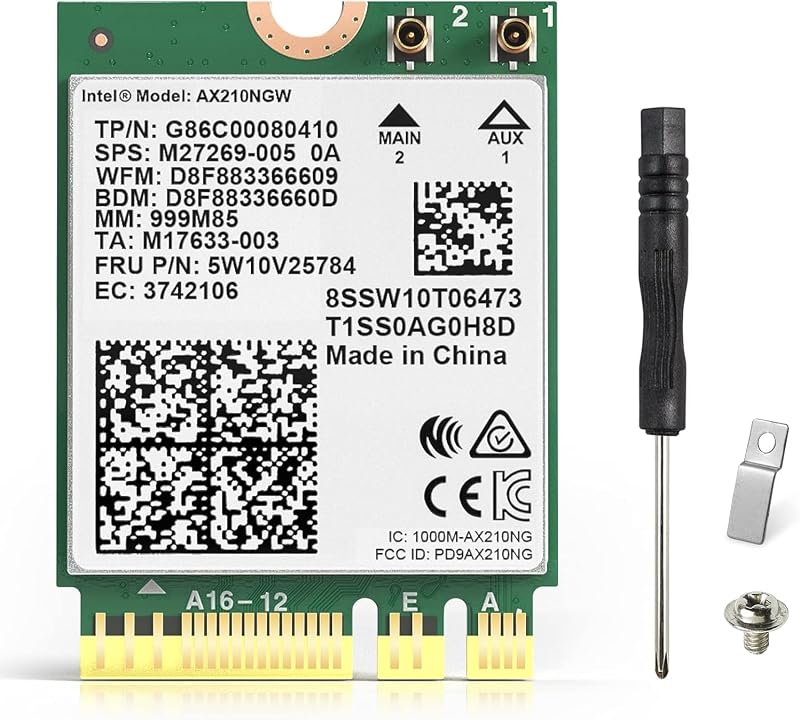
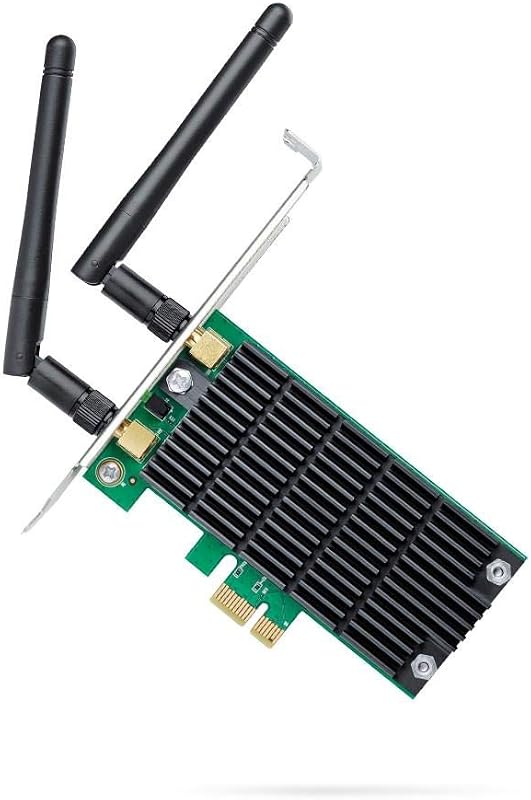
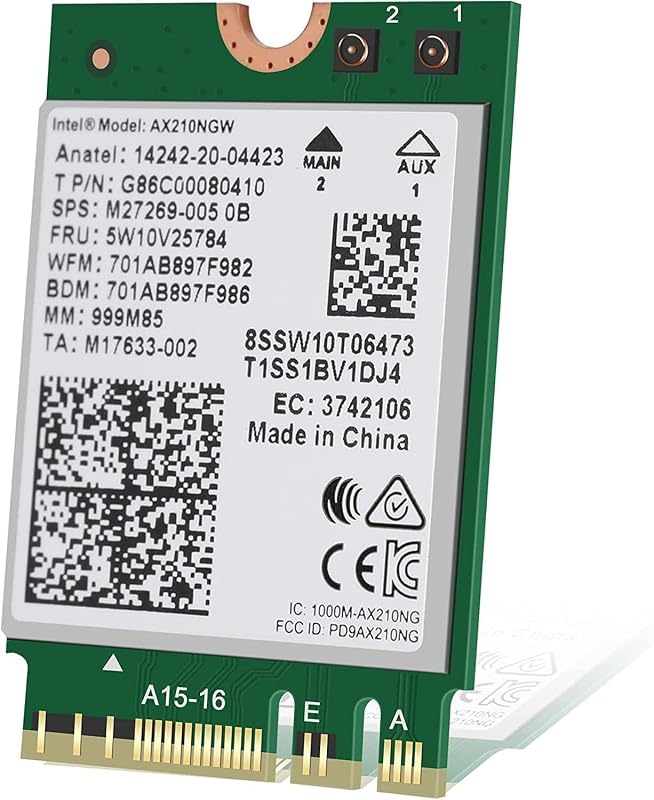
Descripción del producto Tarjeta WiFi 11AX Mejor Cobertura | Velocidad más rápida de 2,4 Gbps | Bluetooth 5.3 | 802.11ax Tribanda 2x2 160MHz | Tarjeta PCIe WiFi 6E de duración extendida de la batería | 1024QAM | OFDMA | MU-MIMO | Antenas de alta ganancia de 5 dBi WiFi 6E marca la diferencia: WiFi 6E ofrece hasta 1200 MHz de espectro adicional para canales WiFi de 6 GHz de 160 MHz: WiFi 6E permite 7 canales adicionales de 160 MHz. OFDMA: más velocidad y mayor estabilidad Símbolo OFDM 4 veces más largo 1024-QAM: empaquete más datos con 1024-QAM un 25 % más rápido que Compatible con 256-QAM: Más allá de los límites de WiFi 6 Tarjeta WiFi Tri Band 11AX para PC de escritorio WiFi 6E ofrece hasta 1200 MHz de espectro adicional para WiFi de 6 GHz La tarjeta WiFi PCIe con tres bandas WiFi ofrece una mayor capacidad antiinterferencias, una señal de red inalámbrica más estable y una velocidad de transmisión más rápida. *Tenga en cuenta que para utilizar la banda de 6 GHz, el usuario debe tener Windows 11 o actualizar a la versión de desarrollo de Windows 10. Juegos ultrarresponsivos con menor latencia. Viene con este adaptador wifi pcie. La conexión inalámbrica brinda más comodidad y simplicidad. BT 5.3 es compatible con BT 5.2, 4.2, 4.1, 4.0... En comparación con BT 4.2, el consumo de energía es menor, lo que mejora efectivamente la duración de la batería de los dispositivos BT. Rendimiento, fácil de proporcionar sonido de alta calidad, disfrute de una calidad de sonido sin pérdidas. Baja latencia, soporte para los últimos dispositivos de realidad virtual, experiencia de juego perfecta. Alcance 4x sobre BT4.2 con la misma potencia. Velocidad de transmisión 2X para transmisiones más rápidas, reduciendo así la potencia general. Agrega nueva transmisión de datos mejorada y servicios fluidos. Emparejamiento más sencillo para dispositivos BT Mayor velocidad La latencia reducida Intel Wi-Fi 6E AX210 de nueva generación y la confiabilidad mejorada desbloquean todo el potencial de su enrutador Wi-Fi 6E Compatibilidad Soporte Windows 10/11 de 64 bits *El CD del controlador viene con el paquete, mientras que si un CD ROM no le resulta conveniente, puede obtener el enlace de descarga del controlador desde el manual o el sitio web oficial de Intel buscando "AX210". Se recomienda descargar primero el controlador y luego instalar la tarjeta de red. Lista de empaque 1 tarjeta PCI Express OKN AX210 WiFi 6E 2 antenas de alta ganancia 1 soporte de perfil bajo 1 cable USB BT 1 CD de recursos, guía de instalación rápida Recubrimiento antioxidante para PCIE El dedo dorado PCIe está protegido por un recubrimiento antioxidante para evitar daños al chapado en oro durante el transporte y el almacenamiento, lo que resulta en un contacto deficiente. Instalación Rápida 1er. Apague su computadora y retire el panel de la carcasa.2do. Localice una ranura PCIe disponible e inserte con cuidado el adaptador.3º. Conecte la antena al adaptador.4to. Vuelva a colocar el panel de la carcasa, conecte el cable de alimentación y encienda su computadora. Conecte el cable USB de 9 pines (negro) que viene con el paquete a la interfaz USB de 9 pines en la placa base después de la instalación del paso b anterior, el extremo blanco se conecta al enchufe del adaptador pcie. Luego instale el controlador Bluetooth. ¿El Bluetooth funciona bien, pero no hay wifi? 1. Primero verifique si la computadora reconoce el dispositivo wifi en el administrador de dispositivos. Si aparece el controlador de red con un signo de exclamación amarillo, instale el controlador wifi. Si el controlador está instalado, todavía se muestra la advertencia amarilla. Haga clic derecho, haga clic en Actualizar y seleccione la ruta del archivo del controlador para actualizar manualmente. 2. Compruebe si hay un disco duro M.2 en la placa base, lo que puede provocar un conflicto en la función del hardware. Es necesario desconectar el hardware M.2 en el canal paralelo.3. Compruebe si la conexión de las antenas está fijada.4. Apague la función wifi integrada cuando la utilice en una PC de escritorio.5. Para algunas PC con placa base AMD, es posible que deba configurar la velocidad PCIe en Gen3 (Auto, Gen 1, Gen 2 y Gen 3).6. Puedes probar cosas diferentes intercambiando diferentes ranuras pcie (pcie×4,×16 está disponible). Tenga en cuenta: El entorno de red, el enrutador, las barreras, la memoria interna de la computadora portátil y de la PC... la interferencia de muchos factores puede afectar la velocidad de wifi. Tarjeta PCIe WiFi 6E AX210 AX210 con antena de 5dBi Módulo AX210 Módulo WiFi AX210 Agregar al carrito Agregar al carrito Opciones de compra Agregar al carrito Reseñas de los clientes 4.5 de 5 estrellas 857 4.4 de 5 estrellas 1,370 4.6 de 5 estrellas 1,064 4.5 de 5 estrellas 2,722 Precio $25.48$25.48 $25.99$25.99 $23.19$23.19 $23.19$23.19 Interfaz PCIe M.2 NGFF M.2 NGFF M.2 NGFF Inalámbrica 11AX WiFi 6E 11AX WiFi 6E 11AX WiFi 6E 11AX WiFi 6E Velocidad máxima 2400Mbps @ 6G + 2400Mbps @ 5G + 574Mbps @ 2.4G 2400Mbps @ 6G + 2400Mbps @ 5G + 574Mbps @ 2.4G 2400Mbps @ 6G + 2400Mbps @ 5G + 574Mbps @ 2.4G 2400Mbps @ 6G + 2400Mbps @ 5G + 574Mbps @ Antena de alta ganancia 2.4G 5dBi 5dBi con cable de extensión de 30 cm No conectado No conectado Banda dual 6GHz / 5GHz / 2.4GHz 6GHz / 5GHz / 2.4GHz 6GHz / 5GHz / 2.4GHz 6GHz / 5GHz / 2.4GHz Juegos en línea ✓ ✓ ✓ ✓ Transmisión de video HD 8K ✓ ✓ ✓ ✓ MU-MIMO Arriba y Abajo Arriba y Abajo Arriba y Abajo Arriba y Abajo Sistemas operativos compatibles Windows 10/11 viento de 64 bits Windows 10/11 de 64 bits Windows 10/11 de 64 bits Windows 10/11 de 64 bits
Agregás al carrito
Sumás este y otros productos que querés traer.
Cotizás el envío
Calculamos flete aéreo y aranceles a Argentina.
Confirmás y pagás
Online con tarjeta, o por transferencia, con el total final a la vista.
Lo recibís en casa
Seguimiento en tiempo real. El despacho lo hacemos nosotros.
Los mejor puntuados del mismo tipo de producto
Mismo tipo de producto y precio parecido




![[Actualización] Tarjeta Ethernet PCIe Nic 10/100/1000Mbps Tarjeta de red Gigabit PCI-Express (WIN10/11 sin controlador) Tarjeta LAN de red RJ45 Adaptador Wake On LAN Computadora interna PC de escritorio para Win/Linux/Mac 1 PCS](https://m.media-amazon.com/images/I/61sdbTDCKjL._AC_SL800_.jpg)