Cargando el producto…

Precio desde
$ 19.541
+ flete e impuestos
Tamaño
Opción 2
Compra protegida
Puerta a puerta
Gestión aduanera
Tu compra, acompañada de principio a fin
Todo esto está en los Términos y Condiciones. Leerlos
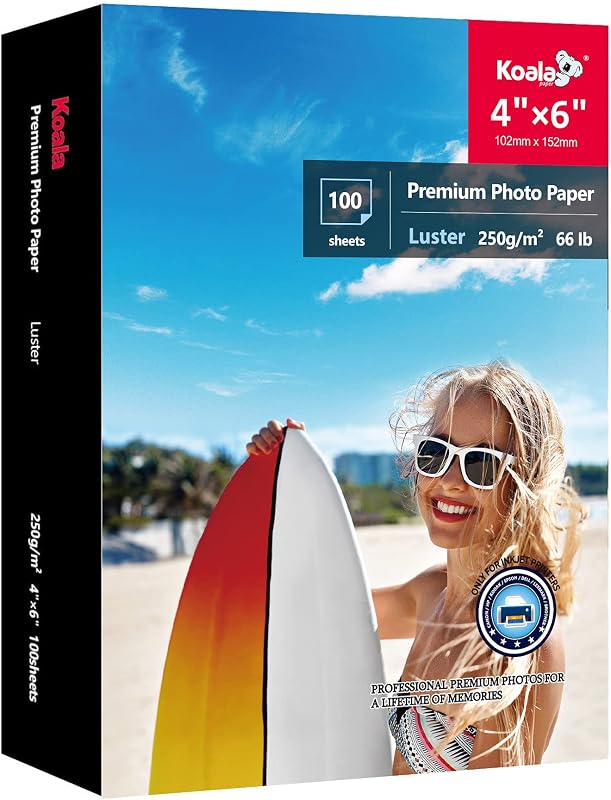
Product description Waterproof Great for everyday labels & stickers. Let prints fully dry for best water resistance. For bottle/outdoor use, add lamination/extra coating. Quick Dry Dries fast—about 5 min to the touch for smudge-free handling. For best durability, allow 15–30 min to fully dry (ink type & coverage vary). Durable Made for daily use with sharp prints. Resists scratches and wear, and the sturdy sheet helps prevent tears during printing, cutting, and peel. Jam Free Works with most inkjet & many laser printers. Feed 1 sheet at a time via rear/manual, keep flat & store dry. Use Photo/Best/Labels settings. Previous page STEP 1 - PRINT Work with most printers STEP 2 - CUT Ideal for cutting with a machine or by hand STEP 3 - STICK Important: before sticking, ensure you wipe down the surface! Next page The video showcases the product in use.The video guides you through product setup.The video compares multiple products.The video shows the product being unpacked.Video Player is loading.Click to play videoPlayMuteCurrent Time 0:00/Duration 0:36Loaded: 8.34%0:00Stream Type LIVESeek to live, currently behind liveLIVERemaining Time -0:36 1xPlayback RateChaptersChaptersDescriptionsdescriptions off, selectedCaptionsCaptions off, selectedEnglish (Automated)Audio Trackdefault, selectedFullscreenThis is a modal window. Vinyl sticker paper Why is my paper getting stuck in the printer? Use one sheet at a time and feed from the rear/manual slot (straight path). Select Photo/Glossy paper settings. If using a laser printer, use manual feed only. Why won't my sticker stick? Apply to a clean, dry, smooth surface, press firmly, and let it set for 24 hours. Avoid textured/dirty/oily surfaces. Can I use sticker paper to stick on fabric? It's not recommended for use on fabric surfaces. Why did the paints on my paper smudge and not dry? Use Inkjet Photo/High settings and let it dry 15–30 min (longer for heavy coverage). If black smears, print in Color mode (avoid B&W). Laser results may vary. Why is my design tearing or not cutting properly on cutting machines? Try a LightGrip (blue) mat (or de-tack your StandardGrip), reduce pressure, and always do a test cut first. Recommended starting settings: Material: “Sticker Paper” or “Vinyl”, Pressure: Less/Default, Blade: Fine-Point (adjust slightly if needed). Creative Freedom In Every Product 20 MATTE Vinyl Paper Add to Cart 20 Sheets 95% Clear Paper Add to Cart 20 Holographic Clear Add to Cart 20 GLOSSY Vinyl Paper Add to Cart 50 MATTE Vinyl Paper Add to Cart 50 GLOSSY Vinyl Paper Add to Cart TEST SAMPLES Vinyl Paper Add to Cart Customer Reviews 4.4 out of 5 stars 1,995 4.4 out of 5 stars 394 3.9 out of 5 stars 55 4.5 out of 5 stars 505 4.4 out of 5 stars 1,995 4.5 out of 5 stars 505 4.3 out of 5 stars 68 Price $9.97$9.97 $8.99$8.99 $12.99$12.99 $14.97$14.97 $29.69$29.69 $29.69$29.69 $7.47$7.47 Sheets 20 20 20 20 50 50 4 Premium Quality + + + + + + + For Printers Inkjet or Laser Inkjet or Laser Inkjet or Laser Inkjet or Laser Inkjet or Laser Inkjet or Laser Inkjet or Laser Surface Matte 95% Clear Holographic Clear Glossy Matte Glossy Matte + GlossyMatte + Glossy Quick Dry + + + + + + +
Agregás al carrito
Sumás este y otros productos que querés traer.
Cotizás el envío
Calculamos flete aéreo y aranceles a Argentina.
Confirmás y pagás
Online con tarjeta, o por transferencia, con el total final a la vista.
Lo recibís en casa
Seguimiento en tiempo real. El despacho lo hacemos nosotros.
Los mejor puntuados del mismo tipo de producto
Mismo tipo de producto y precio parecido