Cargando el producto…
Precio de origen
$ 66.110
+ flete e impuestos
Compra protegida
Puerta a puerta
Gestión aduanera
Tu compra, acompañada de principio a fin
Todo esto está en los Términos y Condiciones. Leerlos
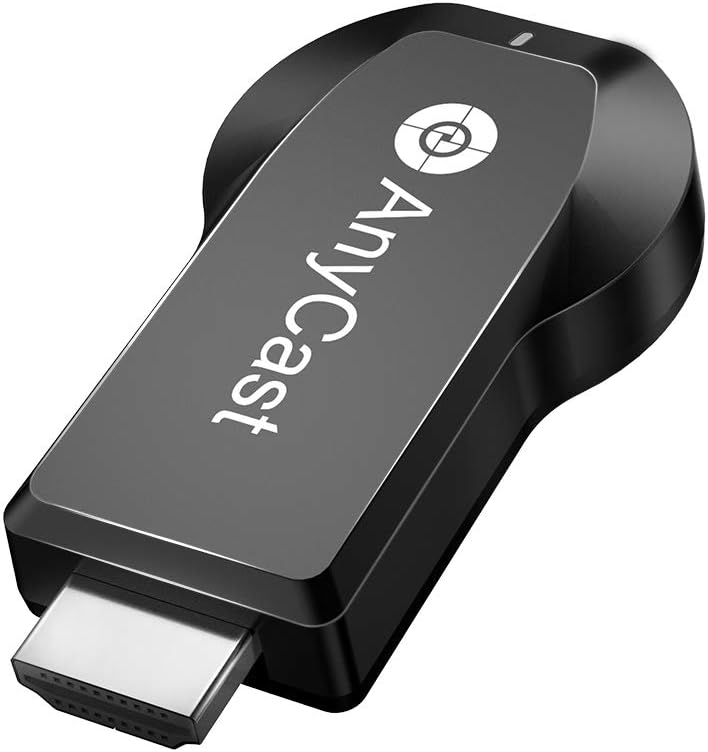
Product description Upgraded Anycast 4K & Dual Band 2.4G/5G Wireless Screen Mirroring Adapter With SmartSee adapter, you can easily cast images, videos or games from a small screen to a big screen wirelessly. New Features: Upgraded SmartSee 4K 5G adapters use upgraded chipset to ensure high quality media streaming and high speed transfer.Upgraded chipsets support H.265/HEVC Decoder, allow you to select 4K(3840 X 2160) and 1080P resolution.Support dual band - 2.4GHz and 5GHz, high-speed 802.11ac WiFi standard. While traditional 2.4G WiFi butters, choose 5G WiFi network to enjoy higher wireless speed.Except basic Miracast mirroring on Android devices, the upgraded SmartSee 4K 5G adapters extra support Google Home App casting on Android devices, and Google brower casting on Windows. (Please note iOS devices support all unencrypted content, no encrypted apps.)No Need Switching in Miracast Airplay DLNA Modes, all modes in one. Warm Tips: This SmartSee adapter is to cast the whole screen of your mobile device to HD display wirelessly, it works with any display which has an HD port, such as HDtv, projector, monitor, etc.Before buy this for your cell phone, tablet, laptop, please do check that your device supports WIFi CERTIFIED Miracast or iOS 9.0+.Please plug the USB cable into your USB adapter which is 5V/1A at least to ensure enough power supply.(USB cable included, USB charging adapter not inculded.) Package Included: 1 x HD Wireless Display adapter, 1 x WiFi Antenna Cable, 1 x English User Manual Turn your HDTV into a smart TV with SmartSee Wireless display adapter . What is this item? It is a Wireless Display Adapter, what you see on your mobile device(smartphone/tablet), you can see on a big screen(TV/monitor/projector) via this adapter. Do I need this item? Yes, everywhere. At home: you can mirror your phone/tablet to your TV, no need to stare at the phone alone, watch TV together and free your hands. At hotel: Setting the TV or TV box is a little troublesome? Just mirror your mobile device to TV or projector by using this item. In a meeting room: No need other cables, just connect this item to mirror your tablet pc on your projector wirelessly. In a classroom: Share your content of courses on big screen wirelessly. How do you use it? Pair it to use, no need to download apps. For iOS Users: Connect SmartSee adapter in WiFi list > connect it to your WiFi network > pair it via Airplay Mirroring to mirror the screen. For Android Users: Pair SmartSee adapter via Miracast to mirror the screen. Once connected, screen mirroring directly next time. For Windows (available for Windows 8.1 and Windows 10) Users: Press the short key “Win+P” on your keyboard > select “Connect to a wireless display” > Select the SSID to connect. Once connected, your screen casts immedately. About EZMira App(An extra assistant for Android Users. Optinal to download, not must) EZMira is a companion app, you can download this App for free. For Android Users, if you are not sure about Miracast funtion, you just download this EZMira app. EZMira app can help locate your Miracast function. After you download this app, connecting to this item is much easier, just access the App and click on Connect and select this item, the whole screen will be mirrored. Setting menu can be accessed in EZMira App, too. Installation of Wireless display adapter Plug WiFi cable, micro USB head, into MiraScreen dongle.Plug USB cable into an external USB power adapter which should offer no less than 5V/1A power(power adapter is not inculded).Plug SmartSee dongle into the HD port on your TV/projector.Switch your TV/projector to the selected HD channel. After connection, MiraScreen page shows up on your display. Dual Band WiFi: 2.4G/5G Wi-Fi 802.11b/g/n/ac wireless connection, strong dual antenna signal and anti-jamming capability. Wide Usage: Watch with colleagues in meeting-Mirroring screen to projector, share PPT, mail, documents and other content wirelessly. Watch with students in classroom-Mirroring screen to big screen, share teaching content wirelessly. Watch with your family at home-Mirroring screen to TV, share photos, videos, movies wirelessly. Carry it while travelling, share your phone to TV anytime. Return Notes: Returns can be made unconditionally within 30 days. When returning the goods, please return all the product accessories to the original packaging box, so as not to affect the second sale. Rather than returning the product, you prefer to figure out the proper usage? Get in touch with the SmartSee TEAM. SmarSee Wirelss Display Adapter is a technical product, it widely supports iOS, Android, Windows devices. Yet iOS, Android, Windows use different wireless protocol, and different protocol results in different connection, namely, connections are different on different devices. We understand there are thousands different devices, no matter what device you use, only correct connection can reach the point. So once you are not sure about the connection,
Agregás al carrito
Sumás este y otros productos que querés traer.
Cotizás el envío
Calculamos flete aéreo y aranceles a Argentina.
Confirmás y pagás
Online con tarjeta, o por transferencia, con el total final a la vista.
Lo recibís en casa
Seguimiento en tiempo real. El despacho lo hacemos nosotros.
Lo que suele llevarse para tu celular · un solo envío para todo
Los mejor puntuados del mismo tipo de producto
Mismo tipo de producto y precio parecido
![Funda Mkeke para iPhone 14 Pro transparente [no amarillenta] | [Protección de grado militar] Funda para teléfono a prueba de golpes para Apple iPhone 14 Pro 2022](https://m.media-amazon.com/images/I/71XkP-M0RfL._AC_SL800_.jpg)