Cargando el producto…

Precio de origen
$ 59.285
$ 117.739
+ flete e impuestos
Compra protegida
Puerta a puerta
Gestión aduanera
Tu compra, acompañada de principio a fin
Todo esto está en los Términos y Condiciones. Leerlos
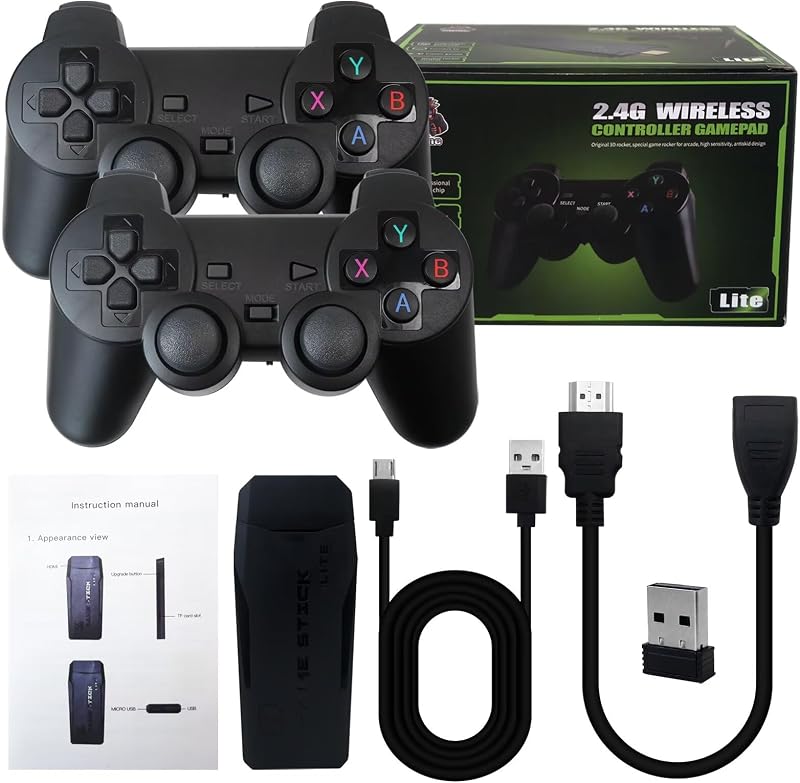
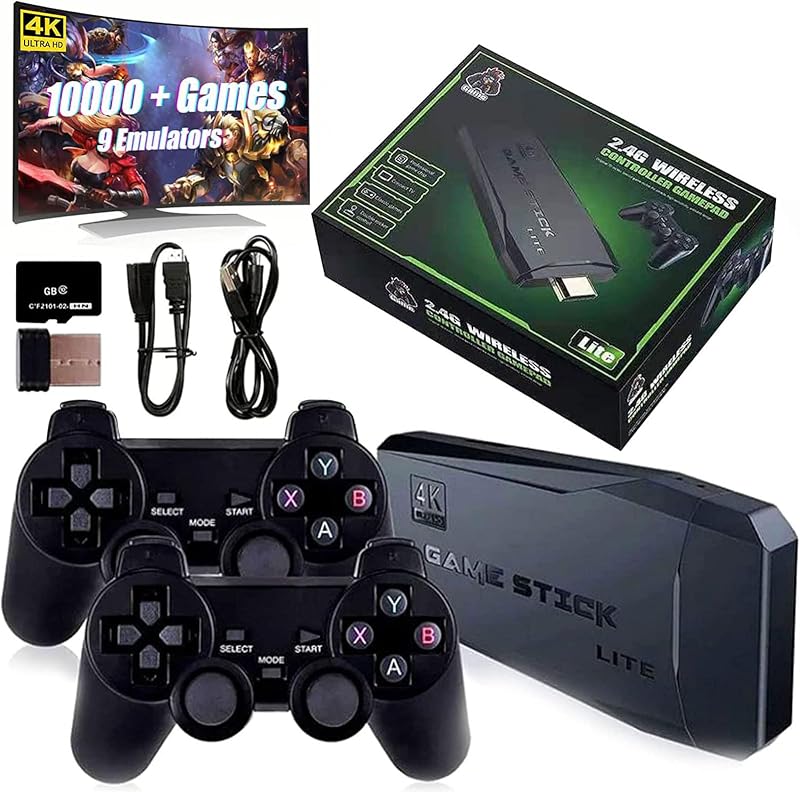
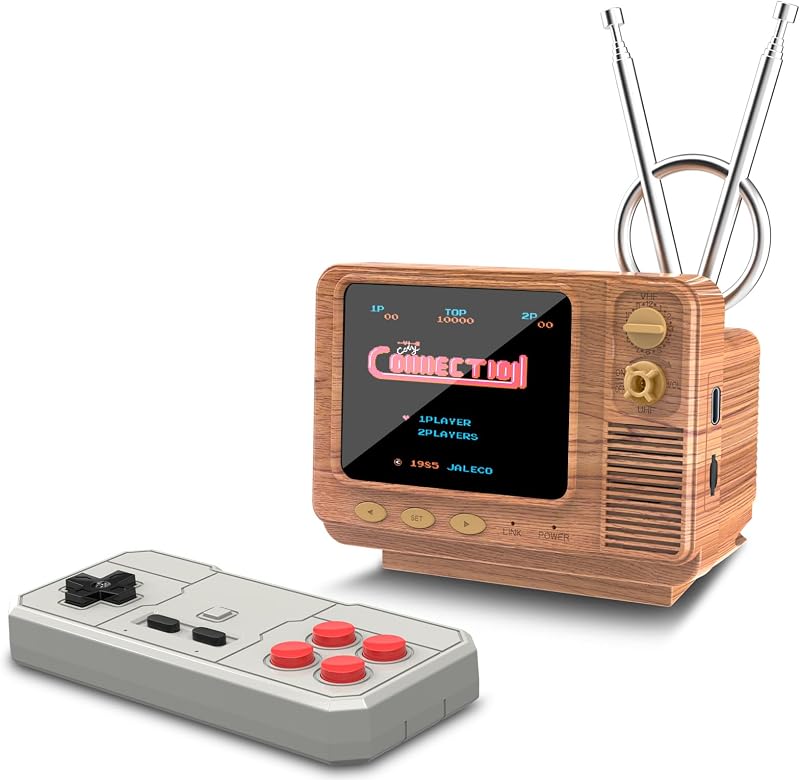
Descripción del producto Fácil de conectar a su televisor Paso 1 Conéctese al televisor: utilice el cable de extensión HDMI proporcionado para conectar la consola de videojuegos retro a la interfaz HDMI de su televisor/computadora/proyectores para garantizar que no haya bloqueo entre el retrostick y los gamepads. Y cambie el modo TV al modo HDMI. Nota: Si conecta el retro stick directamente a la interfaz HDMI de su televisor/computadora/proyector sin un cable de extensión HDMI, la señal del controlador será deficiente y el retro stick se obstruirá, lo que provocará que el gamepad no funcione. Paso 2 Inserte el receptor inalámbrico del controlador en el dispositivo de juego retro y asegúrese de que no haya ningún bloqueo entre el receptor de señal del controlador y el gamepad. Nota: Si el receptor inalámbrico no está enchufado correctamente, el retrostick no podrá recibir una señal, lo que provocará que el gamepad no funcione. Paso 3 Fuente de alimentación: conéctelo con un adaptador de carga (no incluido) y la alimentación se encenderá automáticamente. Nota: Utilice un adaptador de corriente de 5 V/1 A o superior para suministrar energía al retrostick. Cuando las consolas de juegos retro no funcionan correctamente o los juegos se retrasan, una razón importante es que no hay energía disponible desde el puerto USB. Se recomienda conectar con el adaptador del cargador del teléfono, la fuente de alimentación será relativamente estable. No utilice el cargador rápido como fuente de alimentación. Paso 4 Instale 2 baterías AAA (no incluidas) en cada gamepad y encienda el interruptor, estará listo para jugar. Introducción a la función del controlador de juego inalámbrico: presione la tecla SELECCIONAR para ingresar a la configuración del sistema: puede configurar el idioma y los efectos de sonido. Presione la tecla SELECCIONAR + tecla INICIO: cuando mantenga presionadas las dos teclas del juego al mismo tiempo para regresar al menú principal, elija salir del juego, ingrese a la interfaz del menú qame. Presione R1 y L1 para seleccionar el modo de juego. Presione R2 para guardar su juego favorito (aparece una estrella de cinco puntas detrás del nombre del juego que indica la recolección exitosa, presione R2 nuevamente para cancelar la recolección). y la estrella de cinco puntas desaparecerá). Si algunos juegos muestran "insertar moneda", presione el botón "Seleccionar" para continuar jugando. Asegúrese de que el interruptor del gamepad esté encendido y que la luz de encendido esté siempre encendida. Solución de problemas: si el retrostick no funciona, siga estos pasos para verificar que el dispositivo esté conectado correctamente: 1. Verifique si el interruptor del gamepad está en estado ON.2. Compruebe si el gamepad está iluminado en rojo o verde (rojo para el jugador 1, verde para el jugador 2);3. Compruebe si el receptor inalámbrico Bluetooth está bien insertado en el retrostick;4. Compruebe si la palanca se ilumina en azul;5. Si la conexión es correcta, el gamepad principal (jugador 1) es rojo y el gamepad secundario (jugador 2) es verde.6. Si los semáforos parpadean al mismo tiempo, significa que la batería está baja o que el receptor inalámbrico no se ha conectado correctamente. (1) Si la batería está baja, reemplace las baterías del gamepad. (2) Si la conexión del receptor inalámbrico Bluetooth no se realiza correctamente (es posible que no pueda leer el retrostick), extraiga el receptor inalámbrico en el estado apagado y vuelva a insertarlo. Nota: Todos los juegos están preinstalados en la tarjeta SD. No formatee la tarjeta SD.
Agregás al carrito
Sumás este y otros productos que querés traer.
Cotizás el envío
Calculamos flete aéreo y aranceles a Argentina.
Confirmás y pagás
Online con tarjeta, o por transferencia, con el total final a la vista.
Lo recibís en casa
Seguimiento en tiempo real. El despacho lo hacemos nosotros.
Lo que suele llevarse para tu pantalla · un solo envío para todo
Los mejor puntuados del mismo tipo de producto
Mismo tipo de producto y precio parecido