Cargando el producto…

Precio de origen
$ 489.978
$ 548.778
+ flete e impuestos
Compra protegida
Puerta a puerta
Gestión aduanera
Tu compra, acompañada de principio a fin
Todo esto está en los Términos y Condiciones. Leerlos
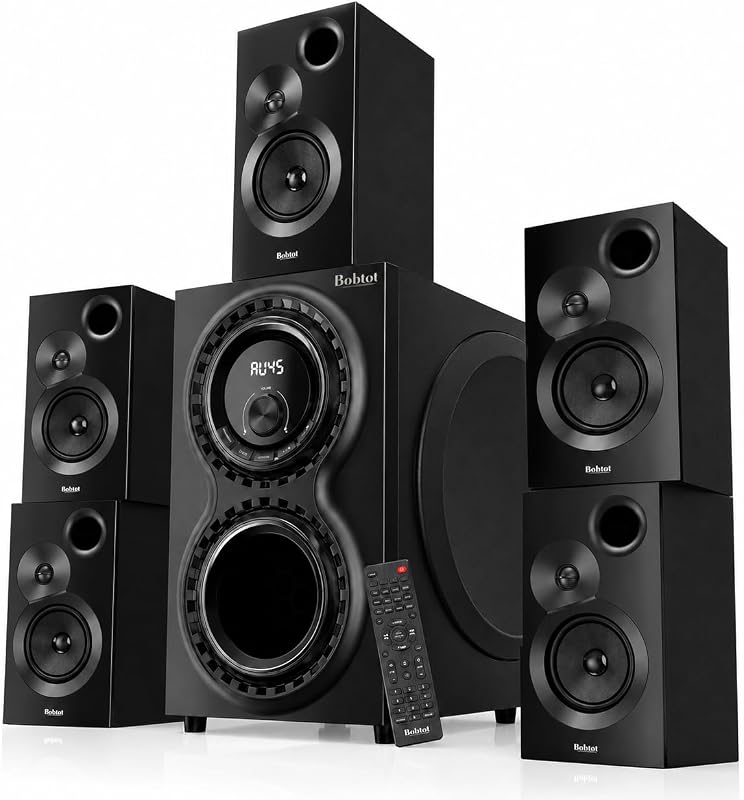
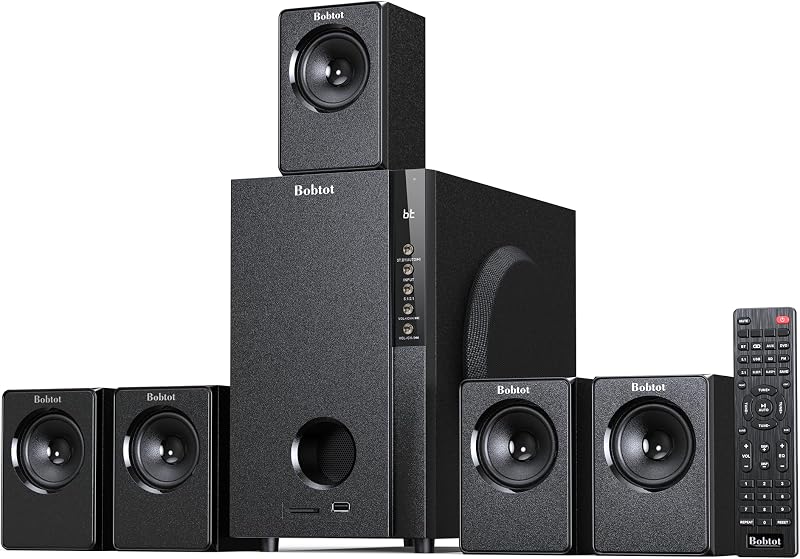
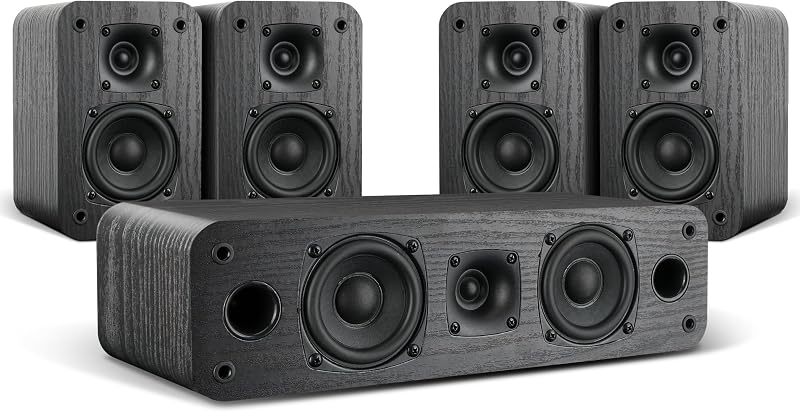
Descripción del producto Sistema envolvente de cine en casa inalámbrico de 1000 W de pico Altavoces satelitales traseros para TV El video muestra el producto en uso. El video lo guía a través de la configuración del producto. El video compara varios productos. El video muestra el producto desempaquetado. Sistema de cine en casa 5.1 sonido envolvente inalámbrico Conecte y configure fácilmente el KW79 con su televisor o dispositivos Bluetooth. Simplemente siga el manual de usuario detallado o la guía en video. Cuando tenga problemas, le recomendamos encarecidamente que nos envíe un mensaje a través de Amazon para obtener más ayuda. ¡Siempre estamos aquí para servirle! Alcance de cobertura inalámbrica 32 pies 2 parlantes inalámbricos traseros Le permiten colocar fácilmente los parlantes traseros donde quiera en la configuración de los parlantes de audio de su hogar. Página anterior Página siguiente Experiencia de sonido atmosférico Sonido estéreo envolvente inmersivo de 360° 1 Mejor ubicación 2 ¿Cómo conectarse? 3 Configuración de TV Página anterior El nombre de Bluetooth es "KW79" Más rápido, estable e inteligente. El Bluetooth 5.3 actualizado ofrece conexiones más rápidas, fluidas, inteligentes y estables. Página siguiente Cada altavoz, incluido el subwoofer, tiene su propio control de volumen. Usando el control remoto podríamos bajar los graves, subir el altavoz central y otros altavoces satélite. También puede ajustar el modo EQ. Página anterior Subwoofer de 8 pulgadas con receptor incorporado, puede alcanzar hasta 1000W de potencia, alto volumen pero con calidad de sonido profesional y excelente sonido de graves, con una claridad impresionante y un control preciso. Página siguiente Con un amplificador digital actualizado, es compatible con el sistema envolvente de cine en casa para usar con un rango de voltaje de alimentación CA 100-240 V 50/60 Hz, más estable y duradero. ¿Qué hay en la caja? Bobtot KW79 Audio de cine en casa Sistema de sonido envolvente de TV inalámbrico Voltaje de entrada CA 100-240 V 50/60 Hz Respuesta de frecuencia 20 Hz - 20 KHz 5 altavoces satélite Tamaño (An*Al*Pr) 104x 180 x 92 mm/ 1,09" x 7,09" x 3,62" Tamaño del subwoofer (An*Al*Pr) 235 x 370 x 343 mm/ 9,25" x 14,56" x 13,5" Cómo activar el sistema Cuando vea las dos líneas cortas “ -- ” en la pantalla LED del subwoofer, presione brevemente “ ST.BY ” en el subwoofer o el botón de encendido en el control remoto para activar este altavoz de cine en casa. Opción 1, presione el botón ST.BY en el subwoofer. Opción 2: presione el botón de encendido en el control remoto. Modo BT/ARC/OPT/USB/FM/DV/AU Presione brevemente “INPUT” en el subwoofer para ingresar al modo de función (BT/ARC/OPT/USB/FM/DV/AU) o presiónelo brevemente en el control remoto para ingresar al modo de función. *Acerca del modo ARC, simplemente conecte el cable ARC correspondiente, el modo de entrada ARC se elegirá automáticamente y se mostrará en la pantalla LED. ¿No hay salida de sonido durante la configuración? Si no recibe ningún sonido del sonido envolvente inalámbrico cuando lo conecta a su televisor a través del cable óptico/TV ARC, asegúrese de verificar la configuración del televisor y de tener la salida de audio configurada en modo PCM. Una cosa que quizás deba hacer es apagar los parlantes de su televisor y también seleccionar el modo PCM. Esto enviará una señal estéreo desde el televisor al subwoofer a través del cable óptico/TV ARC.
Agregás al carrito
Sumás este y otros productos que querés traer.
Cotizás el envío
Calculamos flete aéreo y aranceles a Argentina.
Confirmás y pagás
Online con tarjeta, o por transferencia, con el total final a la vista.
Lo recibís en casa
Seguimiento en tiempo real. El despacho lo hacemos nosotros.
Lo que suele llevarse para tu pantalla · un solo envío para todo
De la misma marca, empezando por lo más reseñado
Los mejor puntuados del mismo tipo de producto