Cargando el producto…
Precio desde
$ 67.816
+ flete e impuestos
Color
Compra protegida
Puerta a puerta
Gestión aduanera
Tu compra, acompañada de principio a fin
Todo esto está en los Términos y Condiciones. Leerlos
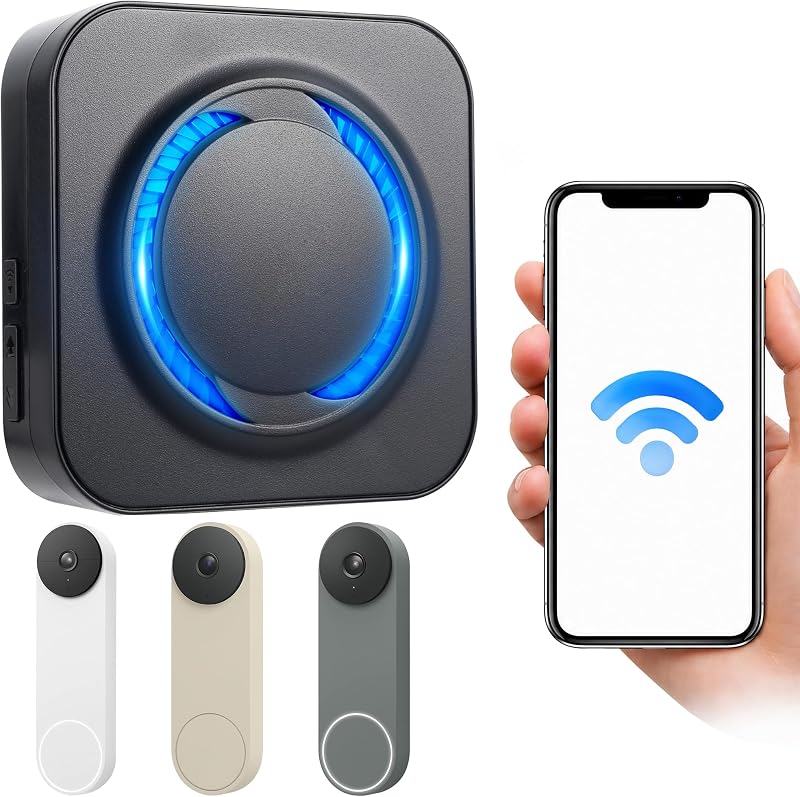
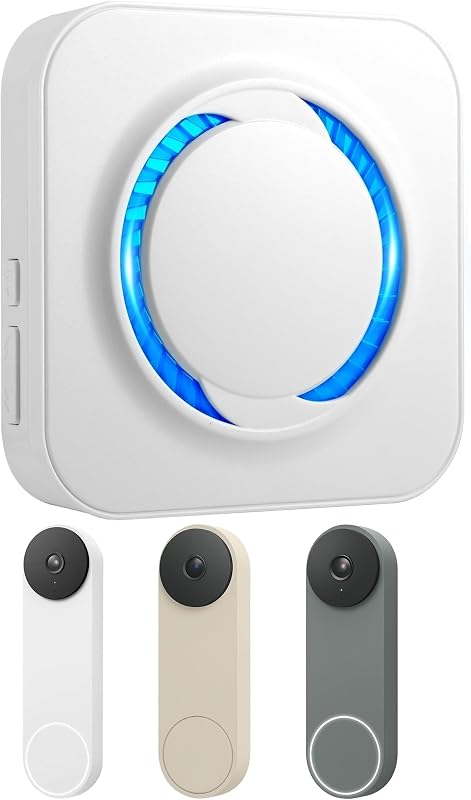
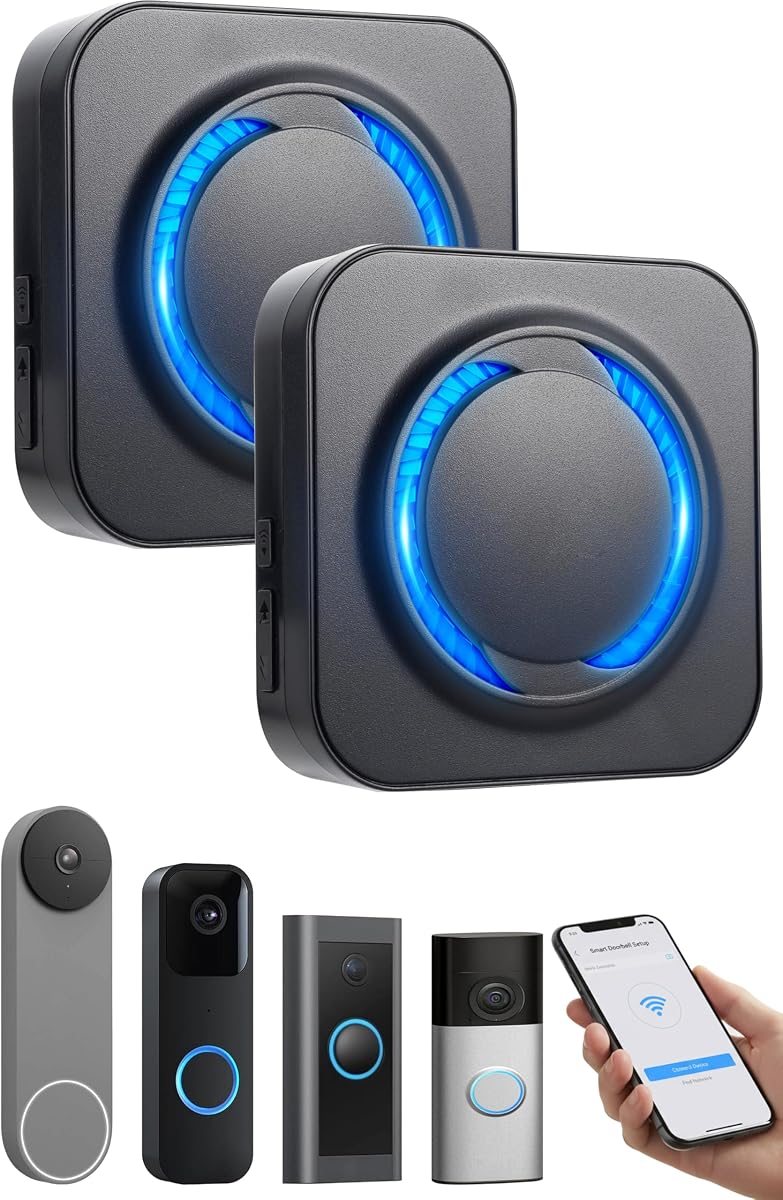
Product description One Chime. All Major Video Doorbells. *5 Volume Level: Four volume levels (35–110dB) adjustable via the doorbell buttons. 0dB silent mode is set the alert mode to "Light" in the Amazon Alexa app. A Smarter, Simpler, Truly Wireless Doorbell Experience. NOTE: As the SmartLife and Alexa apps are frequent version updates, the user manual in the package may differ from the latest app interface. If the manual does not match your downloaded app version . Please tell us by email, and we will send you a version‑matched manual and assist you with setup. How It Works: Simple 4-Step Integration 1.Download "SmartLife - Smart Living", "Alexa", and your doorbell app (Blink/Google Home/Ring). Pair the doorbell extender with Smart Life 2.Link "SmartLife - Smart Living" and your doorbell app to "Alexa". 3.Create a routine in the Alexa that reacts to your video doorbell’s alert signal. Follow the Video Tutorial below to Connect and Set Up Your Doorbell Extender Doorbell Extender Installation Guide for Blink Here are 3 installation videos guides for Blink, Google Nest, and Ring video doorbell extenders. Please follow along with the video for your specific device.If you still need help after watching, just tell us via email. We’ll give you step-by-step instructions until you’re set up successfully. We're happy to help!Swipe left to watch the Google Nest doorbell extender installation video. The video showcases the product in use.The video guides you through product setup.The video compares multiple products.The video shows the product being unpacked. Installation Guide for Blink Doorbell Doorbell Chime Installation Guide for Google Nest Here are 3 installation videos guides for Blink, Google Nest, and Ring video doorbell extenders. Please follow along with the video for your specific device.If you still need help after watching, just tell us via email. We’ll give you step-by-step instructions until you’re set up successfully. We're happy to help!Swipe left to watch the Ring doorbell extender installation video. The video showcases the product in use.The video guides you through product setup.The video compares multiple products.The video shows the product being unpacked. Doorbell Chime Installation Guide for Google Nest Doorbell Extender Installation Guide for Ring Here are 3 installation videos guides for Blink, Google Nest, and Ring video doorbell extenders. Please follow along with the video for your specific device.If you still need help after watching, just tell us via email. We’ll give you step-by-step instructions until you’re set up successfully. We're happy to help!Swipe left to watch the Blink doorbell extender installation video. The video showcases the product in use.The video guides you through product setup.The video compares multiple products.The video shows the product being unpacked. Installation Guide for Ring Doorbell No Range Limits & Expandable to 99+ Kits ! Connect via your home Wi-Fi. Enjoy full coverage anywhere on your property. You can also add 99+ doorbell extenders to install in bedrooms, basements, garages, attics, and more—each can be assigned a unique name for easy identification. Suitable for Multiple Scenarios. Pre-Purchase Information Not Pair with Doorbell? As the Smart Life and Alexa apps are constantly updated, the printed user manual in the package may not match the latest interface. We have updated the latest installation tutorial on the product detail page immediately.If the manual inside your doorbell extender package does not match your downloaded app, it is only due to an app version update.Please telll us by email, and we will send you a user manual that matches your app version and help you complete the setup! Is Installation Difficult? In most cases, you can finish the entire setup process within 5 minutes.Important Note: Please make sure to install the official Smart Life app — its full name is SmartLife‑Smart Living. We recommend downloading and installing the required apps (SmartLife and Alexa) in advance, and completing account registration and login before setting up the extender. If you already have accounts, you may skip registration and log in directly. What App Should I Download? Both SmartLife‑Smart Living and Alexa apps must be downloaded and installed for the device to function properly. This setup offers great DIY customization and helps you avoid the cost of buying a new doorbell from other brands. Is a Subscription Required? No subscription required, completely free , Any subscription services offered within the apps are completely unrelated to the signal extender. We strongly advise you not to purchase any such subscriptions.
Agregás al carrito
Sumás este y otros productos que querés traer.
Cotizás el envío
Calculamos flete aéreo y aranceles a Argentina.
Confirmás y pagás
Online con tarjeta, o por transferencia, con el total final a la vista.
Lo recibís en casa
Seguimiento en tiempo real. El despacho lo hacemos nosotros.
Los mejor puntuados del mismo tipo de producto
Mismo tipo de producto y precio parecido