Cargando el producto…

Precio desde
$ 137.180
+ flete e impuestos
Versión
Compra protegida
Puerta a puerta
Gestión aduanera
Tu compra, acompañada de principio a fin
Todo esto está en los Términos y Condiciones. Leerlos
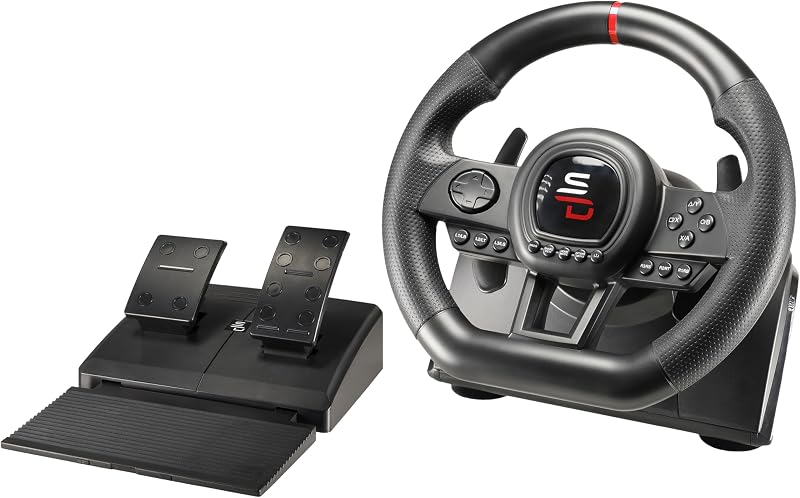
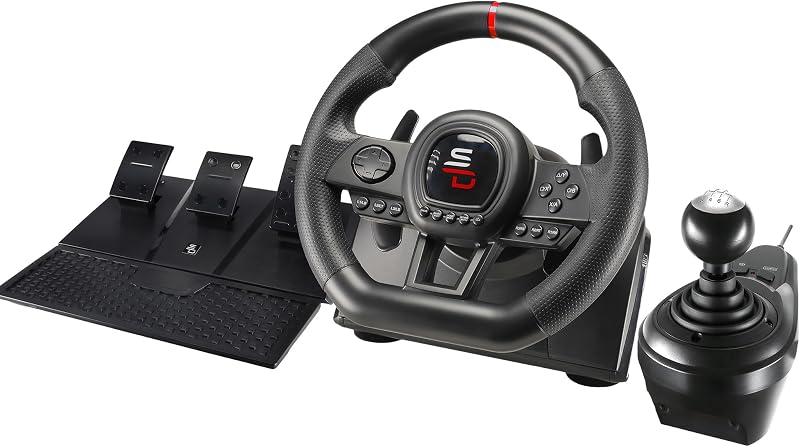
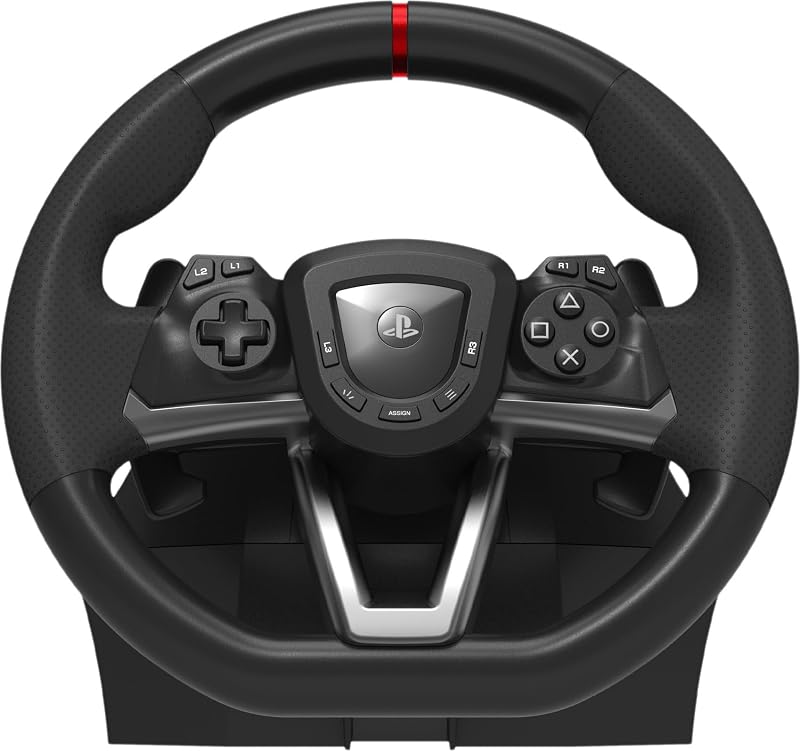
Descripción del producto Página anterior LED de doble palanca Todas las funciones de un controlador son directamente accesibles en el volante + LED y botones programables Conduce como un profesional Levas en el volante para cambios suaves y rápidos Ergonomía y precisión Diseño compacto y contorneado para comodidad de conducción y un agarre óptimo Diseño deportivo y elegante Líneas inspiradas en los volantes de carreras: el 270 GT5 parece un verdadero volante de competición Juego de pedales Pedales de acelerador y freno Página siguiente Compatibilidad Playstation 5 y PC Diámetro del volante 10,62 in / 27 cm - Rotación 180° Leds RGB LEDs RGB programables Cambio de marchas Levas de cambio secuencial en el volante (+/-) Sensibilidad 3 modos de sensibilidad para una experiencia de conducción más o menos deportiva Vibración Motores de vibración dual Pedales Pedales analógicos (acelerador y freno) Montaje Soporte con ventosa para superficies planas Juegos compatibles Los mejores juegos de simulación y arcade como Farming Simulator, Forza Horizon, Gran Turismo, Mario Kart y muchos otros Mi volante se apaga después de 30 segundos a 2 minutos de uso en la PS5. Porqué es eso ? Su controlador no está configurado correctamente. Vaya a Opciones de PlayStation 5 > Accesorios > Controlador > Método de comunicación > "Habilitar 'Usar cable USB'". ¿Cómo conectar el volante a una Playstation 5? Vaya a Opciones de PlayStation 5 > Accesorios > Controlador > Método de comunicación > "Habilitar 'Usar cable USB'". El volante Superdrive 220 RS-55 es 100% compatible con la PS5. ¿Cómo puedo obtener ayuda o comunicarme con el soporte técnico? Visite nuestro sitio web, donde puede encontrar manuales y archivos útiles en la página del producto correspondiente en la pestaña "Manuales e instrucciones", o utilice nuestro chatbot para abrir un ticket de soporte; Recibirás una respuesta dentro de las 48 horas. Mi controlador es reconocido pero no funciona correctamente en algunos juegos (PS5 o PC). Qué tengo que hacer ? Se detecta como un gamepad (no como un volante). En la configuración del juego, configura los botones en la sección “Gamepad”. O siga el procedimiento de configuración manual de botones. ¿Cómo actualizo mi volante? La actualización se realiza utilizando el adaptador USB a través de una PC: 1) Conecte el adaptador USB a la PC 2) Descargue el archivo de actualización del sitio web de Subsonic 3) Extraiga el archivo usando 7-Zip 4) Ejecute el archivo “MP Mode.exe” y siga las instrucciones.
Agregás al carrito
Sumás este y otros productos que querés traer.
Cotizás el envío
Calculamos flete aéreo y aranceles a Argentina.
Confirmás y pagás
Online con tarjeta, o por transferencia, con el total final a la vista.
Lo recibís en casa
Seguimiento en tiempo real. El despacho lo hacemos nosotros.
De la misma marca, empezando por lo más reseñado
Los mejor puntuados del mismo tipo de producto
Mismo tipo de producto y precio parecido