Cargando el producto…

Precio desde
$ 31.321
+ flete e impuestos
Color
Compra protegida
Puerta a puerta
Gestión aduanera
Tu compra, acompañada de principio a fin
Todo esto está en los Términos y Condiciones. Leerlos
Product description Gigabit WiFi Card | Intel Wireless-AC 7265 Dual-band(5GHz | 2.4GHz)1200Mbps | BT 4.2 Wireless Network Card | PCIe Adapter | PCI-E Wireless WiFi Network Adapter | Faster Speed | Better Coverage | Larger Capacity Brand:UbitModel:WIE7265BT:4.2Antenna:360° Rotation External 6dBi X 2Data Modulation:OFDM/CCK/16-QAM/64-QAMWireless Speed:5GHz 867Mbps or 2.4GHz 300MbpsConnect Interface:PCI express X1,Compatible with X4,X8,X16 SlotSupported Operating Systems: Windows 10, 32-bit*, Windows 10, 64-bit*, Windows 8.1, 32-bit*, Windows 8.1, 64-bit*, Windows 8, 32-bit*, Windows 8, 64-bit*, Windows 7, 32-bit*, Windows 7, 64-bit*, Linux* Package Includes:1* Box with the Word "Ubit";1* Ubit WIE7265 Wireless Dual-band Network WiFi Card;2* 6dBi Antenna;1* Bluetooth Cable;1* Low Profile Bracket;1 * Screwdriver;2 * Screw;1* Drive CD;1* User Manual Intel Dual Band Wireless-AC 7265(5GHz | 2.4GHz)1167Mbps Gigabit BT 4.2 Wireless PCIe WiFi Network Card Ubit Wireless Dual-band WiFi Card Wireless Standard - IEEE 802.11 A/B/G/N/ACWith extra low profile metal bracket (3.15in) for installing on small form factor desktop PCPowered by PCI Express slot on computer motherboard, no external power supply neededOther Specification:Intel chipsets, PCI Express X 1 interface, WPA2/WPA/WEP wireless encryption supportedThe card motherboard features short circuit prevention design so you can reassure th at it won't burn out the computer motherboard or PCI-E adapterPlease install latest driver before using, which is available in disc or visit the official website of Intel to download the driver of the corresponding modelSystem Compatible: Windows 10, 32-bit*, Windows 10, 64-bit*, Windows 8.1, 32-bit*, Windows 8.1, 64-bit*, Windows 8, 32-bit*, Windows 8, 64-bit*, Windows 7, 32-bit*, Windows 7, 64-bit*, Linux* Ubit-WIE7265 Bluetooth 4.2 WiFi Card --- Technical Specifications: Supported Operating Systems: Windows 10, 32-bit*, Windows 10, 64-bit*, Windows 8.1, 32-bit*, Windows 8.1, 64-bit*, Windows 8, 32-bit*, Windows 8, 64-bit*, Windows 7, 32-bit*, Windows 7, 64-bit*, Linux*Bands:2.4Ghz, 5Ghz ;Max Speed:867 MbpsWi-Fi :802.11ac;Compliance:FIPS, FISMA Higher security and faster transfer rateEquipped with advanced technology and compatible with 99% Bluetooth capacity devices,Wireless connect mouse,keyboard,earphone,speaker and more. Very easy to install on supported systemsMake sure your system is compatible with this WiFi cardLearn to install and set up WiFi signals through the user manualUbit wireless WiFi network card, making wired wireless, making work and life more convenient! 1.Question:Why this WiFi card can’t connect to 5G? Answer:(1)Connect to 2.4G first, make sure it is connected;(2)Find your 5G signal and connect, most of them will work. 2.Question:PCs 2.4G works but cannot find my 5G signal? Answer:(1)Connect 2.4G signal first;(2)Restart PC or re-plug this Wireless card.(Or in Device Manager-Remove this card and install driver again for it. Then PCs will find 5GHz and will allow PCs connect.) 3.Question:Why my PCs always get poor signal or drops sometimes? Answer:(1)Test Wi-Fi signal in PC area(same spot,same height) by cell phone check if PC was placed in a Wi-Fi dead zone if yes,please change location for PCs;(2)If the distance little long PCs will get poor signal or only 2.4G signal. To improve this please considers change the PCs or Wireless AP’s location. Or you can buy a more power Wi-Fi Antenna for it.(3)In some regions, not all channels are available. Try to change the channel if you experience interference (shown by lost connections or slow data transfers). If this happens, experiment with different channels to see which is best. e.g.the channel can be adjusted according to the adjustment channel and the channel width,the speed 2.4G signal is 13, the channel width is adjusted to 40. 4.Question:Why my PC find 2.4G signal only? Answer:PCs was placed too far away from Router. 5GHz band will support more data speed by covers a small area. Wireless AP or Router’s signal may cannot reach PCs location.Considers decrease the distance between Router and PC. 5.Question:I am a Linux user how can I get source code to compile my PC? Answer:Go to open the mini CD in the package find ATH9K links get source code online. Or go to our site download ATH9K driver. 6.Question:My PCs find few signals only, not as expected performance, how to fix this? Answer:Please remove Wi-Fi card from PCs and install it again.At the same time please screw Wi-Fi antenna and make sure it is screwed correctly. Most of time it is Wi-Fi antenna wasn't screwed properly. 7.Question:Windows10 64-bit system cannot load this card automatically how to fix this ? Answer:Just need to install the drivers in mini CD,device will works properly. If do not have CD ROM, please go to our site download drivers for the models in your hand. WIE7265D+BT4.2 WIE7265+BT4.2 AX200+BT5.1 AX3000E+BT5.2 AX210S+BT5.2 Add to Cart Add to Cart Add to Cart Buying Options Buying Options Custo
Agregás al carrito
Sumás este y otros productos que querés traer.
Cotizás el envío
Calculamos flete aéreo y aranceles a Argentina.
Confirmás y pagás
Online con tarjeta, o por transferencia, con el total final a la vista.
Lo recibís en casa
Seguimiento en tiempo real. El despacho lo hacemos nosotros.
Los mejor puntuados del mismo tipo de producto
Mismo tipo de producto y precio parecido


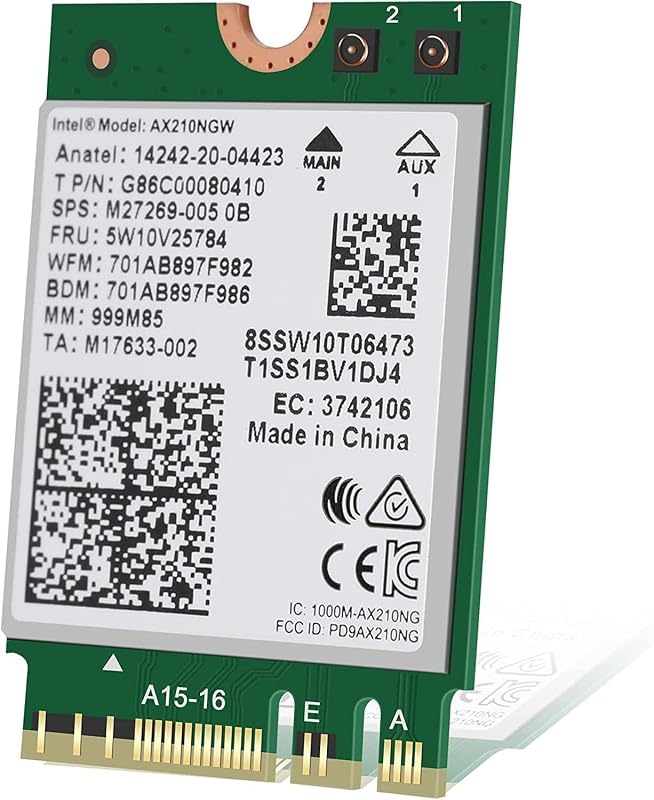


![[Actualización] Tarjeta Ethernet PCIe Nic 10/100/1000Mbps Tarjeta de red Gigabit PCI-Express (WIN10/11 sin controlador) Tarjeta LAN de red RJ45 Adaptador Wake On LAN Computadora interna PC de escritorio para Win/Linux/Mac 1 PCS](https://m.media-amazon.com/images/I/61sdbTDCKjL._AC_SL800_.jpg)