Cargando el producto…

Precio de origen
$ 97.059
$ 117.599
+ flete e impuestos
Compra protegida
Puerta a puerta
Gestión aduanera
Tu compra, acompañada de principio a fin
Todo esto está en los Términos y Condiciones. Leerlos
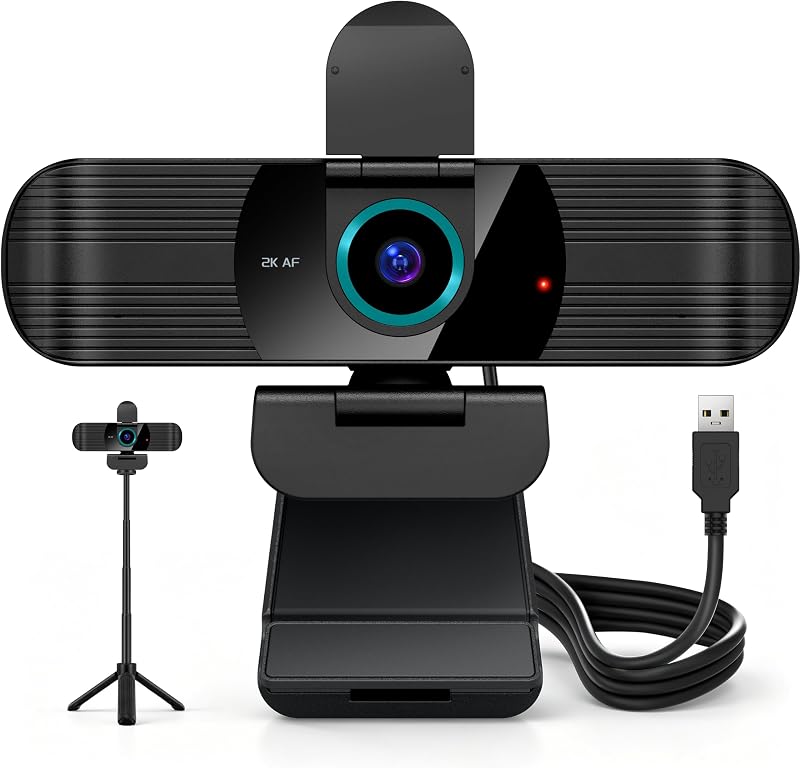
Descripción del producto Cámara de documentos PAKOTOO para profesores en clase con micrófono, imagen reflejada, AF y luz La cámara web PAKOTOO ofrece una resolución de imagen clara y transmisión de video de alta velocidad de fotogramas. Con un diseño de manguera único, permite un ajuste del ángulo sin esfuerzo. Para usar el proyector, primero conecte la cámara a su computadora mediante un cable USB y luego conecte su computadora al proyector. Página anterior Cámara de documentos USB de 5MP para arte ¡Usando PAKOTOO en clase, los maestros interactúan mejor con los estudiantes y estimulan la creatividad de los niños! Cámara de documentos USB para aprendizaje y tutoría en línea Cuando los profesores utilizan PAKOTOO, pueden ver fácilmente el trabajo de los estudiantes, como en una clase presencial Video y videoconferencia remota La PC con cámara web es perfecta para compartir sus creaciones y chatear por video con amigos. Cámara de documentos-Experimentos PAKOTOO es una cámara de documentos HD de 1944P/30 fps que muestra perfectamente objetos y experimentos en 3D. PC con cámara web para oficina en casa y conferencias web PAKOTOO se utiliza como una cámara web HD para permitir la comunicación remota y la colaboración con colegas Página siguiente 1 Hecho a mano en línea 2 Enseñanza a distancia 3 Creación artística 4 Hacer experimentos 5 Trabajar desde casa Página anterior Página siguiente 1 Enfoque automático 2 Espejo de imagen 3 LED de 3 niveles 4 Máx. Área: A3 PAKOTOO compatible con Windows 11/10/7/8/XP, Mac OS, Chromebooks y Linux La cámara web PAKOTOO está diseñada exclusivamente para su uso con computadoras. No puede conectarse directamente a proyectores y no es compatible con iPads, teléfonos móviles ni pizarras inteligentes. El artículo no tiene zoom ni funcionalidad HDMI. La compatibilidad de sus sistemas universales es la siguiente: Sistema compatible con Windows 11/10/XP/7/8, Mac, Chromebooks y Linux. Compatible con aplicaciones de aprendizaje electrónico/lecciones en línea: Tiktok, OBS, Google Meet, Skype, Microsoft Teams, Zoom, etc. La cámara de documentos es compatible con Tiktok, Zoom, Skype, Google Meet, Microsoft Teams, FaceTime, etc. Puede iniciar una videoconferencia con doc cam en 3 pasos: Paso 1: conecte la computadora. Será detectado automáticamente. No es necesario instalar ningún controlador u otro software Paso 2: inicie la aplicación para compartir videos deseada Paso 3: en el menú de configuración, cambie la fuente de la cámara a "Cámara de transmisión" y podrá comenzar a usarla. Finalmente: la resolución de la imagen se puede ajustar según sea necesario Cámara web y cámara de documentos: usando video PAKOTOO Web cam 1944P usando video para sistema MAC Los pasos operativos del sistema Mac son los siguientes: Grabación de video: busque "Quick Time Player" en el sistema; Tome una foto: por favor busque "Photo Booth" en su computadora; El video muestra el producto en uso. El video lo guía a través de la configuración del producto. El video compara varios productos. El video muestra el producto desembalándolo. El reproductor de video se está cargando. Haga clic para reproducir el videoReproducirSilencioHora actual 0:00/Duración 1:11Cargado: 4.23%0:00Transmisión T ype LIVEBuscar vivir, actualmente detrás de liveLIVERTiempo restante -1:11 1x Velocidad de reproducción Capítulos Capítulos Descripciones descripciones desactivadas, seleccionadas Subtítulos Subtítulos desactivados, seleccionado Inglés (automatizado) Pista de audio predeterminado, seleccionado Pantalla completa Esta es una ventana modal. video de contenido aplus Cámara de documentos para maestros: uso de video Cámara de documentos USB PAKOTOO usa video para el sistema Windows 11/10 Los pasos operativos del sistema Windows 10/11 son los siguientes: Busque el programa "Cámara" en el sistema para usar esta cámara de documentos. (Si tiene una computadora portátil, también debe seleccionar "Cambiar cámara" en la esquina superior derecha de la computadora portátil). El video muestra el producto en uso. El video lo guía a través de la configuración del producto. El video compara varios productos. El video muestra el producto desempaquetado. El reproductor de video se está cargando. Haga clic para reproducir el videoReproducirMuteHora actual 0:00/Duración 0:26Cargado: 11.55%0:00Tipo de transmisión LIVESeek to live, actualmente detrás de liveLIVERTiempo restante -0:26 1xReproducción Calificar Capítulos Capítulos Descripciones descripciones desactivadas, seleccionadas Subtítulos Subtítulos desactivados, seleccionado Inglés (Automatizado) Pista de audio predeterminado, seleccionado Pantalla completa Esta es una ventana modal. Video de contenido aplus Cámara de documentos de 5 MP Comparación de funciones Resolución máxima 2594*1944P y 30 fps 3264*2448P y 30 fps 5 megapíxeles 1/3"CMOS Píxeles de imagen 8 megapíxeles 1/3"CMOS Inversión de imagen izquierda y derecha Espejo arriba y abajo izquierda y derecha Enfoque automático "AF" Micrófono incorporado Área máxima de disparo A3 2594*1944P & Resolución máxima de 30 fps 2594*1944P y 30 fps 5 megapíxeles 1/3"CMOS Píxeles de imagen 5 megapíxeles 1/3"CMOS Inversión de imagen izquierda y derecha Espejo arriba y abajo izquierda y derecha Enfoque automático "AF" Micrófono incorporado Área de disparo máxima A3 Página anterior Cámara de documentos de 8 MP Más información Cámara web de 5 MP PC Más información Página siguiente
Agregás al carrito
Sumás este y otros productos que querés traer.
Cotizás el envío
Calculamos flete aéreo y aranceles a Argentina.
Confirmás y pagás
Online con tarjeta, o por transferencia, con el total final a la vista.
Lo recibís en casa
Seguimiento en tiempo real. El despacho lo hacemos nosotros.
Lo que suele llevarse para tu cámara · un solo envío para todo
Los mejor puntuados del mismo tipo de producto
Mismo tipo de producto y precio parecido


![PEHAEL para iPhone 17 Protector de pantalla de privacidad+Protector de lente de cámara | Paquete de 3+3, marco de instalación, kits de limpieza, antiespía privado, antiarañazos, vidrio templado 9H, compatible con estuches, [6,3 pulgadas]](https://m.media-amazon.com/images/I/61UXu7cBl7L._AC_SL800_.jpg)