Cargando el producto…

Precio desde
$ 49.764
+ flete e impuestos
Tamaño
Color
Compra protegida
Puerta a puerta
Gestión aduanera
Tu compra, acompañada de principio a fin
Todo esto está en los Términos y Condiciones. Leerlos
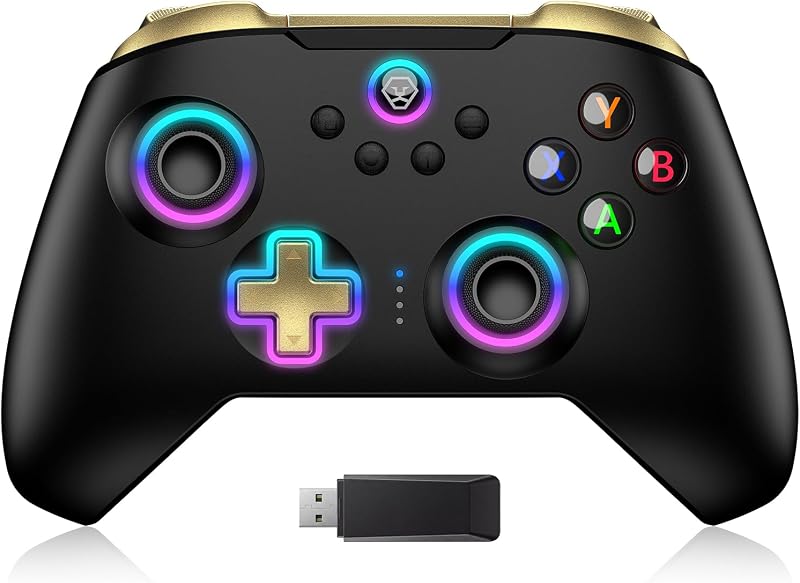
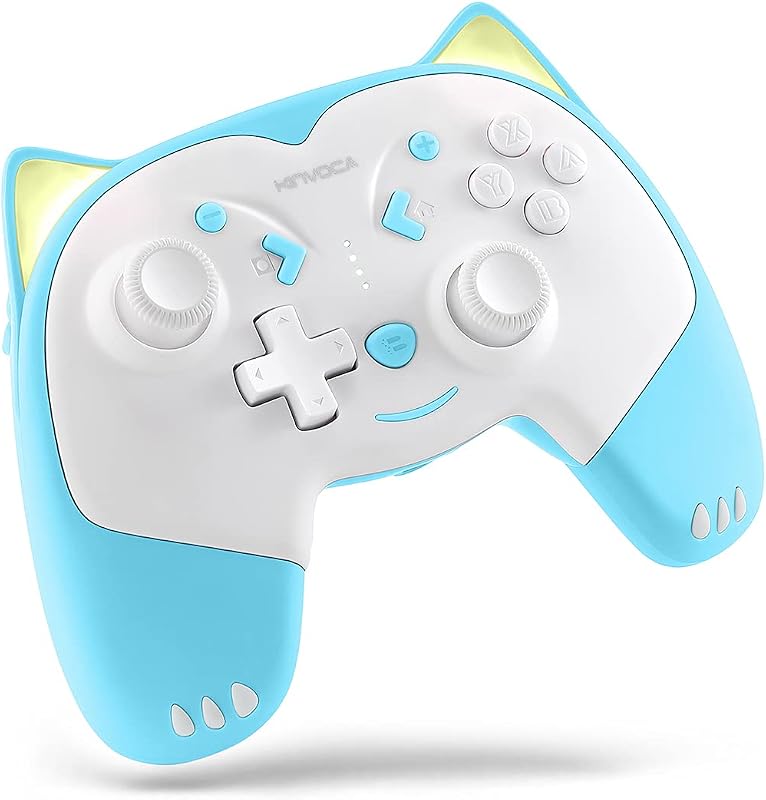
Descripción del producto Página anterior Página siguiente 1 Anillo de luz RGB 2 Modo Turbo 3 Vibración ajustable 4 Sensor de giroscopio de seis ejes 5 Diseño ergonómico Página anterior Página siguiente 1 Competencia de juegos 2 Tiempo en familia 3 Tiempo libre 4 Tiempo de fiesta Mesa de comparación NexiGo Controlador inalámbrico Agregar al carrito Controlador inalámbrico Agregar al carrito Controlador inalámbrico Hall Agregar al carrito Opciones de compra Hall GripCon con HDMI Agregar al carrito Comentarios de los clientes 4.1 de 5 estrellas 194 4.1 de 5 estrellas 194 4.6 de 5 estrellas 6 — — 4.3 de 5 estrellas 1,359 4.0 de 5 estrellas 620 Precio $25.39$25.39 $26.09$26.09 $38.24$38.24 — $79.99$79.99 $34.99$34.99 $39.99$39.99 Compatibilidad Nintendo Switch 1/2/Lite/OLED Nintendo Switch 1/2/Lite/OLED Nintendo Switch 1/2/Lite/OLED Nintendo Switch 2 Nintendo Switch 2 Nintendo Switch/OLED Nintendo Switch/OLED Puerto HDMI ✘ ✘ ✘ ✔ ✔ ✘ ✔ Luces RGB ✔ ✔ ✔ ✔ ✔ ✔ ✘ Programable Botones — — — 2 botones programables 2 botones programables 2 botones programables 2 botones programables Ranuras para juegos — — — 2 14 (12+2) — 2 Tecnología de conectividad Inalámbrico o cableado Inalámbrico o cableado Inalámbrico o cableado Cableado Cableado Cableado Puertos de carga En la parte superior del controlador En la parte superior del controlador En la parte superior del controlador En la parte superior del controlador En la parte superior del controlador En la parte inferior del controlador En la parte superior del controlador Juega mientras se carga ✔ ✔ ✔ ✔ ✔ ✔ ✔ Función RGB Luces, Turbo RGB Luces, Turbo Sensor Hall, luces RGB Hall Joysticks y disparador Kit de juego todo en uno Efecto Hall, mapeo Efecto Hall, mapeo, USB3.0 Colores Nebulosa cósmica Violeta Unicornio Tormenta de luz, Atomsphere Nebulosa cósmica, Nebulosa cósmica negra, Nebulosa cósmica negra Negro, Púrpura, Azul ¿Cómo uso la función de iluminación RGB en los joysticks? Mantenga presionado el botón "Turbo", luego presione cualquiera de los joysticks para cambiar los colores de las luces. Mantenga presionado el botón "Turbo", luego toque dos veces uno de los joysticks para activar el modo de iluminación RGB especial. ¿Este controlador funciona con Switch OLED? Sí, este controlador es compatible con Switch OLED, así como con Nintendo Switch y Switch Lite. ¿Cómo ajusto la fuerza de la vibración? Presione el botón "Turbo" y simultáneamente empuje el joystick hacia atrás/adelante para disminuir/aumentar la fuerza de la vibración. ¿Cómo calibro los controles de movimiento? Utilice el menú del sistema integrado de la consola para calibrar los controles de movimiento. Vaya a Configuración del sistema > Controladores y sensores > Calibrar controles de movimiento.
Agregás al carrito
Sumás este y otros productos que querés traer.
Cotizás el envío
Calculamos flete aéreo y aranceles a Argentina.
Confirmás y pagás
Online con tarjeta, o por transferencia, con el total final a la vista.
Lo recibís en casa
Seguimiento en tiempo real. El despacho lo hacemos nosotros.
De la misma marca, empezando por lo más reseñado
Los mejor puntuados del mismo tipo de producto
Mismo tipo de producto y precio parecido
![Soporte para auriculares NexiGo PS5, [Diseño minimalista] Mini colgador de auriculares con barra de soporte, para auriculares para juegos Sony PlayStation 5, negro](https://m.media-amazon.com/images/I/51a6mHPU+wL._AC_SL800_.jpg)

![Base de carga mejorada NexiGo con luz LED para Oculus/Meta Quest 2, [Correa de soporte Elite con batería], soporte para pantalla de auriculares y soporte para controlador, 2 baterías recargables, blanco](https://m.media-amazon.com/images/I/61GGomUSvqL._AC_SL800_.jpg)
![Soporte para auriculares PS5, [Diseño minimalista] Mini colgador de auriculares con barra de soporte, para auriculares para juegos Sony PlayStation 5, blanco](https://m.media-amazon.com/images/I/61pP9mMq0gL._AC_SL800_.jpg)