Cargando el producto…
Precio de origen
$ 58.780
+ flete e impuestos
Compra protegida
Puerta a puerta
Gestión aduanera
Tu compra, acompañada de principio a fin
Todo esto está en los Términos y Condiciones. Leerlos
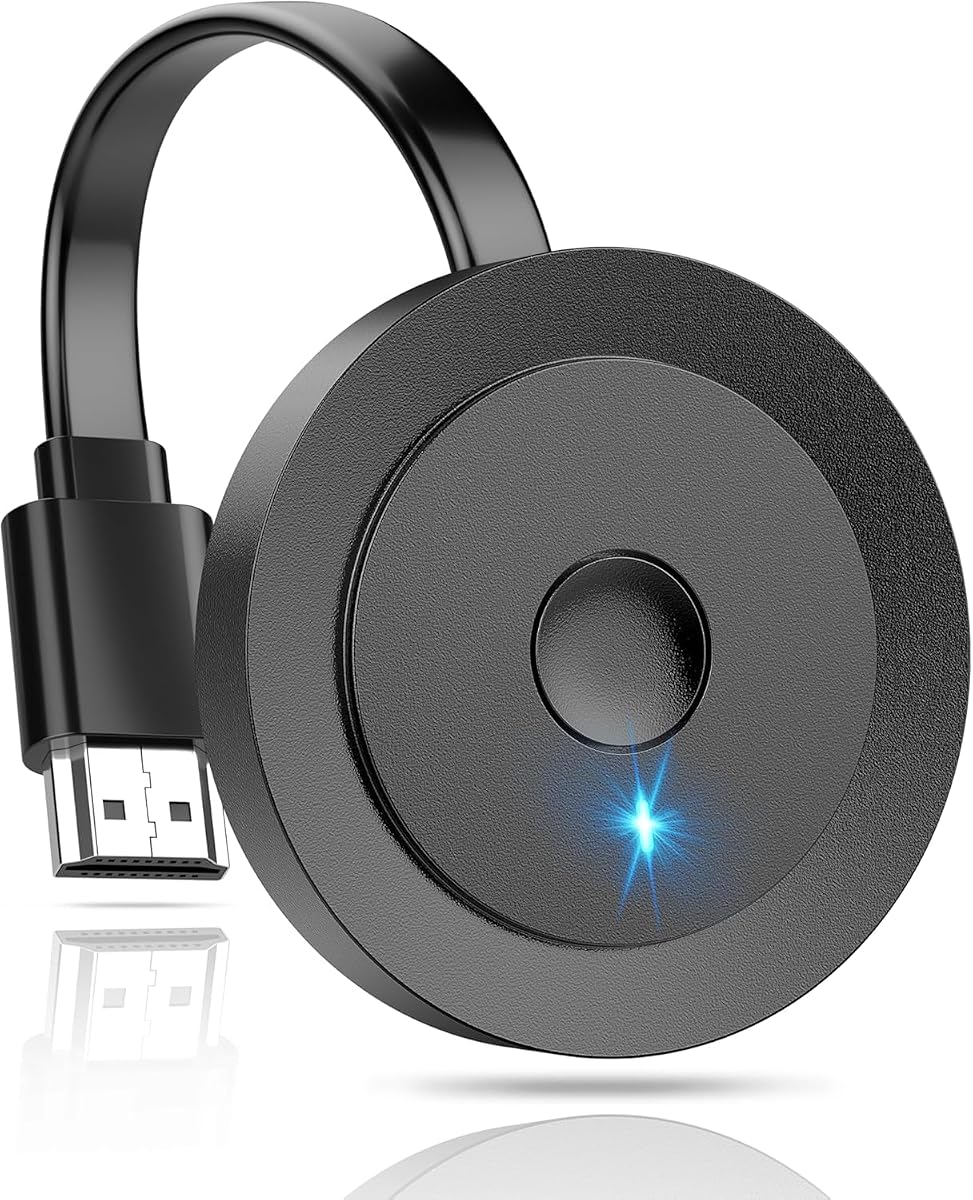
Descripción del producto El adaptador de pantalla inalámbrico Drymokini permite duplicar la pantalla sin problemas desde su teléfono, tableta o computadora a su televisor. Admite múltiples resoluciones, incluidas 4K x 2K@30Hz, 1080P@60Hz, 1080P@30Hz, 3D y 720P. Disfrute de transmisiones de video y audio de calidad con amigos y familiares. El modo extendido le permite transmitir videos a su televisor mientras continúa usando su dispositivo. Resolución de alta definición de hasta 4K para imágenes nítidas Admite duplicación desde i-Phones, i-Pads, MacBooks, teléfonos inteligentes Android y PC Visualización perfecta de videos, imágenes, juegos, sitios web, presentaciones de diapositivas y más en televisores, proyectores, monitores y pantallas equipados con HDMI Funcionalidad plug-and-play para una fácil configuración y experiencias de películas HD sin cables Antena externa para una mejor recepción de señal y pantallas más grandes y claras Compatibilidad con iOS, Sistemas Android, Mac y Windows Admite modos MiraCast, Airplay y DLNA para opciones de conectividad versátiles Ideal para compartir fotos, organizar reuniones, juegos, videollamadas y crear sistemas de cine en casa Regalo ideal para ocasiones especiales como Navidad, Año Nuevo, cumpleaños, fiestas, graduaciones y más Mejora la conectividad y las posibilidades de entretenimiento para una amplia gama de actividades Impresionante resolución 4K Este dongle HDMI inalámbrico 4K admite la mayoría de las resoluciones, incluidas 4K x 2K@30hz, 1080P @60hz, 1080P @30hz, 3D /720P, puede compartir videos y audis más lujosos o con tus amigos o familiares a través de la conexión de enrutador y dispositivos. Función inalámbrica para iOS: iPhone 17/17 Pro/17 Pro Max/16/15/14/13/12/11/11 Pro/11 Pro Max/X/8P/8/7/6; iPad 9/8/7/6/5; iPad Air/Pro/mini Para Mac OS: MacBook Pro, MacBook Air 13.3 y más Para Android: teléfono inteligente/tableta Android 4.2+ Para Windows: Windows 8.1/10 Dispositivo compatible con función inalámbrica. Modos Mirror & Extend El modo Mirror duplica el contenido de la pantalla principal para realizar presentaciones y compartir contenido sin problemas. El modo extendido amplía su pantalla para lograr eficiencia en la multitarea. ¿Cómo conectarse? Conecte la antena externa al dongle HDMI inalámbrico, luego conecte el dongle al televisor y conecte el cable USB a un adaptador de corriente o al puerto USB del televisor. Depende del sistema de su dispositivo: Dispositivos Android: busque Screen Mirroring en la configuración del teléfono, seleccione AMB-XXXX y listo. Dispositivos de Windows: presione "win+K", seleccione AMB-XXXX y listo. Dispositivos iOS/Mac OS: vaya a la configuración de red de su dispositivo, busque el nombre de WiFi: AMB-XXXX e ingrese contraseña: 12345678. Inicie el navegador en su iPhone para acceder a la dirección IP "192.168.203.1". Haga clic en "Internet" --- Elija la cuenta de su enrutador --- Ingrese la contraseña. Toque la duplicación de pantalla, seleccione AMB-XXXX como objetivo y listo.
Agregás al carrito
Sumás este y otros productos que querés traer.
Cotizás el envío
Calculamos flete aéreo y aranceles a Argentina.
Confirmás y pagás
Online con tarjeta, o por transferencia, con el total final a la vista.
Lo recibís en casa
Seguimiento en tiempo real. El despacho lo hacemos nosotros.
Lo que suele llevarse para tu notebook · un solo envío para todo
Los mejor puntuados del mismo tipo de producto
Mismo tipo de producto y precio parecido