Cargando el producto…

Precio desde
$ 27.420
+ flete e impuestos
Color
Compra protegida
Puerta a puerta
Gestión aduanera
Tu compra, acompañada de principio a fin
Todo esto está en los Términos y Condiciones. Leerlos
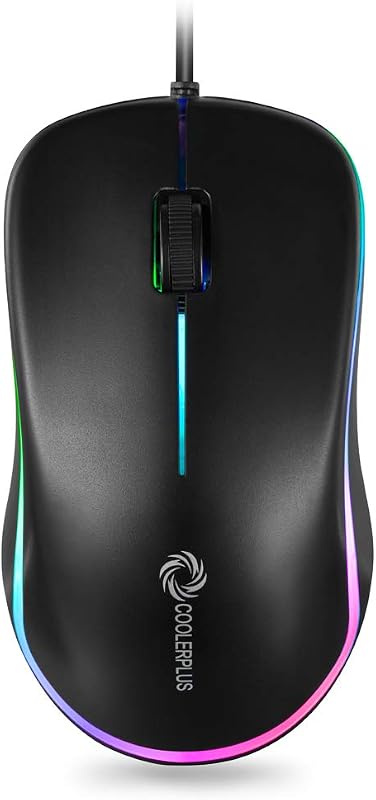
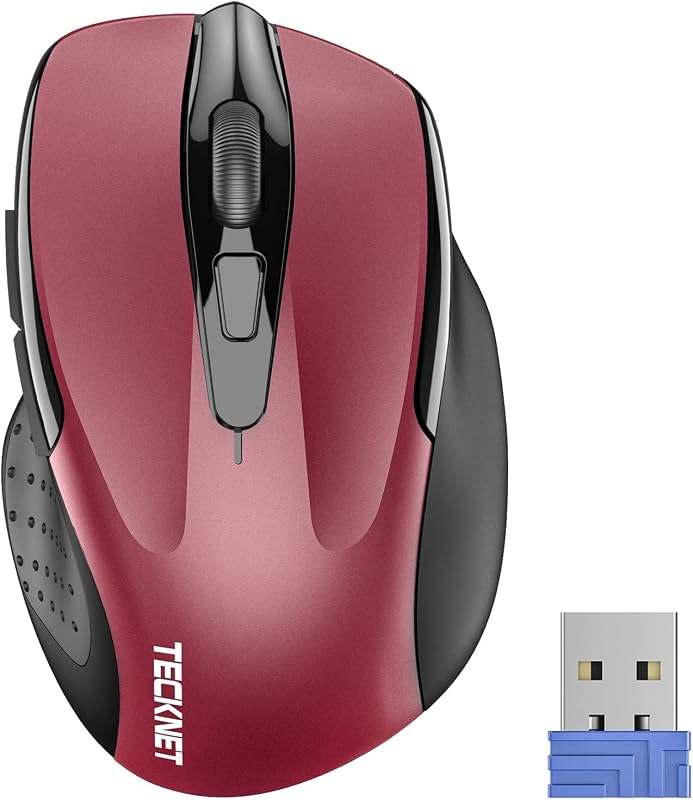
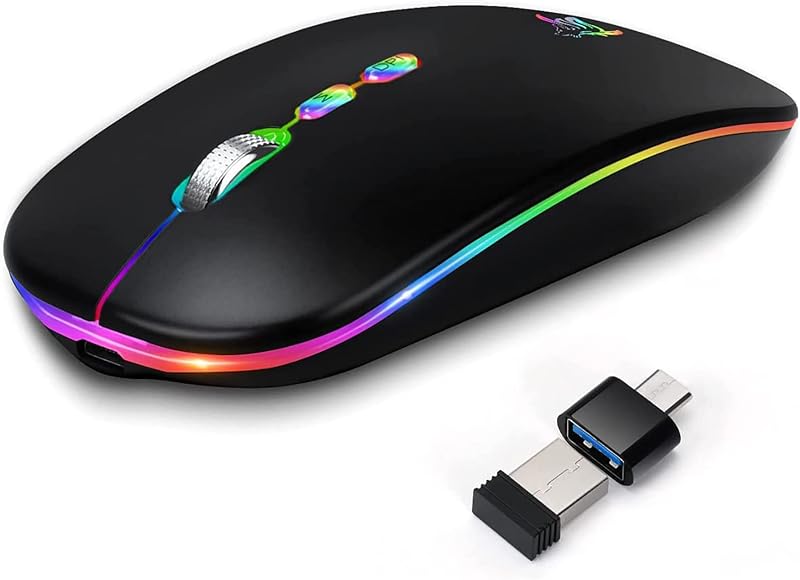
Descripción del producto Página anterior Página siguiente 1 Seguimiento óptico avanzado 2 Botones de navegación rápida 3 Indicador de encendido y DPI 4 Trabaje cómodamente Página anterior Página siguiente Página anterior Página siguiente 1 Navegación sencilla 2 Trabajo eficiente 3 Entretenimiento divertido Página anterior Página siguiente P1 ¿Por qué no funciona mi mouse inalámbrico? - 1. Compruebe si la batería está instalada con la polaridad correcta. Asegúrese de que el interruptor de encendido esté en "ON". 2. Intente conectar el receptor a un puerto USB-A diferente o reinicie la computadora. 3. Es posible que la batería esté agotada. P2 ¿Dónde está el receptor USB A? - Abra la tapa de la batería; El receptor se guarda debajo del compartimento de la batería. Q3 ¿Cómo activar el mouse? - Se apaga después de 10 minutos de inactividad y requiere 2 o 3 clics para activarlo. P4 ¿Por qué mi mouse inalámbrico no funciona por un tiempo? - Batería baja. Reemplace la batería. P5 Cuando el mouse responde lentamente, tiene retrasos o carece de precisión, siga estos pasos para volver a emparejarlo: 1. Inserte las baterías en el mouse, cámbielo a la posición "NO" para encenderlo. - 2. Conecte el receptor del mouse a la computadora, luego presione y mantenga presionados los botones izquierdo y derecho del mouse simultáneamente. - 3. Coloque el mouse a 20 cm del receptor y espere de 3 a 5 segundos hasta que se complete el emparejamiento. Luego, su mouse se emparejará exitosamente con el receptor y estará listo para su uso normal. P5 ¿Cómo puedo confirmar el DPI del mouse? - La luz indicadora de DPI se iluminará cuando se cambie el DPI. La luz roja del DPI de primera velocidad (800) se apagará después de que se vuelva roja, ya que la luz roja del DPI de segunda velocidad (1200) se apagará después de que se vuelva roja dos veces, y la luz roja del DPI de tercera velocidad (1600) se apagará después de que se vuelva roja tres veces. Cambie fácilmente entre 800-1200-1600. P6 ¿Cuáles son las dimensiones y el peso de este mouse? - Este mouse mide 5,1 pulgadas de largo, 3,2 pulgadas de ancho, 1,6 pulgadas de alto y pesa 3 onzas. Acer Mouse Ratón inalámbrico OMR266 Agregar al carrito Ratón inalámbrico OMR339 Opciones de compra Ratón ergonómico OMR272 Agregar al carrito Ratón ergonómico OMR290 Opciones de compra Ratón ergonómico OCC314 Agregar al carrito Ratón ergonómico OMR241 Opciones de compra Ratón para juegos OMR279 Opciones de compra Reseñas de clientes 4.4 de 5 estrellas 6,425 4.5 de 5 estrellas 383 4.0 de 5 estrellas 361 4.3 de 5 estrellas 549 3.8 de 5 estrellas 3,478 4.3 de 5 estrellas 1,348 4.1 de 5 estrellas 251 Precio $13.99$13.99 $12.99$12.99 $29.99$29.99 $25.99$25.99 $23.99$23.99 $19,99$19,99 $25,99$25,99 DPI 800,1200,1600 800,1200,2400,3200,4000 800,1200,1600,2400,3200,4800 1200,2400,3200,4000 800,1200,1600 800,1200,1600 1200,1600,2400,5000,12K,24K Botones laterales ✔ ✔ ✔ ✔ ✔ ✔ ✔ Fuente de alimentación 2 pilas AAA (No incluidas) 1 pila AA (No incluidas) Recargable 2 pilas AAA (No incluidas) Recargable Recargable Bluetooth portátil ✘ ✘ ✔ ✔ ✘ ✘ ✘ Conexión Inalámbrica de 2,4 Ghz Bluetooth inalámbrico de 2,4 Ghz y Bluetooth inalámbrico de 2,4 Ghz y inalámbrico de 2,4 Ghz Inalámbrico de 2,4 Ghz Inalámbrico de 2,4 Ghz Inalámbrico y con cable de 2,4 Ghz Botones 6 6 8 8 6 6 8 Luz indicadora visible ✔ ✔ ✔ ✔ ✔ ✔ ✔
Agregás al carrito
Sumás este y otros productos que querés traer.
Cotizás el envío
Calculamos flete aéreo y aranceles a Argentina.
Confirmás y pagás
Online con tarjeta, o por transferencia, con el total final a la vista.
Lo recibís en casa
Seguimiento en tiempo real. El despacho lo hacemos nosotros.
De la misma marca, empezando por lo más reseñado
Los mejor puntuados del mismo tipo de producto
Mismo tipo de producto y precio parecido