Cargando el producto…

Precio desde
$ 70.540
+ flete e impuestos
Color
Compra protegida
Puerta a puerta
Gestión aduanera
Tu compra, acompañada de principio a fin
Todo esto está en los Términos y Condiciones. Leerlos
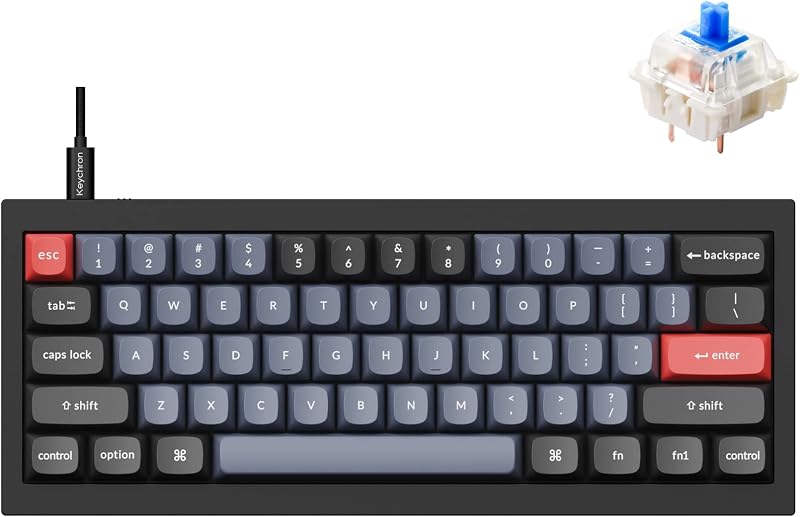
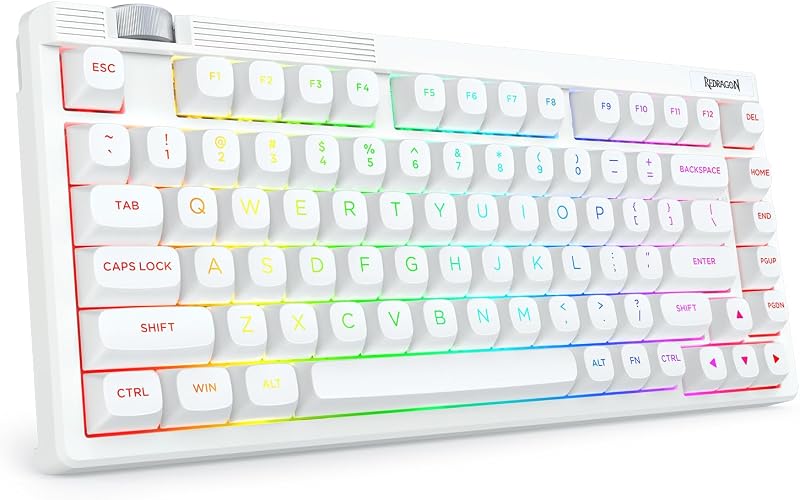
Descripción del producto ESPECIFICACIONES DEL PRODUCTO Número de teclas 68 teclas (teclas de flecha incluidas) Número de dispositivos conectados Hasta 3 (2.4G *1, Bluetooth 5.0 *2) Conexiones admitidas 2.4G inalámbrico/Bluetooth 5.0 Método de suministro de energía 2 *baterías AAA (no incluidas en el paquete) Soporte intercambiable en caliente o no Sí, compatible con interruptores de 3 pines Materiales de teclas ABS Teclas de doble disparo Receptores inalámbricos Receptor 2 en 1 (USB-A/Tipo-C) Dispositivos compatibles PC, Mac, teléfono inteligente, tableta Retroiluminación Diseño no retroiluminado Tamaño del producto aproximadamente 12,3 * 4 * 1,65 pulgadas (311 * 101 * 42 MM) Tipo de interruptores Interruptores rojos lineales Contenido de la caja Teclado*1, extractor de teclas*1, extractor de interruptores*1, receptor 2 en 1*1, manual*1 ¿Cómo volver a emparejar el teclado con el receptor? 1) Mantenga presionado FN+Q durante 3 segundos, la luz indicadora verde debajo de la tecla Q seguirá parpadeando. 2) Inserte el receptor inalámbrico de 2,4G en el dispositivo; cuando la luz indicadora verde deje de parpadear, significa que el emparejamiento se realizó correctamente. ¿Cómo cambiar entre diferentes dispositivos? Este teclado inalámbrico puede conectar hasta 3 dispositivos inalámbricos, presione FN+Q para cambiar al modo inalámbrico 2.4G, FN+W/E para cambiar al dispositivo Bluetooth 1 o al dispositivo Bluetooth 2. Algunas funciones de combinación FN: FN+Q: Cambiar al modo inalámbrico 2.4G FN+W/E: Cambiar al modo Bluetooth FN+T: Reproductor multimedia FN+U/Y: Volumen+/- FN+I: Silenciar/Activar silencio FN+{: Reproducir/Pausar. FN+}/P: Canción siguiente/anterior FN+WIN: Bloquear/Desbloquear Win ¿Cómo conectar el teclado? 1. Abra la tapa de las baterías en la parte posterior del teclado y agregue dos baterías AAA nuevas. (La batería no está incluida en el paquete) 2. Encienda el interruptor en la parte posterior del teclado. 3. Utilice una conexión inalámbrica de 2,4G: el teclado y el receptor inalámbrico se emparejan automáticamente en fábrica, simplemente conecte el receptor inalámbrico al dispositivo para usar el teclado. 4. Conéctese usando Bluetooth: 1) Mantenga presionado FN+W/E durante 3 segundos, la luz indicadora debajo de la tecla W o E parpadeará, lo que significa que el teclado está en modo de emparejamiento Bluetooth. 2) Encienda el Bluetooth del dispositivo que desea conectar y seleccione el dispositivo cuyo nombre de Bluetooth sea K68 BT5.0 o BT3.0 para emparejar. 3) Cuando la luz indicadora de la tecla W o E está apagada, significa que el emparejamiento se realizó correctamente y se puede utilizar el teclado.
Agregás al carrito
Sumás este y otros productos que querés traer.
Cotizás el envío
Calculamos flete aéreo y aranceles a Argentina.
Confirmás y pagás
Online con tarjeta, o por transferencia, con el total final a la vista.
Lo recibís en casa
Seguimiento en tiempo real. El despacho lo hacemos nosotros.
Los mejor puntuados del mismo tipo de producto
Mismo tipo de producto y precio parecido