Cargando el producto…

Precio de origen
$ 53.351
$ 142.393
+ flete e impuestos
Compra protegida
Puerta a puerta
Gestión aduanera
Tu compra, acompañada de principio a fin
Todo esto está en los Términos y Condiciones. Leerlos
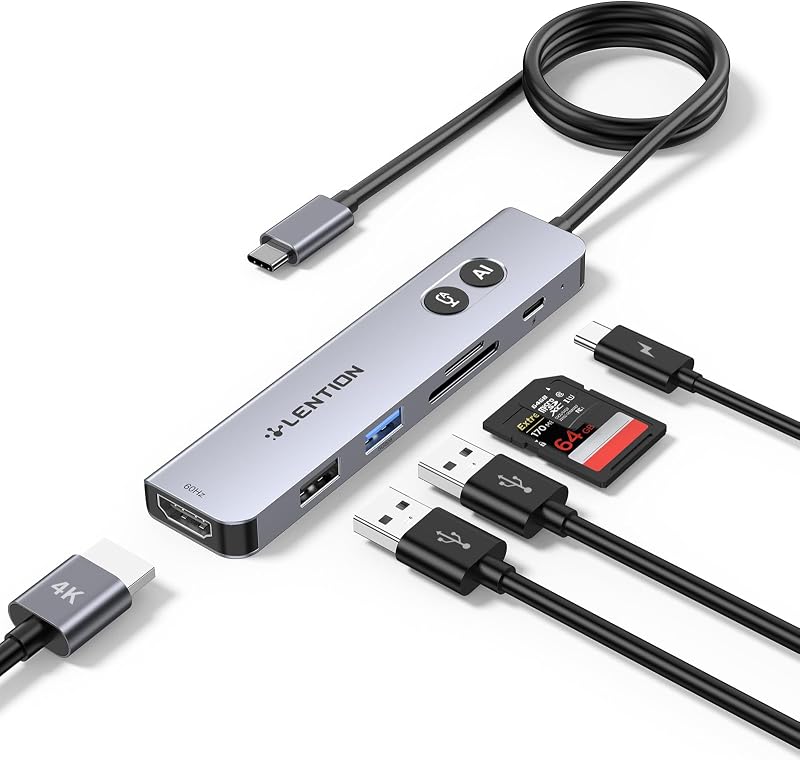
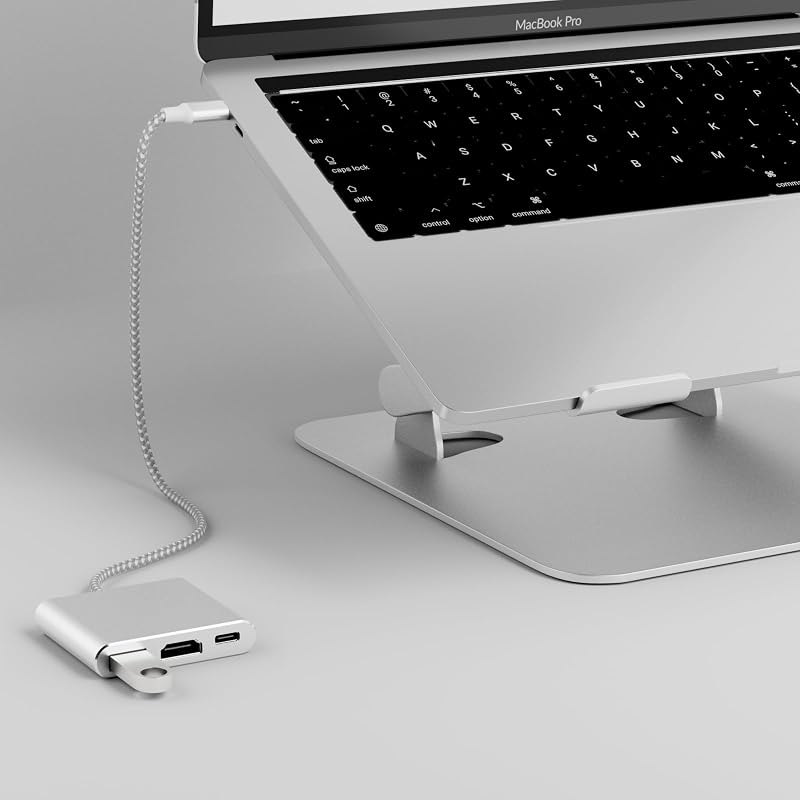
Descripción del producto El adaptador USB C a HDMI le permite disfrutar de eventos deportivos, películas, videojuegos y fotografías/álbumes directamente en su monitor, pantalla o televisor equipado con HDMI. No se necesita fuente de alimentación ni WiFi, y no se requieren configuraciones adicionales después de la conexión. Simplemente conéctelo y juegue: no se necesita software de controlador ni instalación de aplicaciones. Conexión Conecte el adaptador a su pantalla: use un cable HDMI para conectar el puerto HDMI del adaptador al puerto HDMI de su televisor, proyector o monitor. Conecte su dispositivo: conecte su dispositivo al adaptador USB C a HDMI. Asegúrese de que el televisor/monitor esté configurado en la fuente de entrada correcta (HDMI). Espere unos segundos hasta que la pantalla se transmita correctamente. Encienda su dispositivo (opcional): si su dispositivo requiere energía, conecte un cable de carga USB C al adaptador. Adaptador tipo C a HDMI con soporte HDMI 4K: modo espejo y modo extendido. Diseñado para iPhone 16 15 Pro Max/Plus, computadoras portátiles, tabletas y teléfonos inteligentes con USB-C, nuestro convertidor garantiza conexiones perfectas y brinda comodidad versátil para todas sus necesidades audiovisuales y de carga. No consigo que funcione el puerto HDMI. ¿Qué tengo que hacer? Pruebe los siguientes pasos: Verifique la compatibilidad del puerto USB-C: confirme si el puerto USB-C conectado de su dispositivo admite el modo DP Alt. Pruebe con diferentes dispositivos y cables: intente usar una computadora diferente y un cable HDMI para ver si el problema persiste. Conexión HDMI directa: conecte su cable HDMI directamente a su dispositivo para verificar si hay una conexión estable. Si la conexión es inestable, el problema puede estar en el cable HDMI. Configuración de entrada del monitor: asegúrese de que su monitor esté configurado en la fuente de entrada correcta (HDMI). ¿Cómo usarlo para Nintendo Switch? Mantenga el adaptador HDMI cargando: asegúrese de que el adaptador HDMI esté conectado a una fuente de alimentación mientras lo usa con Nintendo Switch. Retire el controlador de juego: al sincronizar, retire el controlador de juego del Switch para jugar. De lo contrario, el controlador no se podrá utilizar si se deja conectado al Switch. ¿Por qué mi teléfono celular/tableta/portátil no tiene sonido después de conectarlo a un monitor/TV/pantalla usando este adaptador? Al proyectar, el sonido se sincroniza con la pantalla de forma predeterminada. Sin embargo, puede seleccionar manualmente el modo de sonido: haga clic en el icono del altavoz en su dispositivo. Elija su teléfono/computadora como fuente de salida de audio. Compatibilidad con aplicaciones/servicios de transmisión como Netflix y Hulu? Este adaptador HDMI para iPhone 15/16 con HDCP permite que Netflix, Video Prime, Hulu, Disney, Mediaset, HBO Max y otras aplicaciones o servicios de transmisión se reflejen directamente en su televisor, monitor o proyector inteligente. CLOSS Adaptador USB C a HDMI 2 en 1 con carga PD de 100 W, Type-C a HDMI 4K T... Adaptador USB C a HDMI 2 en 1, Adaptador Thunderbolt 3 a HDMI, Hub USB C con P... Adaptador USB C a HDMI 4K@60Hz, adaptador para iPhone, MacBook, Galaxy, Dell, Chr... Adaptador USB C a HDMI 4K@60Hz, Adaptador Thunderbolt, Convertidor HDMI tipo C, US... Closs USB C a HDMI Adaptador Cable 4K, Convertidor Thunderbolt, USB Type-C a HD... Agregar al carrito Agregar al carrito Opciones de compra Opciones de compra Agregar al carrito Reseñas de los clientes 3.3 de 5 estrellas 50 3.2 de 5 estrellas 45 4.2 de 5 estrellas 59 4.2 de 5 estrellas 40 4.8 de 5 estrellas 12 Precio RON 27.22RON27.22 RON 27.22RON27.22 — sin datos — sin datos RON 27.22RON27.22 Puerto HDMI ✓ ✓ ✓ ✓ ✓ Puerto PD ✓ ✓ sin datos sin datos
Agregás al carrito
Sumás este y otros productos que querés traer.
Cotizás el envío
Calculamos flete aéreo y aranceles a Argentina.
Confirmás y pagás
Online con tarjeta, o por transferencia, con el total final a la vista.
Lo recibís en casa
Seguimiento en tiempo real. El despacho lo hacemos nosotros.
Los mejor puntuados del mismo tipo de producto
Mismo tipo de producto y precio parecido
![Anker Hub USB de 4 puertos con transferencia de datos de 5 Gbps, concentrador USB 3.0 múltiple, divisor USB para computadora portátil, extensor para un puerto portátil, PC, computadora de escritorio y más [carga no compatible] (USB-A de 0,7 pies) (paquete de 2)](https://m.media-amazon.com/images/I/51gQWHVLMGL._AC_SL800_.jpg)