Cargando el producto…

Precio de origen
$ 90.765
$ 96.212
+ flete y aranceles — se calculan al cotizar
Color
Compra protegida
Puerta a puerta
Aduana incluida
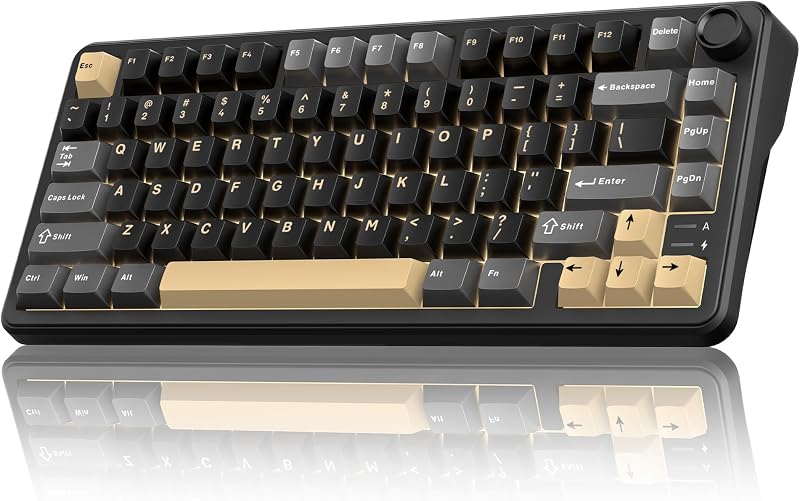
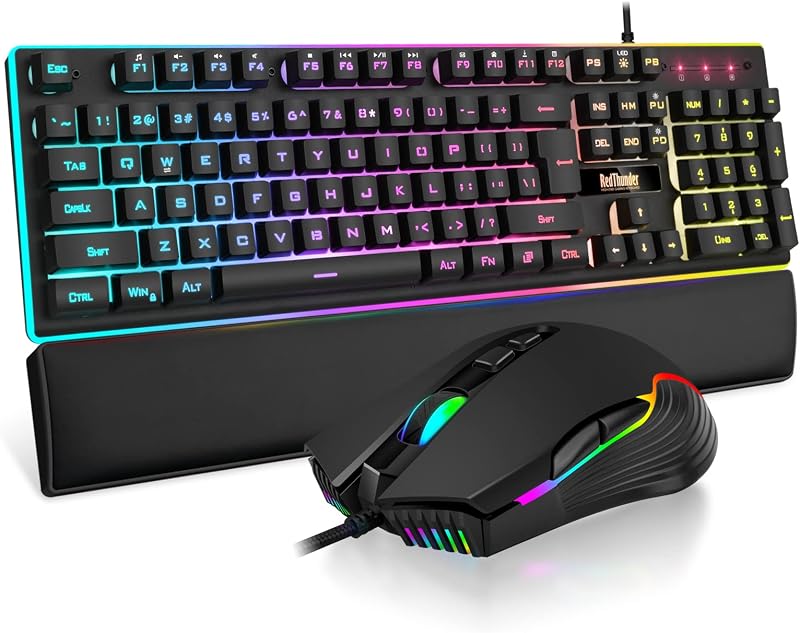
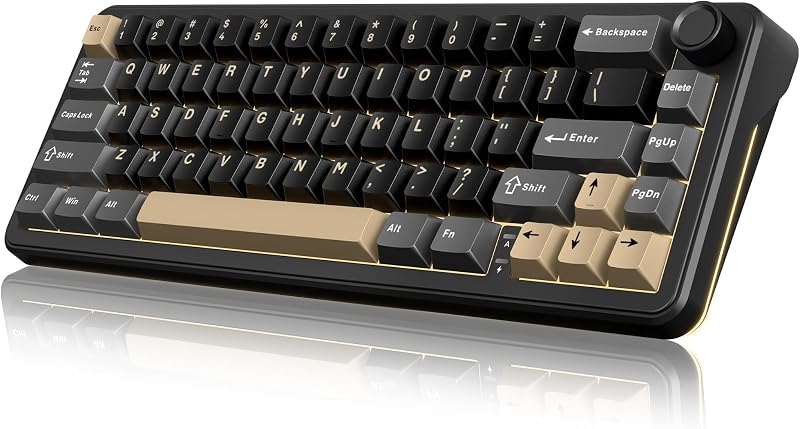
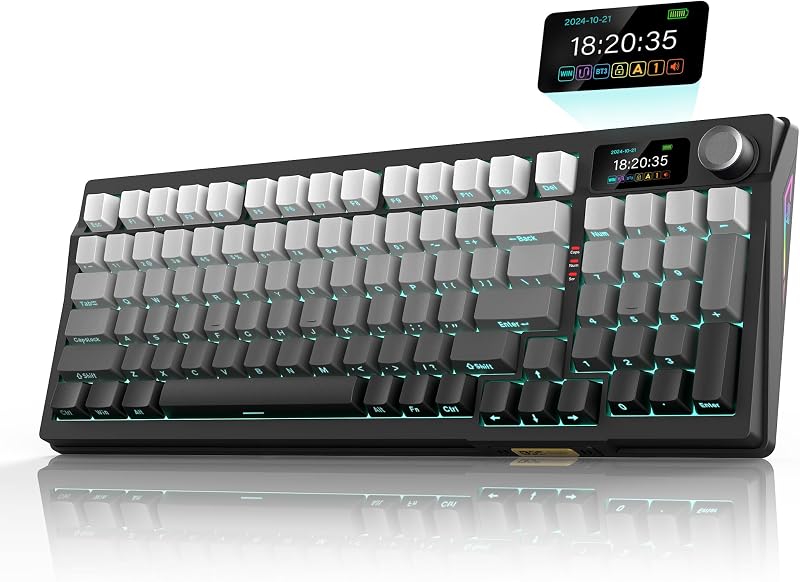
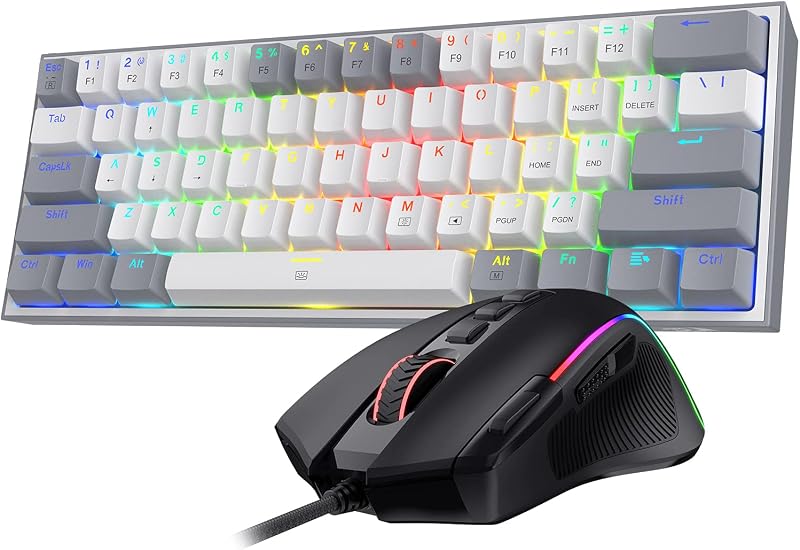
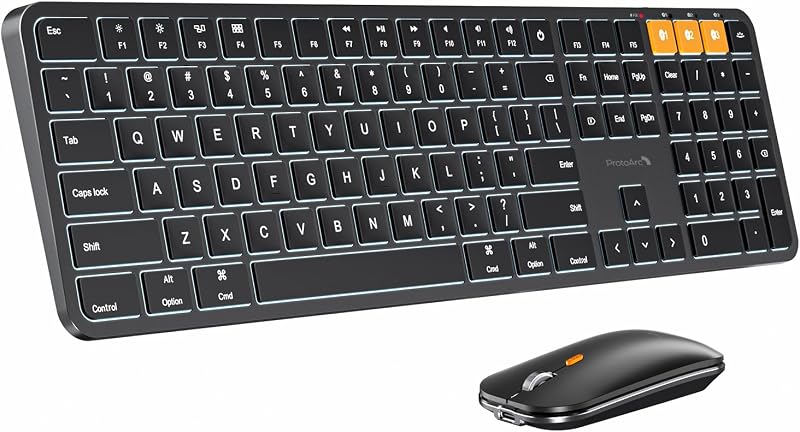
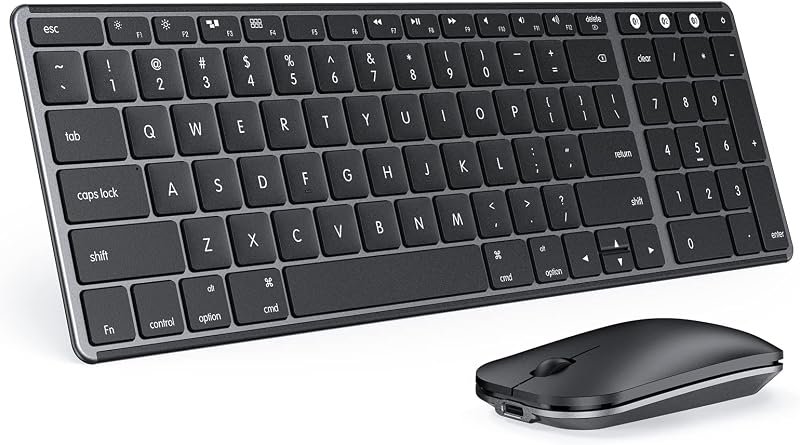
Product description Previous page Next page 1 3 Modes 2 RGB Backlight 3 Ergonomic Design 4 Rechargeable Battery RedThunder K75 Wireless Keyboard and Mouse Get rid of messy cables and provide a neat and organized desktopCompact and cordless, it fits easily in your bag and can be taken anywhereProfessional Gaming Mouse the fiercest battles are handled with easeSeek the high-quality choice of multifunctional and innovative typing experience The video showcases the product in use.The video guides you through product setup.The video compares multiple products.The video shows the product being unpacked.Video Player is loading.Click to play videoPlayMuteCurrent Time 0:00/Duration 0:40Loaded: 7.51%0:00Stream Type LIVESeek to live, currently behind liveLIVERemaining Time -0:40 1xPlayback RateChaptersChaptersDescriptionsdescriptions off, selectedCaptionsCaptions off, selectedEnglish (Automated)Audio Trackdefault, selectedFullscreenThis is a modal window. RedThunder K75 Wireless Gaming Keyboard and Mouse How to connect the K75 keyboard and mouse set? Before using: Turn on the switch and press FN+A/S to select Windows/macOS system. Wired Mode: FN+5%, the light flash white, use original USB‑C cable with Data Transmission to connect. Bluetooth Mode: FN+1!/2@/3#, the light flash blue/purple/cyan, select BT1/BT2/BT3. 2.4G Wireless Mode: FN + 4$, light flash green, inseRt the USB into your device. Shared USB receiver (under mouse) for keyboard & mouse. Mouse Bluetooth and 2.4G Wireless Mode: Long press "right button + scroll wheel + left button" The video showcases the product in use.The video guides you through product setup.The video compares multiple products.The video shows the product being unpacked.Video Player is loading.Click to play videoPlayMuteCurrent Time 0:00/Duration 1:43Loaded: 2.92%0:00Stream Type LIVESeek to live, currently behind liveLIVERemaining Time -1:43 1xPlayback RateChaptersChaptersDescriptionsdescriptions off, selectedCaptionsCaptions off, selectedEnglish (Automated)Audio Trackdefault, selectedFullscreenThis is a modal window. How to use 3 modes How to use CNC Knob? Press & hold FN + CNC for 3s to switch modes. Volume Mode: Rotate to adjust volume. Press to mute/unmute. Lighting Mode: Rotate to adjust brightness. Press to cycle lighting effects. The video showcases the product in use.The video guides you through product setup.The video compares multiple products.The video shows the product being unpacked.Video Player is loading.Click to play videoPlayMuteCurrent Time 0:00/Duration 0:33Loaded: 9.10%0:00Stream Type LIVESeek to live, currently behind liveLIVERemaining Time -0:33 1xPlayback RateChaptersChaptersDescriptionsdescriptions off, selectedCaptionsCaptions off, selectedEnglish (Automated)Audio Trackdefault, selectedFullscreenThis is a modal window. K75 Keyboard Knob How to adjust RGB backlight? FN + Backspace: Turn on/off the backlight. FN +\|: Switch backlight mode. FN + PU / PD: Increase/Decrease backlight brightness. FN+ =+/-_: Speed up/Slow down the backlight speed. The video showcases the product in use.The video guides you through product setup.The video compares multiple products.The video shows the product being unpacked.Video Player is loading.Click to play videoPlayMuteCurrent Time 0:00/Duration 0:42Loaded: 7.15%0:00Stream Type LIVESeek to live, currently behind liveLIVERemaining Time -0:42 1xPlayback RateChaptersChaptersDescriptionsdescriptions off, selectedCaptionsCaptions off, selectedEnglish (Automated)Audio Trackdefault, selectedFullscreenThis is a modal window. How to adjust RGB backlight? How to repair the keyboard/mouse with your device? Refer to manual & video. Main keys below. Keyboard Bluetooth Mode: Long press FN+1!/2@/3# to select BT1/BT2/BT3 Keyboard 2.4G Wireless Mode: Long press FN+4$ Mouse Bluetooth and 2.4G Wireless Mode: Long press "right button + scroll wheel + left button" The video showcases the product in use.The video guides you through product setup.The video compares multiple products.The video shows the product being unpacked.Video Player is loading.Click to play videoPlayMuteCurrent Time 0:00/Duration 1:46Loaded: 2.83%0:00Stream Type LIVESeek to live, currently behind liveLIVERemaining Time -1:46 1xPlayback RateChaptersChaptersDescriptionsdescriptions off, selectedCaptionsCaptions off, selectedAudio Trackdefault, selectedFullscreenThis is a modal window. How to reconect the keyboard and mouse? Previous page Lightweight RGB Mouse The 85g (±5) Lightweight Mouse has 13 adjustable RGB backlights. Adjustable DPI 800-1000 (Default)-1600-2400-4800 Next page How can I find the USB receiver? The keyboard and mouse share only one USB receiver, whitch is in the bottom of the mouse. How to use Knob Press & hold FN + CNC Knob for 3s to switch modes. Volume Mode: Rotate to adjust volume. Press to mute/unmute. Lighting Mode: Rotate to adjust brightness. Press to cycle lighting effects. How to select the system. FN+A/S to switch between Windows and macOS. How to select con
Agregás al carrito
Sumás este y otros productos que querés traer.
Cotizás el envío
Calculamos flete aéreo y aranceles a Argentina.
Confirmás y pagás
Un asesor te contacta con el link de pago.
Lo recibís en casa
Tracking en tiempo real. Aduana incluida.
De la misma marca, empezando por lo más reseñado
Los mejor puntuados del mismo tipo de producto
Mismo tipo de producto y precio parecido