Cargando el producto…

Precio de origen
$ 12.724
+ flete y aranceles — se calculan al cotizar
Compra protegida
Puerta a puerta
Aduana incluida
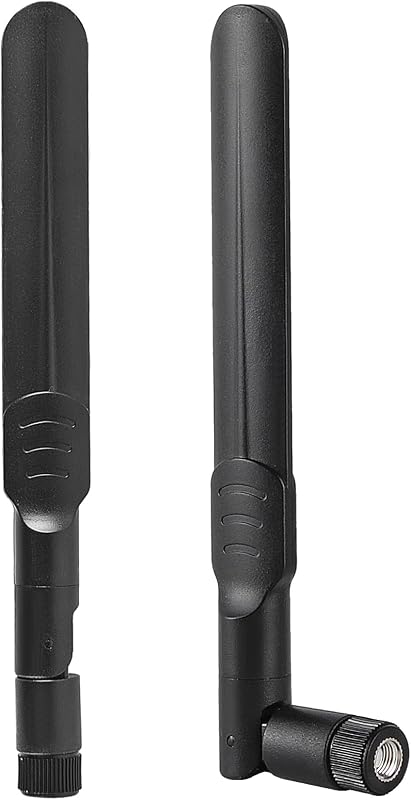
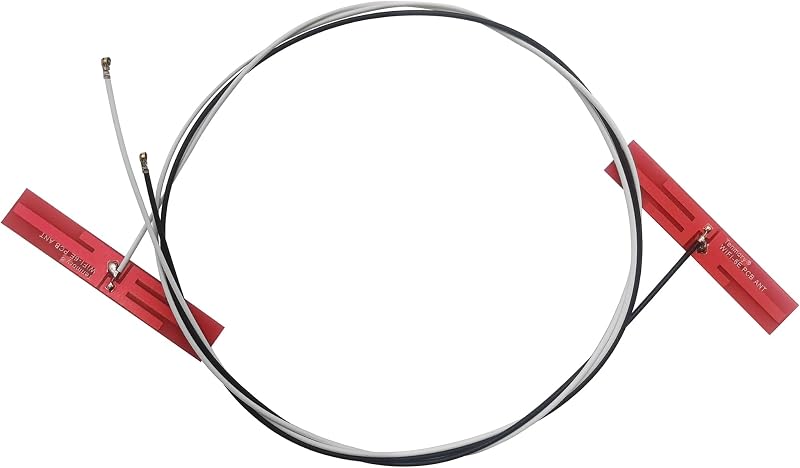
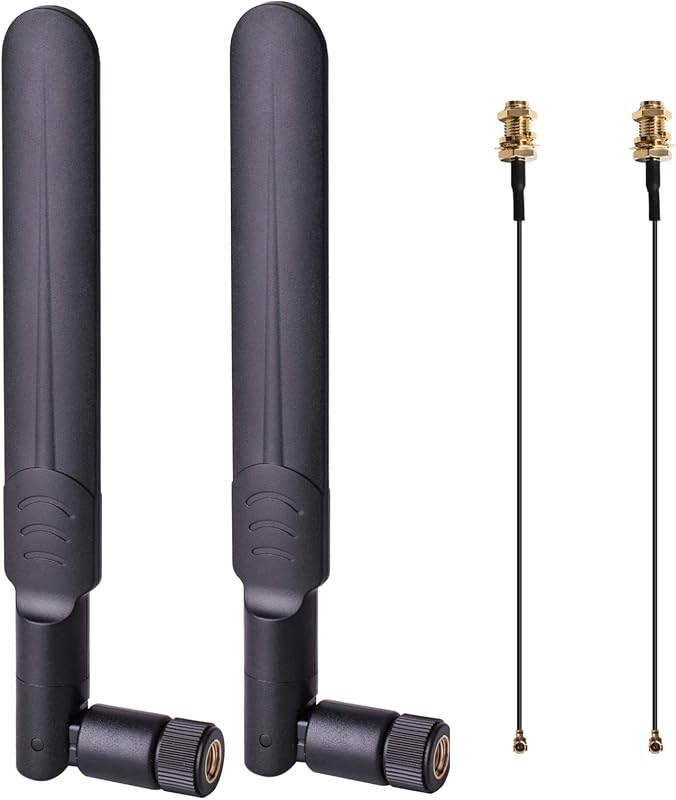
Product description Is your laptop or mini PC ready for the next generation of wireless connectivity? This Tri-Band MHF4 Internal FPC Antenna Kit brings full 2.4GHz, 5GHz, and 6GHz support to your M.2 WiFi 6E/7 card. Unlike traditional dual-band antennas, this tri-band design unlocks the 6GHz "fast lane" for ultra-low latency, interference-free WiFi 6E/7 performance . Designed specifically for M.2 (NGFF) interface WiFi cards, these antennas feature the industry-standard MHF4 (IPEX 4) connector with a 1.2mm mating height . The compact FPC (Flexible Printed Circuit) design with 3M adhesive backing allows for easy internal installation in laptops, mini PCs, and compact devices . Chipset Series Models for Intel WiFi 6E/7 AX210, AX211, AX200, AX201, 9560, 9260 for Intel 8xxx Series 8260, 8265 for Intel 7xxx Series 7260, 7265, 3160, 3165, 3168 for Killer 16xx/15xx 1675x, 1650x, 1550, 1435, 1525, 1535 for Broadcom NGFF BCM94352Z, BCM94360HMB, BCM943228ZH for Dell DW Series DW1560, DW1830, DW1820A Technical Specifications Frequency Bands 2.4GHz (2400-2500 MHz), 5GHz (4900-5850 MHz), 6GHz (5925-7125 MHz) Gain 3 dBi Connector Type MHF4 (IPEX 4 / Gen 4) Radiation Pattern Omnidirectional (360° coverage) VSWR ≤ 1.8 (2.4GHz), ≤ 1.5 (6GHz) Impedance 50 Ohms PCB Size Approx. 2 x 0.35 inches Cable Length (Gray) 48 cm (18.8 inches) Cable Length (Black) 66 cm (25.9 inches) Operating Temp -40°C to +85°C Interface M.2 (NGFF) ONLY – NOT Mini PCIe Installation Guide(IMPORTANT: The MHF4 connector is delicate. Please read these instructions carefully.) Step 1: Power Off Your Device – Turn off your laptop or mini PC and disconnect the power adapter. Step 2: Access the M.2 Card – Remove the bottom cover of your laptop or open your mini PC to access the M.2 WiFi card. Step 3: Remove Old Antennas – Gently disconnect the old antenna cables from the M.2 card by lifting the connector housing straight up with tweezers – never pull by the wire. Step 4: Connect New Antennas – Align the MHF4 connector straight (90°) over the terminal on your M.2 card. Press straight down with light, even pressure until you feel a slight CLICK . Step 5: Route and Secure – Route the cables inside your device chassis. Peel the adhesive backing and secure the FPC antennas to a non-conductive surface away from metal components Step 6: Reassemble and Test – Close your device, power it on, and test your WiFi connection. CRITICAL SAFETY WARNING: Never connect or disconnect an antenna with the device powered on. Operating a wireless card without an antenna can permanently damage the radio amplifier. CHECK YOUR CARD BEFORE ORDERING Visual: A three-panel infographic: Panel 1 (Compatible): M.2 (NGFF) card with U.FL/MHF4 port – “M.2 NGFF Card – COMPATIBLE”Panel 2 (NOT Compatible): Mini PCIe card – “Mini PCIe Card – NOT COMPATIBLE”Panel 3 (NOT Compatible): Older IPEX 1/2/3 connector – “Older IPEX 1/2/3 – NOT COMPATIBLE” Text: This antenna uses the MHF4 (IPEX 4) connector. It is designed for M.2 (NGFF) interface cards ONLY . It will NOT work with Mini PCIe cards or older IPEX 1/2/3 connectors . Title: Why the 6GHz Band is a Game-Changer Text: Traditional WiFi networks (2.4GHz and 5GHz) are often congested with legacy devices, smart home gadgets, and neighboring networks. The 6GHz band provides exclusive, interference-free spectrum for next-generation WiFi 6E/7 devices. Title: Compatible with Major WiFi 6E/6/5 M.2 Cards WiFi Cards (M.2 NGFF with MHF4 Connector): for Intel AX210 / AX211 / AX200 / AX201 – WiFi 6E/6for Intel 9560 / 9260 / 8260 / 8265for Intel 7260 / 7265 / 3160 / 3165 / 3168for Killer 1675x / 1650x / 1550 / 1435 / 1525 / 1535for Broadcom BCM94352Z, BCM94360HMB, BCM943228ZHfor Dell DW1560, DW1830, DW1820A NOT Compatible: for Mini PCIe cardsfor Older IPEX 1/2/3 connectorsfor Intel 7265D2W, 8260D2W HOW TO INSTALL YOUR MHF4 ANTENNA – READ BEFORE USE Visual Layout: 4-panel infographic StepAction 1Locate M.2 Card – Open your device and find the M.2 WiFi card. Identify the MHF4 ports. 2Remove Old Antennas – Gently lift the connector housing straight up with tweezers – never pull by the wire. 3Connect New Antennas – Align MHF4 connector straight (90°) over the terminal. Press straight down until you feel a CLICK . 4Secure and Route – Use 3M adhesive backing to place FPC antennas away from metal components . Important Warnings: Do NOT insert at an angle – may damage the connectorDo NOT pull by the wire – use tweezers on the connector housingDo NOT force the connector – if it doesn't click, check alignmentMust be used with M.2 (NGFF) interface cards – NOT Mini PCIe 2x Tri-Band MHF4 (IPEX 4) Internal FPC Antennas (2.4/5/6GHz, 3dBi) See More
Agregás al carrito
Sumás este y otros productos que querés traer.
Cotizás el envío
Calculamos flete aéreo y aranceles a Argentina.
Confirmás y pagás
Un asesor te contacta con el link de pago.
Lo recibís en casa
Tracking en tiempo real. Aduana incluida.
De la misma marca, empezando por lo más reseñado
Los mejor puntuados del mismo tipo de producto
Mismo tipo de producto y precio parecido